
 Gnome MPlayerLinux
vs
Gnome MPlayerLinux
vs
 Zoom PlayerWindows
Gnome MPlayer as a Linux alternative to Zoom Player
Updated
Our verdict
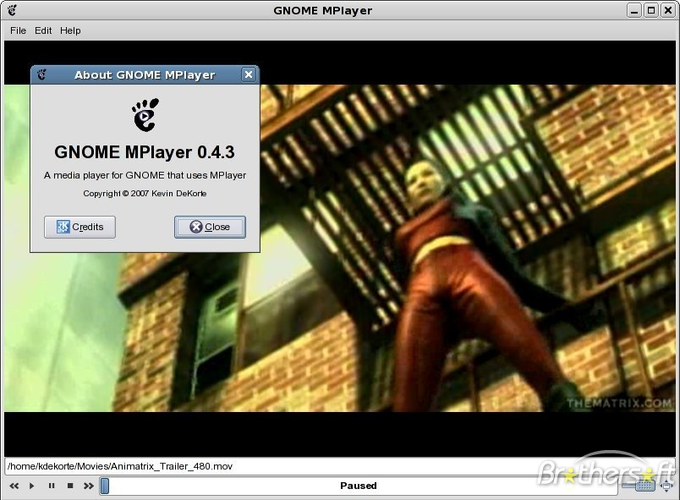
Gnome MPlayer is a functional but dated replacement for Zoom Player. It handles basic playback of common formats and offers a lightweight interface, making it suitable for users who prioritize low resource usage over features. However, it lacks Zoom Player's extensive skinning, advanced library management, and modern hardware acceleration support. If you need a simple, no-frills player for occasional media consumption on an older GNOME system, it works. For a full home-theater experience with rich customization and reliable modern codec support, you will find it limiting compared to Zoom Player.
- License
- GPL
- Price
- Free
- Latest version
- 1.0.9
- Rating
- —
What works the same
- Plays common audio and video formats like MP4, MKV, and MP3
- Supports basic playlist functionality
- Offers full-screen playback mode
- Configurable playback settings via backend engine
What is different
- Lacks extensive skinning and UI customization options found in Zoom Player
- No dedicated library management or tagging system
- Hardware acceleration support is limited and depends on MPlayer configuration
- Discontinued status means no updates for newer codecs or security fixes
- Remote control and advanced keyboard shortcut mapping are less robust
Opening your Zoom Player files
Gnome MPlayer does not natively open Zoom Player's proprietary playlist or library files. You can manually import video and audio files into its playlist. Playlist files in standard formats like M3U or PL might be readable if converted, but direct compatibility with Zoom Player's specific file structures is unlikely. Exporting data from Zoom Player to a universal format like CSV or M3U is recommended before migrating.
Switching from Zoom Player to Gnome MPlayer, step by step
- Install Gnome MPlayer via your package manager.
- Export your Zoom Player playlists to M3U or CSV files.
- Copy your media files to a local directory accessible by Linux.
- Configure MPlayer settings for hardware acceleration if supported by your GPU.
- Test playback of key formats to ensure codec support.
- Set up keyboard shortcuts for basic controls.
Key features of Gnome MPlayer
- Frontend for MPlayer engine
- Supports most common audio and video formats
- Simple, lightweight interface
- Basic playback controls and playlist support
- Configurable via MPlayer settings
- Runs on GNOME desktops with minimal resource use
How to install Gnome MPlayer on Linux
sudo pacman -S gnome-mplayerFrequently asked questions
Is Gnome MPlayer still maintained?
No, it is discontinued. The underlying MPlayer engine is also largely superseded by mpv, which is more actively maintained and feature-rich.
Can I use skins from Zoom Player?
No, Zoom Player skins are not compatible with Gnome MPlayer. The interface is fixed and does not support user-defined skinning packages.
Does it support hardware acceleration?
It can use MPlayer's hardware acceleration features, but this requires specific configuration and may not work with all modern graphics drivers or codecs as reliably as modern players.
5 other alternatives to Zoom Player
 KaffeineKaffeine is a KDE media player for Unix-like systems, known for strong digital TV (DVB) support and DVD…Open sourceFreeFlatpakKaffeine vs Zoom Player
 TotemTotem (GNOME Videos) is the default GNOME video player built on GStreamer.Open sourceFreeTotem vs Zoom Player
 MplayerMPlayer is a free, command‑line media player that supports a wide range of formats and codecs.Open sourceFreeMplayer vs Zoom Player
 XineXine is a free, open‑source multimedia player engine and frontend for Linux that supports a wide range of…Open sourceFreeXine vs Zoom Player
 VLC media playerVLC is a free, open‑source multimedia player that runs on Linux and handles virtually any audio or video…Open sourceFreeFlatpakVLC media player vs Zoom Player