
 Windows TetrisWindows
Gnometris as a Linux alternative to Windows Tetris
Updated
Our verdict
Gnometris works as a basic Tetris clone on Linux and covers the core falling‑block gameplay that most Windows Tetris users expect. It is suitable for players who want a straightforward, keyboard‑driven game without extra polish. However, it lacks several conveniences found in newer Windows ports, such as a hold piece, a next‑piece preview, multiple difficulty levels, and extensive high‑score tracking. If you are comfortable with a minimal UI and only need the essential Tetris mechanics, Gnometris is a fine replacement; power users looking for richer features may prefer KBlocks or other modern clones.
- License
- GPL-2.0
- Price
- Free
- Latest version
- —
- Rating
- —
What works the same
- Classic 7‑tetromino set
- Keyboard controls for movement, rotation and hard drop
- Line clearing and scoring system
- Simple sound effects
What is different
- No hold‑piece functionality
- No next‑piece preview window
- Limited difficulty settings (only basic speed increase)
- Minimal high‑score persistence
- No support for custom skins or themes
Opening your Windows Tetris files
Tetris games on Windows generally do not use external save files; scores are stored internally. Gnometris does not import or export any Windows Tetris data, and there is no documented format to transfer high scores between the two.
Switching from Windows Tetris to Gnometris, step by step
- Install the gnometris package from your distribution's repository.
- Launch Gnometris from the applications menu or run
gnometrisin a terminal. - Familiarize yourself with the default key bindings (← → ↓, Space).
- Adjust the game speed in the Options menu if you need a harder challenge.
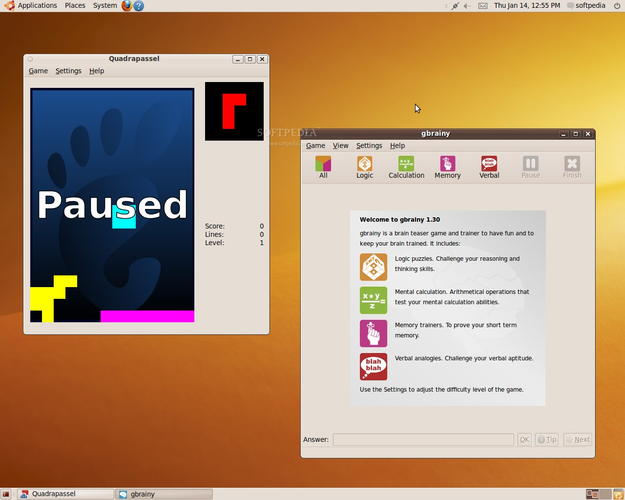
- Use the Pause button to stop the game and the Restart option to start over.
Key features of Gnometris
- Classic falling‑block gameplay
- Keyboard controls (←→↓, space for hard drop)
- Pause and restart
- Score display
- Sound effects
- Simple UI
- Cross‑platform GTK+ interface
Frequently asked questions
Can I use a controller with Gnometris?
Gnometris only supports keyboard input out of the box; controller support would require external key‑mapping tools.
Does Gnometris save high scores between sessions?
It keeps a simple local high‑score list, but the data is not shared with Windows Tetris and may be cleared when the package is removed.
Is there a way to get hold and next‑piece previews?
These features are not implemented in Gnometris; you would need to switch to another Linux Tetris clone that includes them.
