
 Jitsi MeetLinux
vs
TeamSpeak 3Windows
Jitsi Meet as a Linux alternative to TeamSpeak 3
Updated
Our verdict
Jitsi Meet can replace TeamSpeak 3 for users who need a simple, low‑latency voice chat with channel‑like rooms and basic moderation. It works on Linux, Windows, macOS, and browsers, and supports Opus audio for good quality. However, it lacks the dedicated voice‑only focus, the granular permission system, and the long‑standing server‑side stability that TeamSpeak 3 offers. It is best suited for small to medium groups who prefer a web‑based solution and can tolerate occasional audio lag during heavy traffic.
- License
- Apache-2.0
- Price
- Free
- Latest version
- 2026.10.0 (October 21, 2026)
- Rating
- —
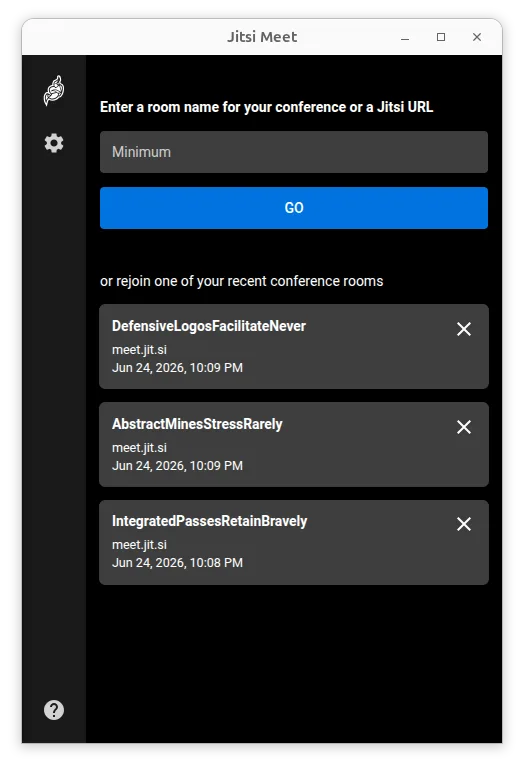
What works the same
- Cross‑platform clients (Linux, Windows, macOS, browser)
- Low‑latency audio using Opus
- Password‑protected rooms
- Server‑side control via self‑hosted deployments
- Open‑source licensing
What is different
- TeamSpeak 3 offers dedicated voice‑only channels, while Jitsi is video‑centric
- TeamSpeak 3 has a mature, fine‑grained permission hierarchy; Jitsi has basic moderator controls
- TeamSpeak 3 is known for very low CPU usage even on low‑end hardware; Jitsi may use more resources with video
- TeamSpeak 3 has a long‑standing, stable server ecosystem; Jitsi’s server performance depends on your own deployment
Opening your TeamSpeak 3 files
TeamSpeak 3 uses .ts3server.ini and .ts3client.ini configuration files, and channel data is stored in a proprietary database format. Jitsi Meet does not read or write these files; there is no direct way to import a TeamSpeak 3 channel layout or user list into Jitsi. You would need to recreate rooms and permissions manually on your Jitsi server.
Switching from TeamSpeak 3 to Jitsi Meet, step by step
- Install a Jitsi Meet server (e.g., via Docker or apt) or use a hosted instance.
- Create a room name that matches your existing TeamSpeak channel structure.
- Set a password for the room and configure moderator roles in the Jitsi admin console.
- Share the room URL with your team and instruct them to join via browser or the Jitsi client.
Key features of Jitsi Meet
- Connects to any Jitsi deployment, including self-hosted servers
- No account required to join or host conferences
- Supports end-to-end encryption for enhanced privacy
- High-quality audio and video using Opus, VP8, VP9, and AV1 codecs
- Password-protected rooms for controlled access
- Web browser compatible, allowing guests to join without installing software
- Custom URL support for easy-to-remember meeting links
- Unlimited user capacity, limited only by server resources
How to install Jitsi Meet on Linux
flatpak install flathub org.jitsi.jitsi-meet3 other alternatives to TeamSpeak 3
 MumbleOpen-source, low-latency encrypted voice chat client designed for gaming and team communication.Open sourceFreeFlatpakMumble vs TeamSpeak 3
 DiscordA cross-platform messaging, voice, and video client for communities, gaming, and casual hangouts.FlatpakDiscord vs TeamSpeak 3LinphoneLinphone is a free, open-source SIP client for voice and video calls, supporting standard protocols without…Open sourceFreeLinphone vs TeamSpeak 3