

Linux · Internet
Jitsi Meet
Jitsi Meet is a free, open-source video conferencing client that connects to any Jitsi server without requiring an account.
- License
- Apache-2.0
- Latest version
- 2026.8.0 (August 4, 2026)
- Developer
- Jitsi Team
- Installs
- 1,264 (Flathub, 30 days)
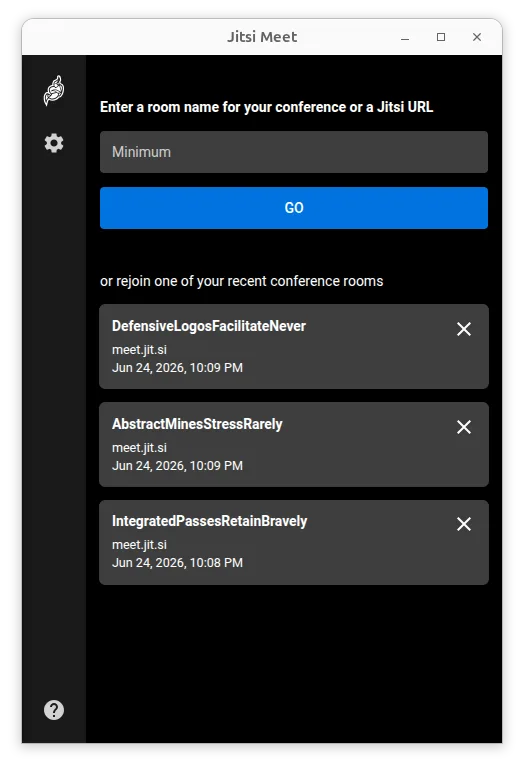
What is Jitsi Meet?
Jitsi Meet is a mature, widely used video conferencing tool that has evolved from a simple browser-based solution into a full-featured client. It is powered by the Jitsi Team and backed by 8x8, ensuring regular updates and stability. The software focuses on simplicity and security, making it a reliable choice for users who want to avoid proprietary cloud services or complex setup procedures.
It is ideal for individuals, small teams, and organizations that need secure, scalable video calls without per-user licensing fees. Whether you are coordinating with family, running a remote team meeting, or hosting a large community event, Jitsi handles the load effectively. It is particularly suited for Linux users who prefer open-source alternatives to closed ecosystems like Zoom or Microsoft Teams.
Compared to TeamSpeak, which is primarily an audio-focused communication tool for gamers, Jitsi Meet offers full video capabilities and a more visual interface. While TeamSpeak excels at low-latency voice chat in persistent channels, Jitsi is better for ad-hoc meetings, screen sharing, and visual collaboration. The experience feels more like a modern web conference than a traditional voice server.
Best for: Users seeking a secure, account-free video conferencing solution that works across browsers and supports self-hosting.
Key features of Jitsi Meet
- Connects to any Jitsi deployment, including self-hosted servers
- No account required to join or host conferences
- Supports end-to-end encryption for enhanced privacy
- High-quality audio and video using Opus, VP8, VP9, and AV1 codecs
- Password-protected rooms for controlled access
- Web browser compatible, allowing guests to join without installing software
- Custom URL support for easy-to-remember meeting links
- Unlimited user capacity, limited only by server resources
Pros
- Completely free and open-source with no hidden costs
- No account creation needed, reducing friction for new users
- Strong privacy features including default encryption and E2E options
- Works seamlessly in web browsers, simplifying guest access
Cons
- Requires a Jitsi server to function; the client alone is not a standalone service
- End-to-end encryption is still marked as experimental in some contexts
- Performance depends heavily on the quality of the server and network bandwidth
- Lacks the persistent channel structure and low-latency focus of dedicated voice tools like TeamSpeak
Windows programs Jitsi Meet replaces
How to install Jitsi Meet on Linux
flatpak install flathub org.jitsi.jitsi-meetTips for Windows users
Coming from TeamSpeak, expect a shift from persistent voice channels to on-demand video conferences. You will not have a constant background audio presence; instead, you join specific meetings via URL. There are no file format concerns since Jitsi is primarily for real-time communication, but note that screen sharing and video quality depend on your internet connection. If you need low-latency voice for gaming, Jitsi may not replace TeamSpeak entirely, but for general meetings and calls, it offers a more visual and flexible experience.
Recent releases
- 2026.8.0 —
- 2026.7.0 —
- 2026.6.0 —
- 2026.5.0 —
Jitsi Meet: frequently asked questions
Do I need to create an account to use Jitsi Meet?
No, you do not need an account to join or host conferences. You can simply share a meeting URL with others, and they can join directly from their browser.
Can I use Jitsi Meet with my own server?
Yes, Jitsi Meet works with any Jitsi deployment. You can self-host the server for full control over data and privacy, or use public instances.
Is Jitsi Meet encrypted?
Yes, it is encrypted by default. It also supports experimental end-to-end encryption for additional security, though this may have some limitations.
Does Jitsi Meet work in a web browser?
Yes, Jitsi Meet is web browser ready. Participants can join conferences directly from their browsers without downloading any software.
Updated