
 KaffeineLinux
vs
KaffeineLinux
vs
 Zoom PlayerWindows
Kaffeine as a Linux alternative to Zoom Player
Updated
Our verdict
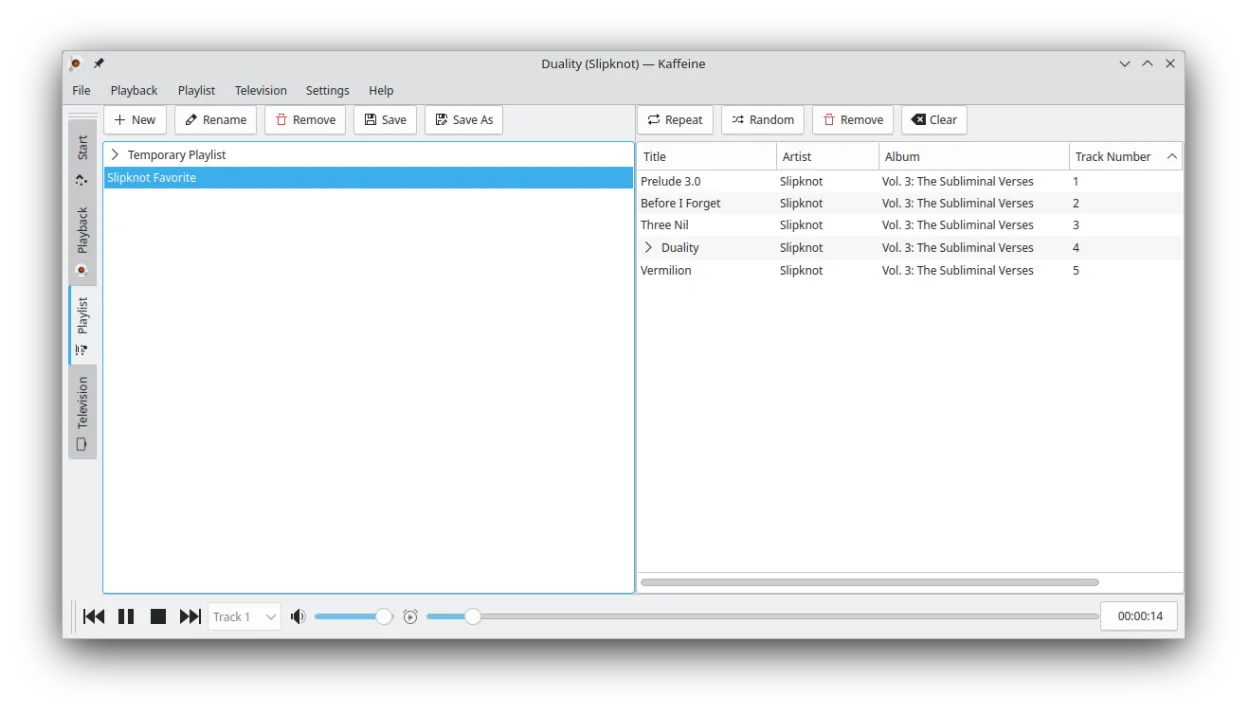
Kaffeine is a decent replacement for Zoom Player if you prioritize straightforward media playback and digital TV support, but it falls short for users wanting deep UI customization or a polished home-theater experience. It handles common video and audio formats well and supports subtitles and multiple audio tracks. However, it lacks skins and a true theater-mode interface. Keyboard shortcuts and basic remote control work, but the feature set is leaner. Best for Linux users who want a simple, functional player with DVB support, not those seeking Zoom Player’s level of customization.
- License
- GPL-2.0+
- Price
- Free
- Latest version
- 2.0.18 (May 14, 2019)
- Rating
- —
What works the same
- Plays common formats like MP4, MKV, AVI, MP3, and AAC via GStreamer
- Supports external subtitles in multiple formats and multiple audio tracks
- Includes keyboard shortcuts for playback and navigation
- Plays DVDs with menu, chapter, and title support
- Runs in full-screen with on-screen controls
What is different
- No support for custom skins or deep UI theming
- Lacks a dedicated library or playlist manager
- No theater-mode with remote-friendly interface
- No built-in remote control app or advanced remote support
- TV and DVB features are strong, but irrelevant to most former Zoom Player users
Opening your Zoom Player files
Kaffeine can open common media files used in Zoom Player like MP4, MKV, AVI, and MP3 without issue. It reads playlists in M3U and other standard formats, so existing Zoom Player playlists can be reused if exported properly. However, proprietary playlist formats or configuration files from Zoom Player won’t be recognized. Subtitle files (SRT, SSA, etc.) are supported when named correctly. There’s no direct import of Zoom Player settings or profiles.
Switching from Zoom Player to Kaffeine, step by step
- Install Kaffeine via your distro’s package manager or Flathub
- Copy your media files and ensure they’re accessible
- Transfer playlists by exporting them as M3U from Zoom Player and importing into Kaffeine
- Place subtitle files in the same directory as videos, matching filenames
- Use KDE system settings to customize global shortcuts if needed
Key features of Kaffeine
- Strong support for DVB digital TV tuner cards
- Plays DVDs with full menu and chapter navigation
- Supports VCD and SVCD formats
- Handles a wide range of audio and video codecs via GStreamer
- Integrated TV channel scanning and recording
- Keyboard shortcuts for quick navigation and playback control
- Supports subtitles in multiple formats
- Available as a Flatpak for easy installation
How to install Kaffeine on Linux
flatpak install flathub org.kde.kaffeinesudo apt install kaffeinesudo apt install kaffeinesudo dnf install kaffeinesudo pacman -S kaffeinesudo zypper install kaffeineFrequently asked questions
Can Kaffeine replace Zoom Player for home theater use?
Partially. It plays most media and supports full-screen, but lacks the polished, remote-friendly theater interface Zoom Player offers.
Does Kaffeine support hardware acceleration?
Yes, through GStreamer and your system’s graphics drivers, but it’s not as configurable as in Zoom Player.
Can I use Kaffeine without KDE or Plasma?
Yes, but it depends on KDE libraries, so it may pull in extra dependencies on non-KDE desktops.
5 other alternatives to Zoom Player
 TotemTotem (GNOME Videos) is the default GNOME video player built on GStreamer.Open sourceFreeTotem vs Zoom Player
 MplayerMPlayer is a free, command‑line media player that supports a wide range of formats and codecs.Open sourceFreeMplayer vs Zoom Player
 XineXine is a free, open‑source multimedia player engine and frontend for Linux that supports a wide range of…Open sourceFreeXine vs Zoom Player
 VLC media playerVLC is a free, open‑source multimedia player that runs on Linux and handles virtually any audio or video…Open sourceFreeFlatpakVLC media player vs Zoom Player
 Gnome MPlayerGnome MPlayer is a lightweight GUI frontend for MPlayer, designed for GNOME desktops.Open sourceFreeDiscontinuedGnome MPlayer vs Zoom Player