

Linux · Internet
Mail Notification
A lightweight Linux status-bar app that displays new email notifications for multiple accounts.
- License
- GPL-2.0
- Latest version
- —
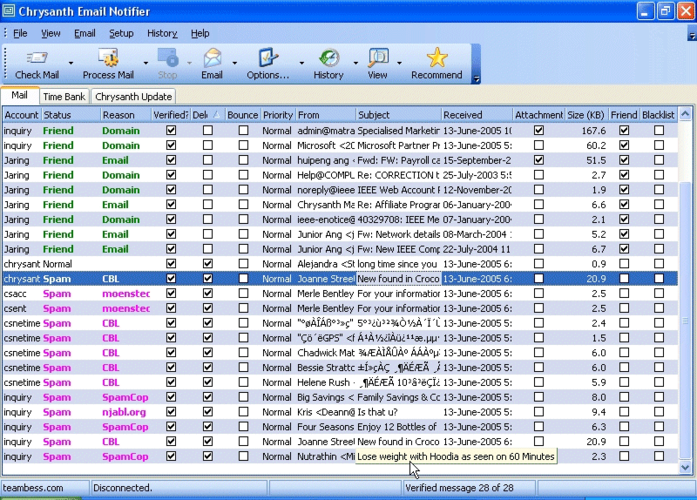
What is Mail Notification?
Mail Notification is a simple utility designed to sit in your system tray and alert you when new messages arrive. It supports checking multiple mail accounts simultaneously, ensuring you do not miss important correspondence while working on other tasks. As a Fedora-packaged application, it was designed to integrate cleanly with the GNOME desktop environment and standard Linux notification systems.
This tool is best suited for users who prefer a minimal, unobtrusive way to monitor their inbox without opening a full-featured email client. It appeals to those who want quick visual cues rather than detailed message previews. It is not a replacement for a full mail client but rather a companion to one, keeping you aware of incoming mail at a glance.
Compared to Windows tools like Gmail Notifier, Mail Notification offers a more native Linux experience by leveraging standard system notifications. While Gmail Notifier was often a standalone executable, Mail Notification integrates directly with the desktop environment. The workflow is similar: you configure your accounts, and the icon changes or pops up a notification when mail arrives, but the underlying mechanism feels more integrated with the Linux ecosystem.
Best for: Users who want a minimal, tray-based alert system for new emails without the overhead of a full mail client.
Key features of Mail Notification
- Status bar icon integration
- Support for multiple email accounts
- System notification on new mail
- Fedora package availability
- Lightweight resource usage
- Configurable check intervals
Pros
- Extremely lightweight and low resource usage
- Integrates natively with Linux desktop notifications
- Simple configuration for multiple accounts
- Available via standard Fedora repositories
Cons
- Limited to basic notification functionality
- May lack modern IMAP/POP3 security features found in newer tools
- Development activity appears low or ceased
Windows programs Mail Notification replaces
 Gmail Notifier
How to install Mail Notification on Linux
sudo dnf install mail-notificationTips for Windows users
If you are moving from Gmail Notifier, you will need to manually configure your mail servers (IMAP/POP3) and credentials in Mail Notification, as it does not automatically sync with Google accounts. Your workflow remains similar: the icon sits in the tray, and you click it to view notifications. However, unlike the Windows tool, you may need to ensure your desktop environment's notification settings are configured to display these alerts properly. There are no specific file format migrations, but be prepared to set up your accounts from scratch.
Mail Notification: frequently asked questions
Does Mail Notification work with Gmail?
Yes, it can connect to Gmail via IMAP or POP3, but you must configure the server settings and credentials manually. It does not use OAuth2 by default, so you may need to use an app password if 2FA is enabled.
Is Mail Notification still maintained?
Development appears to have slowed or stopped, and it may be considered legacy software. It is still available in Fedora archives but may lack updates for newer security standards.
Can I check multiple email accounts?
Yes, Mail Notification supports configuring multiple accounts, and it will aggregate notifications from all of them in the status bar.
How do I install Mail Notification on Fedora?
You can install it using the DNF package manager with the command 'sudo dnf install mail-notification' if it is available in your current repositories.
Updated