

Linux · Programming
Neovim
Neovim is a modern Vim fork that adds extensibility, advanced UI support, and powerful extensions while keeping Vim's modal editing core.
- License
- Apache-2.0
- Latest version
- 0.12.5 (August 23, 2026)
- Developer
- Neovim contributors
- Installs
- 2,052 (Flathub, 30 days)
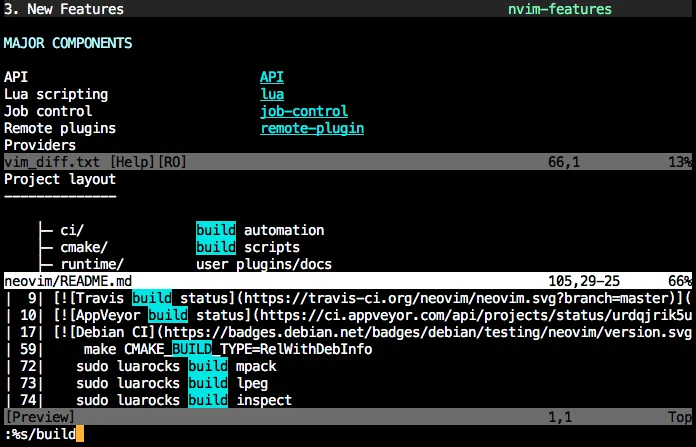
What is Neovim?
Neovim started in 2014 as a refactor of Vim to simplify maintenance and enable new features. It keeps Vim’s modal editing model but removes legacy code, making it easier to extend with plugins and external tools. It is aimed at developers, sysadmins, and power users who need a lightweight, scriptable editor that can run inside terminals or as a standalone GUI. Compared with Windows editors like Sublime Text, Neovim feels more minimal and keyboard‑centric. It lacks a built‑in GUI but offers a rich ecosystem of plugins that can emulate many of the convenience features found in commercial editors.
Best for: Developers who want a fast, extensible editor that runs in any terminal.
Key features of Neovim
- Modal editing with insert, normal, visual, command modes
- Built‑in terminal emulator
- Extensible via Lua and Vimscript
- Remote plugins via RPC
- Asynchronous job control
- Configurable UI with floating windows and splits
Pros
- Free and open source
- Highly configurable and scriptable
- Fast and lightweight
- Strong community and plugin ecosystem
Cons
- Steep learning curve for new users
- No built‑in GUI (requires external front‑ends)
- Some Windows‑centric features missing
Windows programs Neovim replaces
How to install Neovim on Linux
flatpak install flathub io.neovim.nvimsudo apt install neovimsudo apt install neovimsudo dnf install neovimsudo pacman -S neovimsudo zypper install neovimTips for Windows users
Files are opened the same way as Vim: nvim file.txt. Shortcuts differ; use :help for mapping. Replace Sublime’s menu commands with Vim commands, e.g., :w to save, :q to quit. Many Sublime plugins have Neovim equivalents, but you’ll need to learn Lua/Vimscript for customizations.
Recent releases
- 0.12.5 —
- 0.12.4 —
- 0.12.3 —
- 0.12.2 —
Neovim: frequently asked questions
How do I install Neovim on Ubuntu?
Use the official package: sudo apt install neovim. For the latest version, add the Neovim PPA or install from the Snap store.
Can I use Neovim as a GUI editor?
Yes, use the built‑in GUI nvim-qt or third‑party front‑ends like neovide or goneovim.
Is Neovim compatible with Vim plugins?
Most Vim plugins work out of the box, but some rely on deprecated Vim APIs and may need updates.
How do I configure Neovim?
Edit ~/.config/nvim/init.lua or init.vim. Lua is recommended for new configs.
Updated