
 NatronLinux
vs
Adobe After EffectsWindows
NatronLinux
vs
Adobe After EffectsWindows
Natron as a Linux alternative to Adobe After Effects
Updated
Our verdict
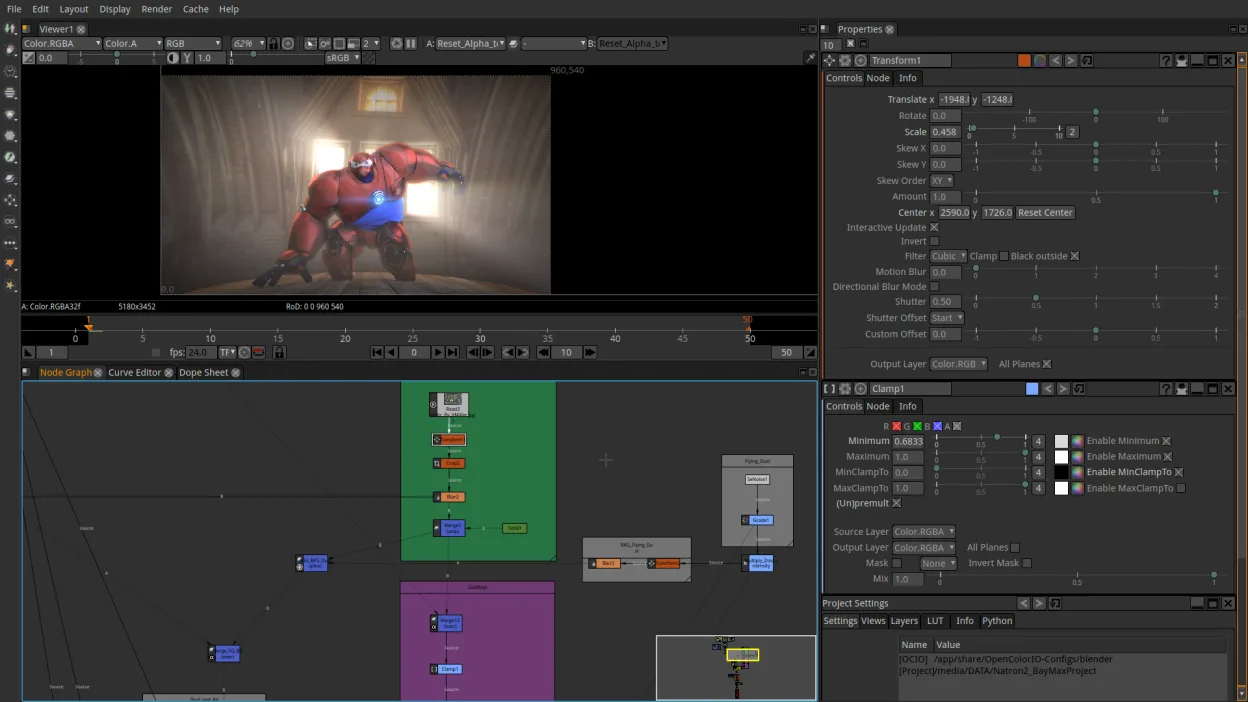
Natron can serve as a decent alternative for users who need node‑based compositing, keying, tracking, and basic motion‑graphics work without the cost of After Effects. It is best suited for hobbyists, students, or small‑studio VFX artists who are comfortable with a learning curve and limited audio editing. For professionals who rely on advanced 3D integration, extensive plug‑in ecosystem, or industry‑standard workflow, Natron falls short.
- License
- GPL-2.0-or-later
- Price
- Free
- Latest version
- 2.5.0 (November 26, 2022)
- Rating
- —
What works the same
- Both provide node‑based compositing with keyframe animation
- Both support OpenFX plug‑ins
- Both offer chroma‑keying, motion tracking, and basic color grading
- Both allow exporting to common video and image formats
What is different
- Natron lacks a full audio track editor and mixing tools
- No native 3‑D layer or camera support in Natron
- After Effects has a richer set of built‑in effects and presets
- Natron’s UI is less polished and more learning‑curve heavy
- After Effects integrates tightly with Adobe Creative Cloud ecosystem
Opening your Adobe After Effects files
Natron cannot open .aep (After Effects project) files directly. Exporting from After Effects to a format Natron can read (e.g., .exr, .mov, or .png sequence) is required. Importing layers as individual image or video files works, but any After Effects‑specific expressions or scripts will not translate.
Switching from Adobe After Effects to Natron, step by step
- Export After Effects compositions as an image or video sequence (e.g., .exr or .mov).
- Create a new Natron project and import the exported sequence as a node.
- Rebuild keyframes and effects manually using Natron’s node library.
- Add OpenFX plug‑ins that match the original effects if available.
- Adjust color grading and export the final render from Natron.
- Verify audio by importing separate audio tracks and mixing in Natron’s audio nodes.
Key features of Natron
- Node‑based compositing engine
- Python scripting support
- Native OpenFX plugin support
- Color grading tools
- Timeline and keyframe editing
- Export to common video formats
How to install Natron on Linux
flatpak install flathub fr.natron.NatronFrequently asked questions
Does Natron support 3‑D layers like After Effects?
No, Natron is strictly 2‑D node compositing. 3‑D integration requires external tools or custom nodes.
Can I use After Effects plug‑ins in Natron?
Only plug‑ins that follow the OpenFX standard will work. Most proprietary AE plug‑ins are incompatible.
Is Natron suitable for professional film VFX?
It can handle many VFX tasks, but lacks the advanced 3‑D, particle, and real‑time preview features that professionals rely on.

