
 OpenSCADLinux
vs
Autodesk Fusion 360Windows
OpenSCADLinux
vs
Autodesk Fusion 360Windows
OpenSCAD as a Linux alternative to Autodesk Fusion 360
Updated
Our verdict
OpenSCAD is not a direct replacement for Autodesk Fusion 360 for most mechanical engineers or product designers who rely on interactive modeling, simulation, and CAM. However, it can be a good fit for users who prioritize script-based, parametric design of simple to moderately complex parts—especially those comfortable with programming. It excels in reproducible, version-controlled designs but lacks simulation, assembly management, and toolpath generation. If your workflow is heavily parametric and you don’t need simulation or CAM, OpenSCAD may work, but most Fusion 360 users will find it too limited.
- License
- GPL-3.0+
- Price
- Free
- Latest version
- 2021.01 (January 31, 2021)
- Rating
- —
What works the same
- Both support parametric 3D solid modeling, allowing design changes via parameters.
- Both can export to STL, a standard format for 3D printing.
- Both use Constructive Solid Geometry (CSG) principles for building models.
- Both allow precise control over geometry, useful for machine parts.
- Both support DXF files for 2D profile import, useful for extrusions.
What is different
- OpenSCAD is script-only and non-interactive; Fusion 360 offers real-time, mouse-driven modeling.
- OpenSCAD lacks mechanical simulation, stress analysis, and any CAM functionality.
- Fusion 360 supports complex assemblies with constraints; OpenSCAD has minimal assembly support.
- Fusion 360 includes PCB design tools; OpenSCAD has no electronics design capability.
- Fusion 360 supports cloud collaboration and versioning; OpenSCAD is local and file-based.
Opening your Autodesk Fusion 360 files
OpenSCAD cannot open Fusion 360's native .f3d or .f3z files. You can export from Fusion 360 to STL, DXF, or OBJ and import those into OpenSCAD, but geometry may be limited—especially for parametric data. STL import works for mesh data but loses parametric history. DXF import is useful for 2D profiles. There is no way to preserve features, constraints, or history when moving from Fusion 360 to OpenSCAD.
Switching from Autodesk Fusion 360 to OpenSCAD, step by step
- Export key 2D profiles from Fusion 360 as DXF for reuse in OpenSCAD.
- Rebuild models in OpenSCAD using parametric scripts, leveraging exported STLs for reference.
- Use OpenSCAD's CSG operations (union, difference, intersection) to replicate solid features.
- Automate variations with variables and modules for design families.
- Export final models as STL for 3D printing or sharing.
Key features of OpenSCAD
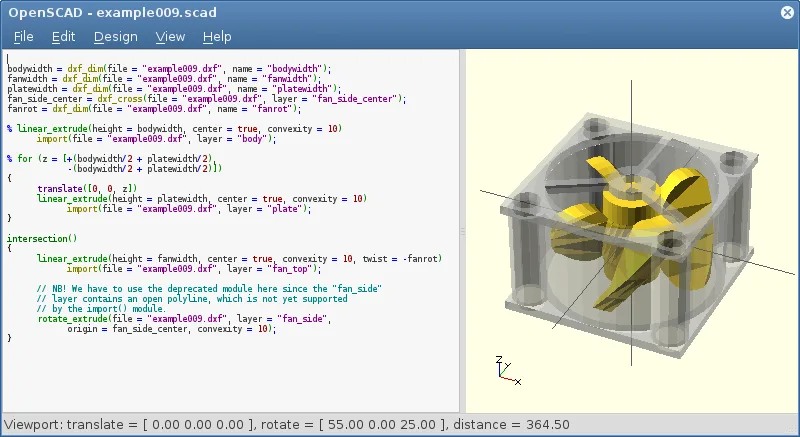
- Parametric modeling via script-based design
- Constructive Solid Geometry (CSG) operations
- Extrusion of 2D DXF outlines
- Support for STL and OFF file formats
- Import of DXF files for 2D paths and parameters
- Non-interactive rendering process
- Available on Arch, Debian, Fedora, openSUSE, and Ubuntu
How to install OpenSCAD on Linux
flatpak install flathub org.openscad.OpenSCADsudo apt install openscadsudo apt install openscadsudo dnf install openscadsudo pacman -S openscadsudo zypper install openscadFrequently asked questions
Can I use OpenSCAD for 3D printing?
Yes, OpenSCAD is widely used for 3D printing. It exports clean STL files, and its parametric nature makes it easy to customize printable parts like brackets, enclosures, or gears.
Is OpenSCAD suitable for beginners in CAD?
It depends. If you’re comfortable with coding and logic, OpenSCAD can be intuitive. But users expecting mouse-driven modeling may find it frustrating and less visual than typical CAD tools.
Does OpenSCAD support assemblies?
It can position multiple parts together in a scene using transformations, but it lacks formal assembly constraints, motion studies, or interference checks found in Fusion 360.
2 other alternatives to Autodesk Fusion 360
 FreeCADFreeCAD is an open‑source parametric 3D CAD modeler for design, engineering and 3D printing.Open sourceFreeFlatpakFreeCAD vs Autodesk Fusion 360
 SolveSpaceSolveSpace is a free, GPL‑licensed parametric 2D/3D CAD program that lets you model parts, assemblies, and…Open sourceFreeFlatpakSolveSpace vs Autodesk Fusion 360