

Linux · Others
OpenSCAD
OpenSCAD is a parametric 3D CAD modeller that generates solid models from text-based scripts rather than interactive mouse movements.
- License
- GPL-3.0+
- Latest version
- 2021.01 (January 31, 2021)
- Developer
- The OpenSCAD Developers
- Installs
- 2,697 (Flathub, 30 days)
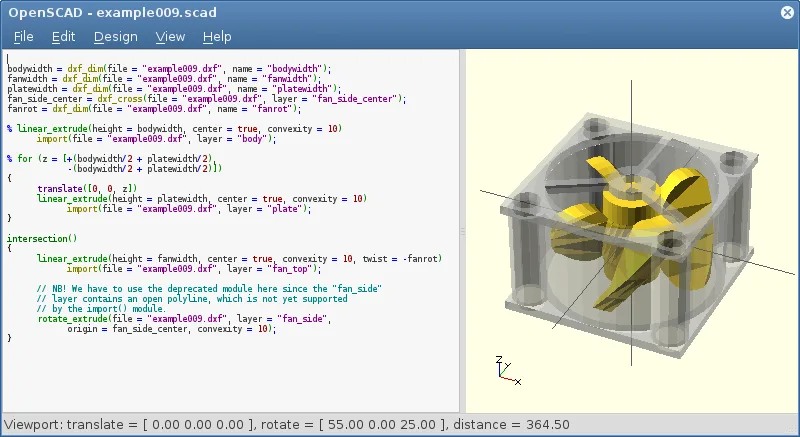
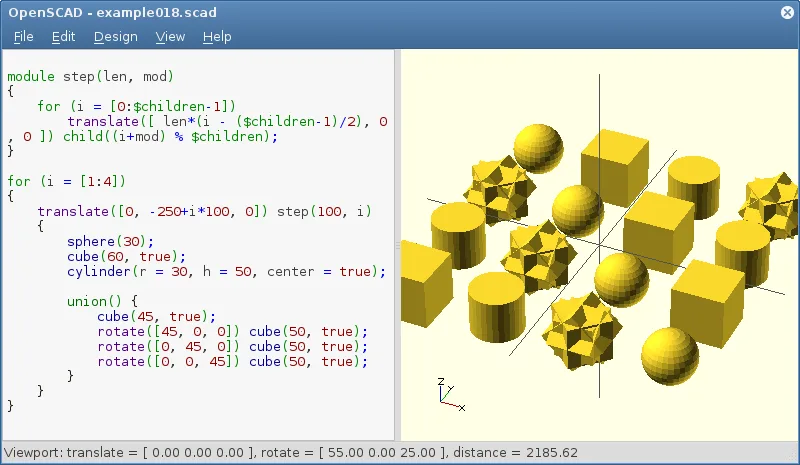
What is OpenSCAD?
OpenSCAD is a mature, open-source tool for creating solid 3D CAD models. It operates as a 3D compiler, reading a script file to render the final object. This approach allows for precise, parameterized designs where changing a single variable updates the entire model. It has been a staple in the Linux community for years and is available in all major distributions.
This software is ideal for engineers, makers, and hobbyists who need to design functional machine parts, enclosures, or mechanical components. It is not suited for artistic modeling, character design, or animation, as it lacks the intuitive mesh manipulation tools found in artistic 3D suites. If your goal is to print a specific bracket or gear, OpenSCAD is the right choice.
Compared to Autodesk Fusion 360, OpenSCAD feels like a step back in terms of visual feedback but a step forward in reproducibility. There is no real-time viewport interaction; instead, you edit code and re-render. While Fusion 360 offers a polished GUI and cloud collaboration, OpenSCAD provides total local control and versioning compatibility, allowing you to track design changes via standard text diffs.
Best for: Engineers and makers who need to create precise, parameterized mechanical parts for 3D printing or CNC machining.
Key features of OpenSCAD
- Parametric modeling via script-based design
- Constructive Solid Geometry (CSG) operations
- Extrusion of 2D DXF outlines
- Support for STL and OFF file formats
- Import of DXF files for 2D paths and parameters
- Non-interactive rendering process
- Available on Arch, Debian, Fedora, openSUSE, and Ubuntu
Pros
- Fully open-source and free
- Designs are reproducible and version-controllable
- Precise control over geometry via parameters
- Lightweight and runs on modest hardware
Cons
- Steep learning curve due to scripting requirement
- No real-time interactive editing
- Limited support for complex organic shapes
Windows programs OpenSCAD replaces
How to install OpenSCAD on Linux
flatpak install flathub org.openscad.OpenSCADsudo apt install openscadsudo apt install openscadsudo dnf install openscadsudo pacman -S openscadsudo zypper install openscadTips for Windows users
Coming from Fusion 360, expect to replace mouse-driven sketching with code. You will not drag vertices; instead, you define dimensions in a .scad file. Export your final models as STL or OBJ for 3D printing. Keep your DXF files separate for 2D profiles you want to extrude. Since OpenSCAD is script-based, use a version control system like Git to manage your design history, as there is no built-in timeline or history stack like in Fusion 360.
Recent releases
- 2021.01 —
OpenSCAD: frequently asked questions
Can OpenSCAD import Fusion 360 files?
No, it cannot directly read .f3d files. You must export your Fusion 360 designs as STL, OBJ, or DXF files to use them in OpenSCAD.
Is OpenSCAD good for 3D printing?
Yes, it is excellent for 3D printing because it generates watertight, solid meshes that are ideal for slicing software.
How do I install OpenSCAD on Ubuntu?
You can install it via the terminal using 'sudo apt install openscad' or download the Flatpak from Flathub.
Does OpenSCAD support real-time rendering?
No, it is a non-interactive compiler. You must save your script and click render to see the updated model.
Updated