
 digiKamLinux
vs
Lightroom MobileWindows
digiKam como alternativa Linux ao Lightroom Mobile
Atualizado em
Nossa avaliação
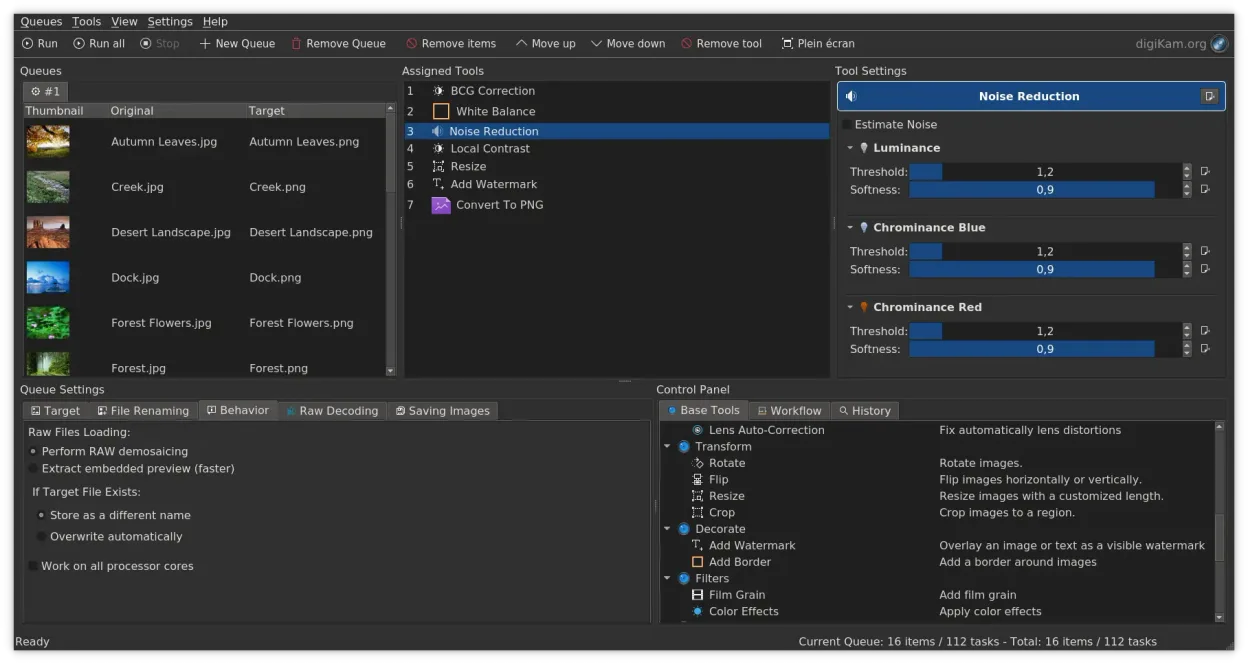
digiKam can replace Lightroom Mobile for users who need a desktop‑centric workflow and prefer local storage over cloud syncing. It handles RAW import, non‑destructive editing, tagging, and batch export, but it lacks built‑in cloud sync and the mobile‑friendly UI of Lightroom Mobile. It is best suited for photographers who already use a Linux desktop and want a powerful cataloging tool.
- Licença
- GPL-2.0+
- Preço
- Grátis
- Versão mais recente
- 9.1.0 (7 de junho de 2026)
- Avaliação
- —
O que funciona igual
- Both support RAW import and non‑destructive editing
- Both allow metadata tagging and rating
- Both offer batch export of edited images
- Both provide a catalog of photos organized in albums
O que muda
- digiKam is a desktop application, Lightroom Mobile is mobile‑first
- digiKam has no native cloud sync, Lightroom Mobile syncs via Adobe Cloud
- digiKam’s UI is KDE‑centric, Lightroom Mobile has a touch‑optimized interface
- digiKam does not include Lightroom Mobile’s preset library out of the box
- digiKam lacks the same level of cross‑platform mobile sync
Abrindo seus arquivos do Lightroom Mobile
digiKam can open RAW files that Lightroom Mobile edits, but it cannot read Lightroom Mobile’s proprietary .lrproj or .xmp preset files directly. Exporting from digiKam to common formats (JPEG, TIFF) works, but migrating edits back to Lightroom Mobile would require re‑applying adjustments manually.
Trocando o Lightroom Mobile pelo digiKam, passo a passo
- 1. Export edited images from Lightroom Mobile as JPEG or TIFF.
- 2. Import those files into digiKam via the import wizard.
- 3. Reapply any missing metadata tags or ratings in digiKam.
- 4. Use digiKam’s preset or batch export to create a new library if needed.
- 5. (Optional) If you need to keep Lightroom Mobile edits, export the original RAW files and import them into digiKam for further work.
Principais recursos do digiKam
- Importação direta de câmeras, cartões SD e unidades USB com regras configuráveis
- Sistemas avançados de marcação, classificação e rótulos para organização complexa da biblioteca
- Motor de busca poderoso que suporta critérios de metadados EXIF, IPTC e XMP
- Edição não destrutiva com ajustes de cor, recorte e nitidez
- Suporte nativo a arquivos RAW via LibRaw para decodificação e pré‑visualização
- Catalogação de vídeos e extração de metadados usando back‑ends FFmpeg
- Organização de álbuns com interface de arrastar e soltar
- Disponibilidade multiplataforma para Linux, Windows e macOS
Como instalar o digiKam no Linux
flatpak install flathub org.kde.digikamsudo apt install digikamsudo apt install digikamsudo dnf install digikamsudo pacman -S digikamsudo zypper install digikamPerguntas frequentes
Does digiKam support Lightroom Mobile presets?
No, digiKam does not natively import Lightroom Mobile presets. You would need to recreate the adjustments manually or use a generic preset format if available.
Can I sync digiKam libraries with Lightroom Mobile?
There is no direct sync. You would need to export images from digiKam and import them into Lightroom Mobile, or use a shared cloud folder and manually manage edits.
Is digiKam free?
Yes, digiKam is released under GPL‑2.0+ and is available for free on Linux, Windows, and macOS.
Outras 4 alternativas ao Lightroom Mobile
 darktabledarktable é um editor de fotos gratuito e de código aberto que gerencia arquivos RAW e oferece um fluxo de…Código abertoGrátisFlatpakdarktable vs Lightroom Mobile
 RawTherapeeRawTherapee é um programa de desenvolvimento de fotos raw de código aberto e multiplataforma.Código abertoGrátisFlatpakRawTherapee vs Lightroom Mobile
 GIMPGIMP é um editor de gráficos raster gratuito e de código aberto para edição de fotos, pintura digital e…Código abertoGrátisFlatpakGIMP vs Lightroom Mobile
 ShotwellShotwell é um gerenciador de fotos GNOME para importar, organizar e editar imagens de forma leve.Código abertoGrátisFlatpakShotwell vs Lightroom Mobile