
 digiKamLinux
vs
Nik CollectionWindows
digiKam como alternativa Linux ao Nik Collection
Atualizado em
Nossa avaliação
digiKam is not a direct replacement for the Nik Collection. It is a photo manager with basic editing tools, but it lacks the specialized plugin integration, advanced colour grading, and creative stylisation filters that Nik Collection provides. Photographers who need a lightweight, organized library with simple RAW adjustments may find digiKam useful, but those who rely on Nik’s retouching, noise reduction, or creative effects will need a different Linux solution such as Darktable or RawTherapee.
- Licença
- GPL-2.0+
- Preço
- Grátis
- Versão mais recente
- 9.1.0 (7 de junho de 2026)
- Avaliação
- —
O que funciona igual
- Both run on Linux, Windows, and macOS
- Both support RAW files
- Both offer basic colour adjustments and sharpening
- Both can be used as standalone applications
O que muda
- digiKam is a photo manager, not a plugin suite
- No plugin integration with host editors in digiKam
- Lacks advanced colour grading and creative stylisation filters
- Missing noise reduction and dedicated black‑and‑white conversion tools
- digiKam does not handle Nik Collection file formats
Abrindo seus arquivos do Nik Collection
digiKam cannot open or export Nik Collection plugin files (.lrn, .dng presets, etc.). The Nik Collection files are proprietary and require Adobe Lightroom, Photoshop, or the native Nik host applications. If you need to migrate presets, you would have to recreate them manually in a compatible editor on Linux.
Trocando o Nik Collection pelo digiKam, passo a passo
- Export your Nik presets or settings from the host editor as a file or note them down.
- Identify equivalent tools in your chosen Linux editor (e.g., Darktable, RawTherapee).
- Recreate the adjustments manually, using the same parameters where possible.
- Save the new adjustments as presets in the Linux editor for future use.
- Verify the results by applying the new preset to a sample image.
Principais recursos do digiKam
- Importação direta de câmeras, cartões SD e unidades USB com regras configuráveis
- Sistemas avançados de marcação, classificação e rótulos para organização complexa da biblioteca
- Motor de busca poderoso que suporta critérios de metadados EXIF, IPTC e XMP
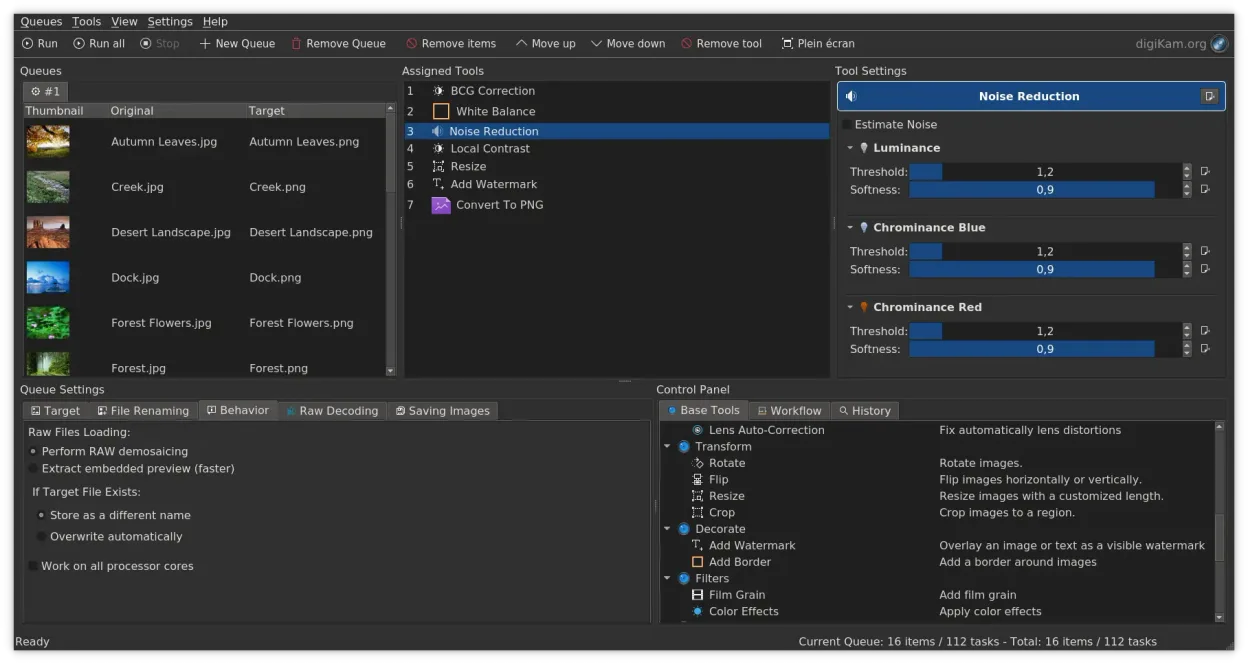
- Edição não destrutiva com ajustes de cor, recorte e nitidez
- Suporte nativo a arquivos RAW via LibRaw para decodificação e pré‑visualização
- Catalogação de vídeos e extração de metadados usando back‑ends FFmpeg
- Organização de álbuns com interface de arrastar e soltar
- Disponibilidade multiplataforma para Linux, Windows e macOS
Como instalar o digiKam no Linux
flatpak install flathub org.kde.digikamsudo apt install digikamsudo apt install digikamsudo dnf install digikamsudo pacman -S digikamsudo zypper install digikamPerguntas frequentes
Can I use digiKam to edit photos the same way I use Nik Collection plugins?
No, digiKam offers basic editing such as colour balance, cropping, and sharpening, but it does not provide the advanced retouching or creative filters that Nik Collection plugins deliver.
Does digiKam support the same file formats as Nik Collection?
Both support RAW files, but digiKam cannot read or write the proprietary Nik Collection preset files. It works with standard image formats like JPEG, TIFF, and DNG.
Is there a way to integrate Nik Collection plugins into digiKam?
No. digiKam does not support third‑party plugin architectures like the Nik Collection. You would need to use a host editor that can load Nik plugins, such as GIMP with the Nik Collection plugin bridge, if available.
Outras 4 alternativas ao Nik Collection
 GIMPGIMP é um editor de gráficos raster gratuito e de código aberto para edição de fotos, pintura digital e…Código abertoGrátisFlatpakGIMP vs Nik Collection
 darktabledarktable é um editor de fotos gratuito e de código aberto que gerencia arquivos RAW e oferece um fluxo de…Código abertoGrátisFlatpakdarktable vs Nik Collection
 RawTherapeeRawTherapee é um programa de desenvolvimento de fotos raw de código aberto e multiplataforma.Código abertoGrátisFlatpakRawTherapee vs Nik Collection
 LightZoneO LightZone é um editor de fotos RAW gratuito e de código aberto, com um fluxo de trabalho baseado em uma…Código abertoGrátisFlatpakLightZone vs Nik Collection