
 ZulipLinux
vs
Microsoft Teams (preview)Windows
Zulip como alternativa Linux ao Microsoft Teams (preview)
Atualizado em
Nossa avaliação
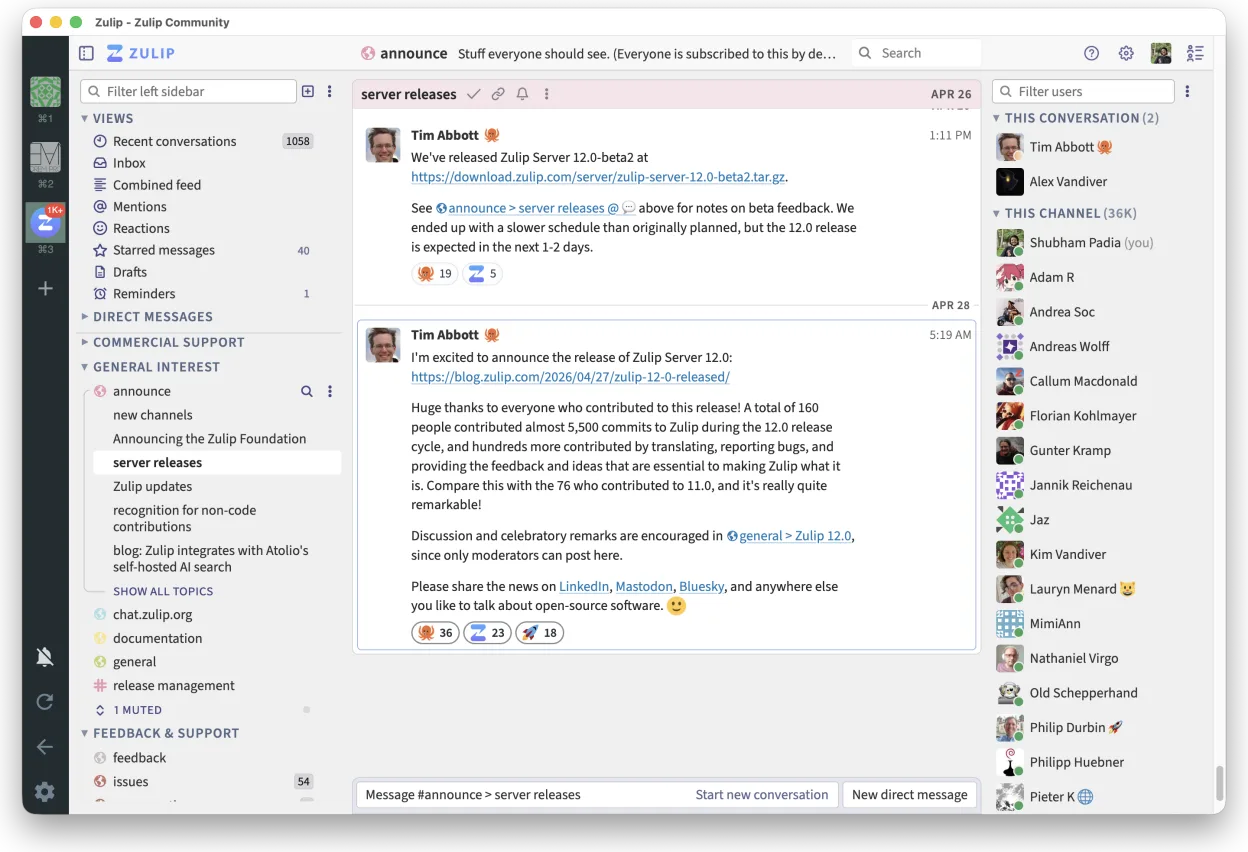
Zulip can serve as a practical alternative for teams that need threaded chat, strong search, and a native Linux client. It lacks built‑in video conferencing, deep Office 365 integration, and the polished meeting experience of Teams. For developers, open‑source projects, or organizations that prefer self‑hosting and can handle separate video tools, Zulip is a solid fit.
- Licença
- Apache-2.0
- Preço
- Grátis
- Versão mais recente
- 5.14.2 (30 de outubro de 2026)
- Avaliação
- —
O que funciona igual
- Native Linux desktop client
- Channel‑based team chat
- Cross‑platform availability
- Threaded conversation structure
- Robust search across history
O que muda
- No native video/audio conferencing
- No native file‑sharing integration with Office 365
- Missing meeting scheduling and calendar sync
- No built‑in bots from Microsoft ecosystem
- Limited direct integration with other Microsoft productivity tools
Abrindo seus arquivos do Microsoft Teams (preview)
Zulip does not natively open or export Microsoft Teams (preview) files. Teams uses proprietary formats for chat logs and files; to migrate, you would need to export Teams data (e.g., via Graph API or manual copy) and then import or re‑post into Zulip. The process is manual and not automated.
Trocando o Microsoft Teams (preview) pelo Zulip, passo a passo
- Export Teams chat history via Graph API or manual copy.
- Export shared files from Teams to a shared storage location.
- Set up a Zulip organization and create matching streams (channels).
- Re‑post exported chat messages into the appropriate Zulip streams, preserving thread context where possible.
- Upload shared files to Zulip and add links in the relevant messages.
- Notify team members of the new Zulip address and provide basic training on threaded conversation usage.
Principais recursos do Zulip
- Conversas em tópicos para discussões organizadas
- Código aberto e auto-hospedável
- Disponível como cliente de desktop nativo para Linux
- Suporta grupos grandes e alto volume de mensagens
- Compatibilidade multiplataforma
- Funcionalidade de busca forte em todo o histórico
Como instalar o Zulip no Linux
flatpak install flathub org.zulip.ZulipPerguntas frequentes
Does Zulip support video calls?
No, Zulip does not include native video conferencing. You would need to integrate a separate tool like Zoom, Jitsi, or Microsoft Teams itself for video meetings.
Can I self‑host Zulip?
Yes, Zulip is open source and can be self‑hosted on your own servers, giving you full control over data and integrations.
Is there a way to integrate Zulip with Microsoft Office 365?
There is no official deep integration. You can use generic webhooks or third‑party connectors, but native Office 365 features like calendar sync or file co‑editing are not available.
Outras 5 alternativas ao Microsoft Teams (preview)
 SlackO Slack é um aplicativo proprietário de comunicação para equipes no Linux que centraliza conversas…FlatpakSlack vs Microsoft Teams (preview)
 MattermostO Mattermost é uma plataforma de colaboração de código aberto e autohospedada, criada para equipes de…Código abertoGrátisFlatpakMattermost vs Microsoft Teams (preview)
 Rocket.ChatPlataforma de comunicação em equipe de código aberto para chat, vídeo e colaboração, frequentemente usada…Código abertoGrátisFlatpakRocket.Chat vs Microsoft Teams (preview)
 ElementO Element é um cliente de chat e videoconferência baseado em matriz, de código aberto, para Linux.Código abertoGrátisFlatpakElement vs Microsoft Teams (preview)
 Jitsi MeetJitsi Meet is an open‑source video‑conferencing app that runs in the browser and as a native Linux client.Código abertoGrátisFlatpakJitsi Meet vs Microsoft Teams (preview)