
 PySolFCLinux
vs
Microsoft SolitaireWindows
PySolFC as a Linux alternative to Microsoft Solitaire
Updated
Our verdict
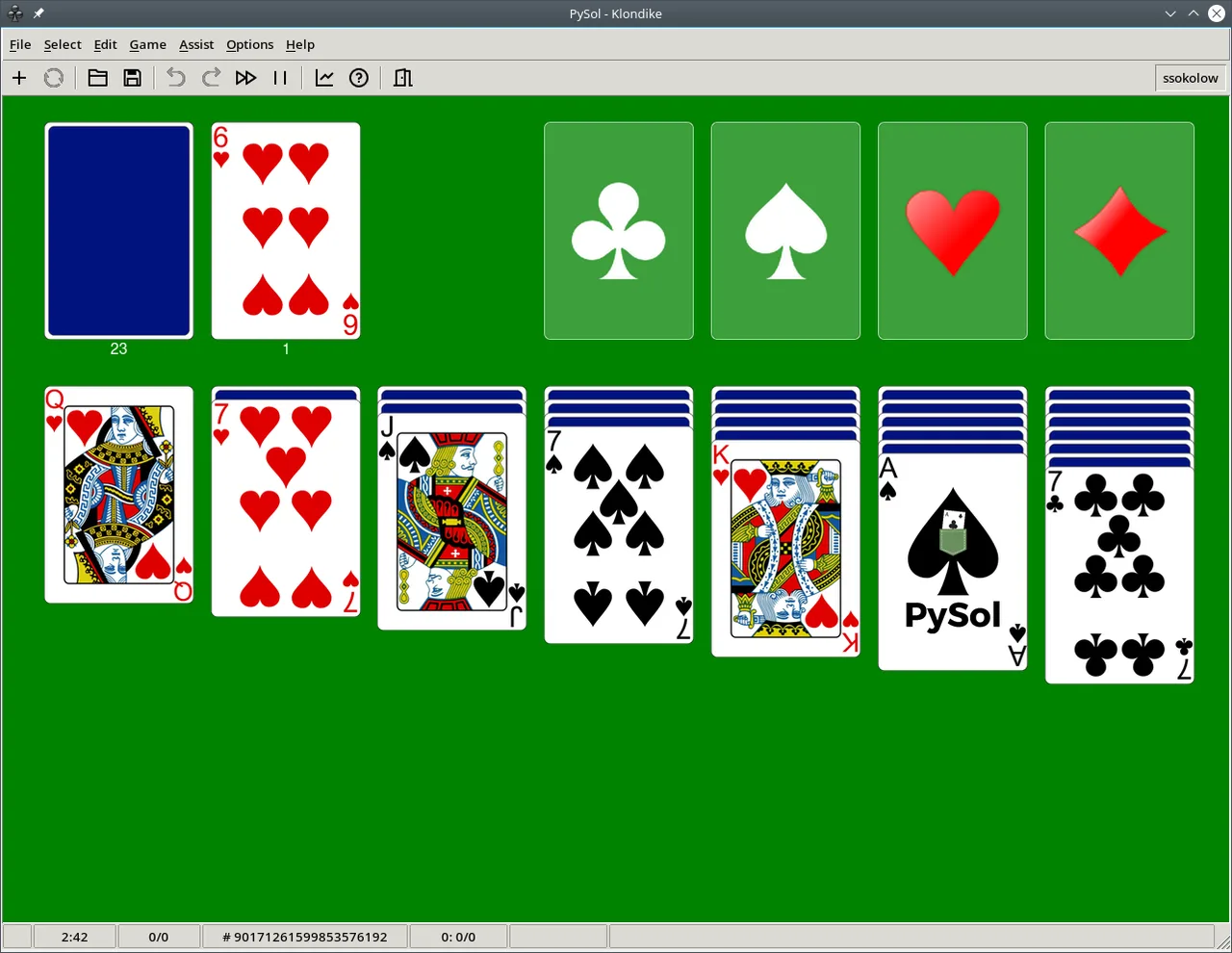
PySolFC is a strong replacement for Microsoft Solitaire if you primarily play Klondike, Spider, or FreeCell and enjoy tinkering with rules or exploring variants. It handles all core gameplay needs with a graphical drag-and-drop interface, undo, and progress tracking. While the look is dated compared to Microsoft’s version, it’s lightweight, widely available, and supports customization. It’s ideal for users who value depth and open-source software over polish.
- License
- GPL-3.0-or-later
- Price
- Free
- Latest version
- 3.7.0 (November 2, 2026)
- Rating
- —
What works the same
- Includes Klondike, Spider, and FreeCell exactly as in Microsoft Solitaire
- Supports intuitive mouse-driven, drag-and-drop card play
- Offers undo/redo functionality and hint system
- Tracks game statistics like wins and win rate
- Uses minimal system resources and starts quickly
What is different
- Interface feels older and less polished than Microsoft’s modern design
- No direct import of Microsoft Solitaire save files or progress
- Massive game library can feel overwhelming for casual players
- Lacks achievements or social features found in newer Microsoft versions
- Some animations and visual feedback are more basic
Opening your Microsoft Solitaire files
PySolFC does not support importing Microsoft Solitaire save files, game states, or profiles. There's no compatibility with proprietary file formats used by Microsoft’s version. Game progress is tracked internally and locally, but not in a way that allows migration from Windows. If you're switching systems, you’ll start fresh. However, PySolFC saves its own progress automatically and allows exporting game records or statistics only through its internal logging, not standard formats.
Switching from Microsoft Solitaire to PySolFC, step by step
- Install PySolFC via your distribution’s package manager (e.g., apt, pacman, dnf)
- Launch it from the desktop menu under Games or Card Games
- Use the search or browse feature to find Klondike, Spider, or FreeCell
- Enable hints and undo in settings if desired
- Customize card backs or backgrounds in the options menu
Key features of PySolFC
- Over 1200 solitaire games, including Klondike, Spider, and FreeCell
- Supports multiple deck types: standard, hex-a-deck, mahjongg, hanafuda
- Customizable card faces, backgrounds, and game rules
- Statistics tracking for completed and won games
- Hint system and undo/redo functionality
- Game shuffle control and configurable autoplay
- Searchable game browser with categories and difficulty levels
How to install PySolFC on Linux
flatpak install flathub io.sourceforge.pysolfc.PySolFCsudo apt install pysolfcsudo apt install pysolfcsudo dnf install PySolFCsudo pacman -S pysolfcFrequently asked questions
Can I play Klondike exactly like in Microsoft Solitaire?
Yes. PySolFC includes a standard Klondike variant that follows the same rules and layout as Microsoft Solitaire. You can also adjust rules like draw-three or draw-one if preferred.
Is PySolFC available on Ubuntu and other major distros?
Yes. It's packaged in Debian, Ubuntu, Fedora, and Arch. You can install it via apt, dnf, or pacman, or use the Flathub version for broader compatibility.
Does it support touchscreens or tablets?
It works with touch input if your system supports drag-and-drop in X11 or Wayland, but it’s primarily designed for mouse use and isn’t optimized for touchscreens.
2 other alternatives to Microsoft Solitaire
 Aisleriot SolitaireAisleriot is a free collection of over 80 solitaire card games, including classics like Klondike and Spider…Open sourceFreeFlatpakAisleriot Solitaire vs Microsoft Solitaire
 SolitaireSolitaire is a Linux app for playing classic patience card games with hints and win detection.Open sourceFreeFlatpakSolitaire vs Microsoft Solitaire