

Linux · Games
PySolFC
PySolFC is a free, open-source collection of over 1200 solitaire card games, including classics like Klondike and many obscure variants.
- License
- GPL-3.0-or-later
- Latest version
- 3.7.0 (November 2, 2026)
- Developer
- PySolFC
- Installs
- 1,723 (Flathub, 30 days)


What is PySolFC?
PySolFC is a mature, actively maintained compilation of solitaire games that evolved from the original PySol project. At version 3.7.0 and actively developed since the early 2000s, it runs on all major Linux distributions via native packages or Flatpak. Its codebase is stable and well-tested, with regular updates adding minor improvements and bug fixes.
This app suits anyone who enjoys solitaire, especially players tired of the limited selection in Windows Solitaire. Whether you want to replay classic games or explore rare variants using different decks—like Hanafuda or Mahjongg tiles—PySolFC delivers depth Windows can't match. It's ideal for both casual players and puzzle enthusiasts who appreciate variety and customization.
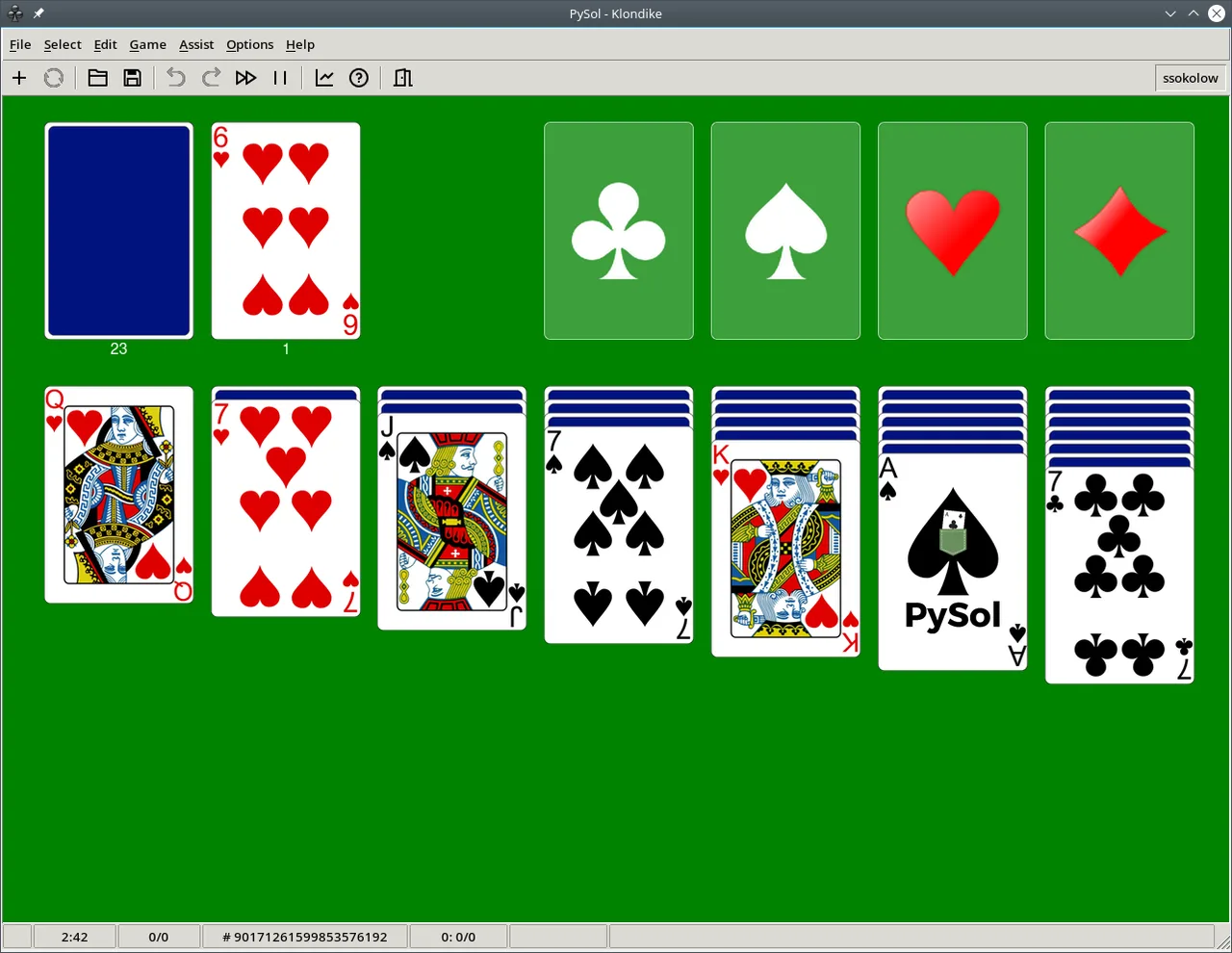
Compared to Microsoft Solitaire, PySolFC feels less polished graphically but far surpasses it in content and flexibility. There's no ad-supported model or forced online accounts. Instead, you get a functional, no-frills interface focused on gameplay. Performance is solid, even with hundreds of games loaded, though the UI looks dated.
Best for: Players who want deep variety and customization in solitaire, not just a clone of Windows games.
Key features of PySolFC
- Over 1200 solitaire games, including Klondike, Spider, and FreeCell
- Supports multiple deck types: standard, hex-a-deck, mahjongg, hanafuda
- Customizable card faces, backgrounds, and game rules
- Statistics tracking for completed and won games
- Hint system and undo/redo functionality
- Game shuffle control and configurable autoplay
- Searchable game browser with categories and difficulty levels
Pros
- Extremely large game library unmatched by any Windows solitaire suite
- Truly free and open-source, no ads or tracking
- Lightweight and runs well on older hardware
- Highly customizable rules and visuals
- Active development and broad Linux distribution support
Cons
- Dated, utilitarian interface compared to modern Windows versions
- Steeper learning curve for navigating game variants
- Some games lack detailed instructions or tooltips
- Occasional minor rendering quirks with non-standard decks
Windows programs PySolFC replaces
How to install PySolFC on Linux
flatpak install flathub io.sourceforge.pysolfc.PySolFCsudo apt install pysolfcsudo apt install pysolfcsudo dnf install PySolFCsudo pacman -S pysolfcTips for Windows users
If you're used to Microsoft Solitaire, expect fewer animations and a more functional look. Your old save files won't transfer—PySolFC uses its own format. Keyboard shortcuts differ: use F1 for help on controls. Spend time browsing the game tree; many variants are more interesting than the standard ones. Enable hints in settings if you're used to guided play.
Recent releases
- 3.7.0 —
- Ten new games and variants. - New replay option to automatically replay a game you played in demo mode. - Bugfixes, enhancements, and cleanup.
- 3.6.1 —
- Improved Python 3.14 support. - Many bugfixes.
- 3.6.0 —
- 20 new games. - Ability to add table tile backgrounds from your own images, through the app itself. - Bugfixes and enhancements.
- 3.4.1 —
- Preview graphics enhancements. - Many bugfixes and cleanup/enhancements.
PySolFC: frequently asked questions
Is PySolFC available for Windows?
Yes, PySolFC runs on Windows, but it's primarily developed and tested on Linux. You can download the Windows version from the project's official site.
How do I install PySolFC on Ubuntu?
Run 'sudo apt install pysolfc' or install via the Snap Store or Flathub. The Flatpak version is updated more frequently.
Does PySolFC include Klondike (the classic Windows solitaire)?
Yes, Klondike is included and fully playable, with multiple rule variations and difficulty settings.
Can I add custom card decks or themes?
Yes, PySolFC supports custom card images and themes. Place them in the correct user directory and restart the app.
Updated