
 RemindersLinux
vs
TodoistWindows
Reminders as a Linux alternative to Todoist
Updated
Our verdict
Reminders can replace Todoist for users who need simple, local task lists with occasional cloud sync via Microsoft To Do. It covers basic creation, due dates, priorities, lists, and notifications, but lacks advanced collaboration, project hierarchy, and comprehensive import/export. It suits solo users or small teams who prefer a lightweight GNOME app over a full‑featured cloud service.
- License
- GPL-3.0-or-later
- Price
- Free
- Latest version
- 4.0 (April 18, 2023)
- Rating
- —
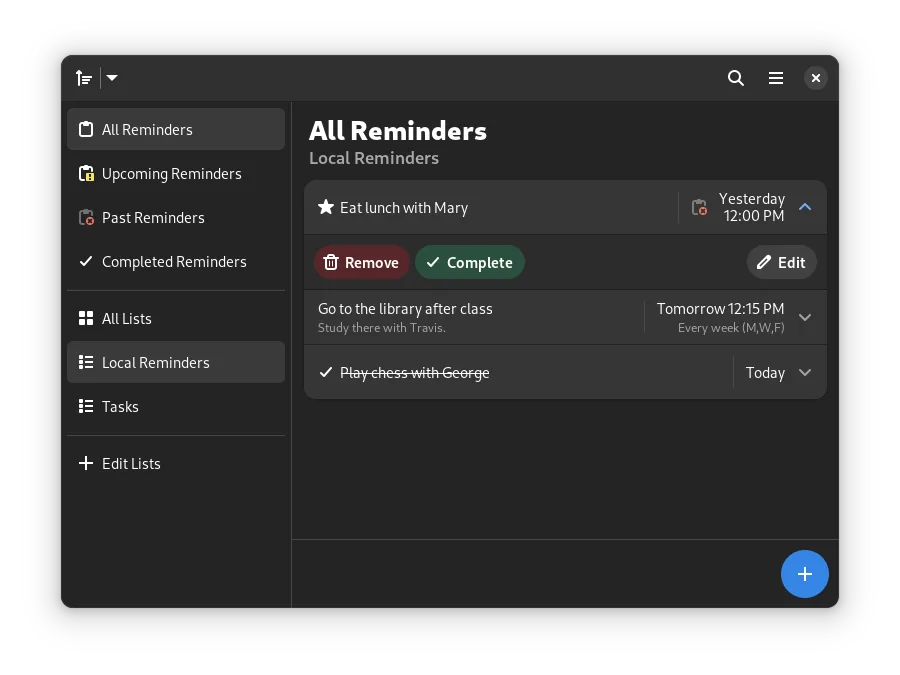
What works the same
- Create and edit tasks with due dates and priorities
- Organize tasks into custom lists
- Mark tasks as important or complete
- Schedule notifications for specific times
- Sort, filter, and search tasks
What is different
- No native project hierarchy or labels beyond lists
- No collaboration or sharing features
- No built‑in integration with other services (e.g., calendars, email)
- Limited export/import options (only sync with Microsoft To Do)
- No web or mobile app outside Microsoft To Do
Opening your Todoist files
Todoist data is stored in a proprietary JSON format used by its own API. Reminders does not provide a direct import from Todoist files. To migrate, you would need to export your Todoist tasks (e.g., as CSV) and then manually recreate them in Reminders or use a third‑party script to convert the CSV into Reminders' format.
Switching from Todoist to Reminders, step by step
- Export Todoist tasks to CSV via the Todoist web interface.
- Open the CSV in a spreadsheet editor and format columns to match Reminders’ fields (title, due date, priority).
- Save the cleaned file as a new CSV.
- Use a simple script or manual copy‑paste to add each task into Reminders, or import via the optional Microsoft To Do sync if you prefer cloud transfer.
Key features of Reminders
- Set recurring reminders with custom intervals
- Schedule notifications for specific times
- Sort, filter, and search through your tasks
- Mark reminders as important or complete
- Organize tasks into custom lists
- Optional sound alerts for notifications
- Optional two-way sync with Microsoft To Do
- Native GNOME/GTK interface
How to install Reminders on Linux
flatpak install flathub io.github.dgsasha.Remembrancesudo apt install remindsudo apt install remindsudo dnf install remindsudo pacman -S remindsudo zypper install remindFrequently asked questions
Does Reminders sync across my devices?
Only if you enable the optional two‑way sync with Microsoft To Do. Otherwise it stores data locally on each machine.
Can I share projects with teammates?
No. Reminders does not support collaboration or project sharing.
Is there a way to import Todoist data directly?
Not yet. You must export to CSV and then manually recreate tasks or use a conversion tool.