
Windows · Science & Education
Best Linux alternatives to RStudio
RStudio is an IDE for R, offering code editing, debugging, and visualization.
Updated
Quick answer
The best Linux alternative to RStudio is RKWard. Other strong options: JupyterLab, Visual Studio Code.
3 Linux alternatives to RStudio
-
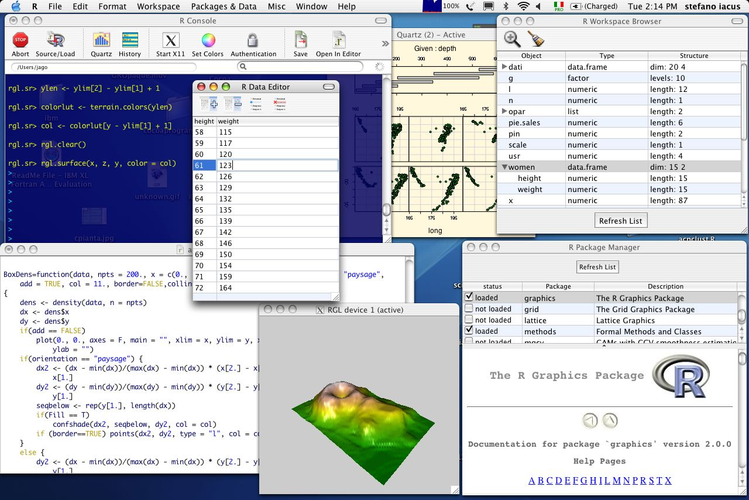
RKWard is a free graphical front‑end for the R statistical language, offering a point‑and‑click interface for data analysis.
RKWard can replace RStudio for users who prefer a point‑and‑click workflow and are comfortable with a KDE‑styled interface. It offers a code editor with syntax highlighting, an integrated R console, basic plotting, package management, debugging, and project organization, so it meets most of the…
Feature parity75% -
JupyterLab is an open‑source web‑based IDE for interactive computing with notebooks, code, and data visualizations.
JupyterLab can replace RStudio for users who prefer a notebook‑centric workflow and want to mix R with other languages. It provides a code editor, an R console via the IRkernel, plotting, package management, and debugging through extensions. It is best for data scientists who already use Jupyter…
Feature parity70% -

A lightweight, extensible code editor that supports debugging, Git, and many languages.
Visual Studio Code can replace RStudio for users who want a lightweight, extensible editor and are comfortable installing R‑specific extensions. It offers syntax highlighting, an integrated terminal, debugging, and a project view, but it lacks the built‑in R console, plotting pane, and package…
Feature parity65%


What is RStudio?
RStudio is a popular integrated development environment for the R programming language, used by statisticians, data scientists, and researchers to write, run, and debug R scripts.
The software is distributed under a dual‑licensing model: a free open‑source edition for most users and a paid commercial edition with extra support and features.
Because RStudio is not shipped with most Linux distributions, users often seek a native Linux alternative that provides comparable functionality without relying on Windows emulation.
What a replacement for RStudio must do
- Code editor with syntax highlighting for R
- Integrated console for running R scripts
- Plotting and visualization panel
- Package management interface
- Debugging tools
- Project organization
Can you run RStudio on Linux?
RStudio offers a native Linux desktop build that runs on most distributions. There is also RStudio Server, which can be accessed via a browser on a remote machine. Wine or Proton can run the Windows version, but performance and stability are unpredictable.
Which alternative should you choose?
RKWard is a full‑feature IDE that works well for users who prefer a traditional GUI and need advanced package management. JupyterLab is ideal for those who want a notebook‑style workflow and can mix R with other languages. Visual Studio Code, with the R extension, suits developers who already use VS Code and want a lightweight editor.
Moving your RStudio files and habits
All projects in RStudio are plain text files (.R, .Rproj) and data files (.csv, .rds, .RData). Simply copy these files to the new environment; the new IDE will recognize them without conversion. Package lists can be exported with "install.packages()" and re‑installed in the new setup.
Side-by-side comparison
| App | License | Flatpak | Latest version | Feature parity | Rating |
|---|---|---|---|---|---|
| RKWard | GPL-2.0+ | — | 0.8.3 | 75% | — |
| JupyterLab | BSD-3-Clause | — | 4.6.5 | 70% | — |
| Visual Studio Code | LicenseRef-proprietary=https… | ✓ | 1.139.1 | 65% | — |
RStudio: frequently asked questions
Is RStudio free to use?
Yes, the open‑source edition is free for personal and academic use. Commercial licenses are available for enterprise support.
Can I run RStudio on Linux without a Windows emulator?
Yes, RStudio Desktop has a native Linux build available for download.
Do I need to reinstall my packages after moving to Linux?
You can export your library list with "installed.packages()" and reinstall them on the new system; data files remain unchanged.
Is RStudio Server accessible from a remote machine?
Yes, RStudio Server runs on a server and can be accessed via a web browser from any client.
How important is RStudio to you?
Know a better alternative? Suggest an alternative