
 RustDeskLinux
vs
AnyDeskWindows
RustDeskLinux
vs
AnyDeskWindows
RustDesk as a Linux alternative to AnyDesk
Updated
Our verdict
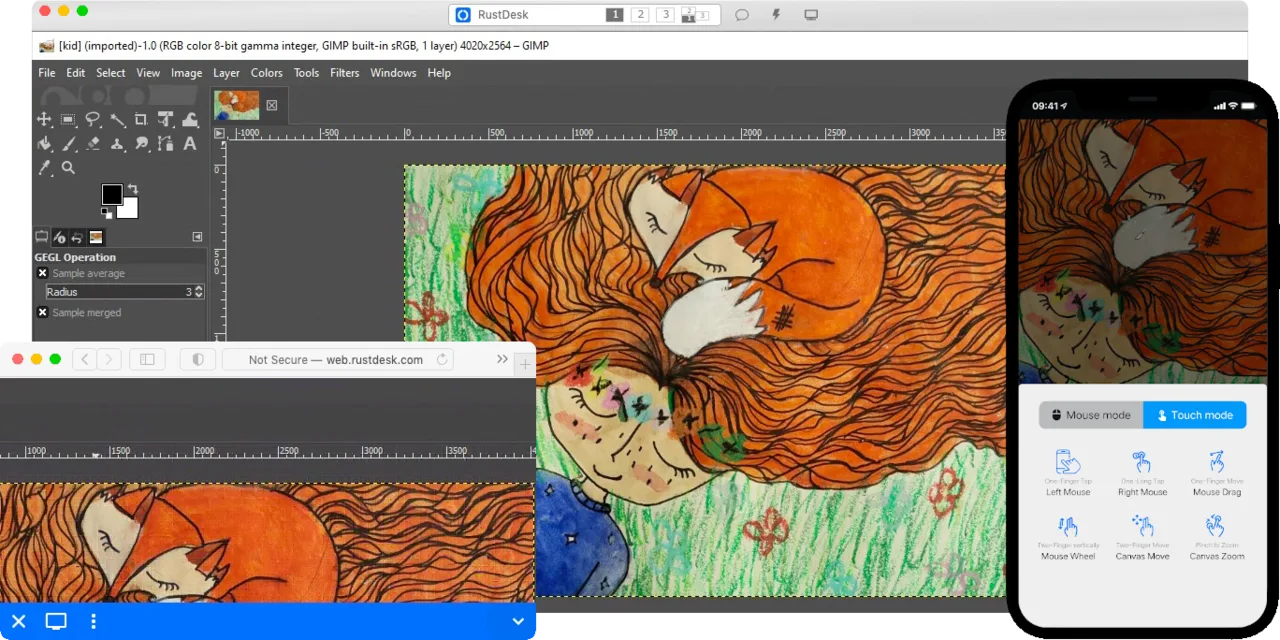
RustDesk is a solid open‑source alternative to AnyDesk for most remote‑desktop scenarios. It offers low‑latency screen sharing, remote control, and encrypted file transfer across the same platforms, and its self‑hostable server gives you full data control. It works well for individuals, small teams, or anyone who prefers not to rely on a proprietary service, though enterprises that need official support contracts or advanced management features may still favor AnyDesk.
- License
- AGPL-3.0-only
- Price
- Free
- Latest version
- 1.5.0 (September 30, 2026)
- Rating
- —
What works the same
- Cross‑platform remote desktop (Windows, Linux, macOS, Android, iOS)
- Low‑latency screen sharing with hardware‑accelerated codecs
- Remote control with mouse/keyboard input
- Encrypted file transfer
- End‑to‑end encryption for data in transit
What is different
- RustDesk is self‑hostable; AnyDesk uses a managed cloud service
- AnyDesk provides a commercial support SLA and device‑management console, which RustDesk lacks
- RustDesk’s UI is more minimal and may miss some enterprise‑grade features like session logging
- AnyDesk offers a proprietary relay network that can be faster in restrictive NAT environments
- RustDesk’s licensing is AGPL‑3.0, AnyDesk is proprietary
Opening your AnyDesk files
Both programs store transferred files locally on the receiving machine; there is no proprietary file format to convert. If you have files saved from an AnyDesk session, you can simply copy them again using RustDesk’s file‑transfer dialog. No special export step is required.
Switching from AnyDesk to RustDesk, step by step
- Download and install RustDesk from Flathub or the official website on all target machines.
- If you want full data control, set up a RustDesk relay/self‑hosted server following the instructions on the RustDesk site.
- Configure each client with the server address (or leave blank for direct P2P).
- Test a connection by sharing the RustDesk ID and establishing a session.
- Replace AnyDesk shortcuts with RustDesk shortcuts on desktops or start menus.
- Optionally, disable or uninstall AnyDesk to avoid port conflicts.
Key features of RustDesk
- Cross-platform support (Windows, Linux, macOS, Android, iOS, Web)
- Supports VP8, VP9, AV1, H.264, and H.265 video codecs
- End-to-end encryption using NaCl (Networking and Cryptography library)
- Peer-to-peer connections with optional relay fallback
- Self-hostable server for full data control
- No installation required on Windows (portable mode)
- Local or remote privilege escalation
- Simple setup focused on usability
How to install RustDesk on Linux
flatpak install flathub com.rustdesk.RustDeskFrequently asked questions
Does RustDesk require an internet connection?
Yes, unless both machines are on the same local network and you use the direct P2P mode; otherwise it uses the internet to traverse NAT.
Can I use RustDesk without a self‑hosted server?
Yes, RustDesk provides public relay servers for fallback, so you can start immediately without any server setup.
Is the performance comparable to AnyDesk?
In most home or small‑office setups the latency and video quality are similar, though AnyDesk’s proprietary relay may be slightly faster in very constrained networks.
3 other alternatives to AnyDesk
 RemminaRemmina is a Linux remote desktop client supporting RDP, VNC, SSH, and X2Go for connecting to remote systems…Open sourceFreeFlatpakRemmina vs AnyDesk
 TigerVNC ViewerTigerVNC Viewer is a GPL‑licensed client for connecting to remote VNC desktops on Linux.Open sourceFreeFlatpakTigerVNC Viewer vs AnyDesk
 NoMachine PlayerNoMachine Player is a proprietary remote desktop client that connects to Linux, Windows, or macOS hosts…FlatpakNoMachine Player vs AnyDesk