

Linux · Internet
TigerVNC Viewer
TigerVNC Viewer is a GPL‑licensed client for connecting to remote VNC desktops on Linux.
- License
- GPL-2.0-or-later
- Latest version
- 1.14.0 (July 24, 2024)
- Developer
- TigerVNC Team
- Installs
- 1,557 (Flathub, 30 days)
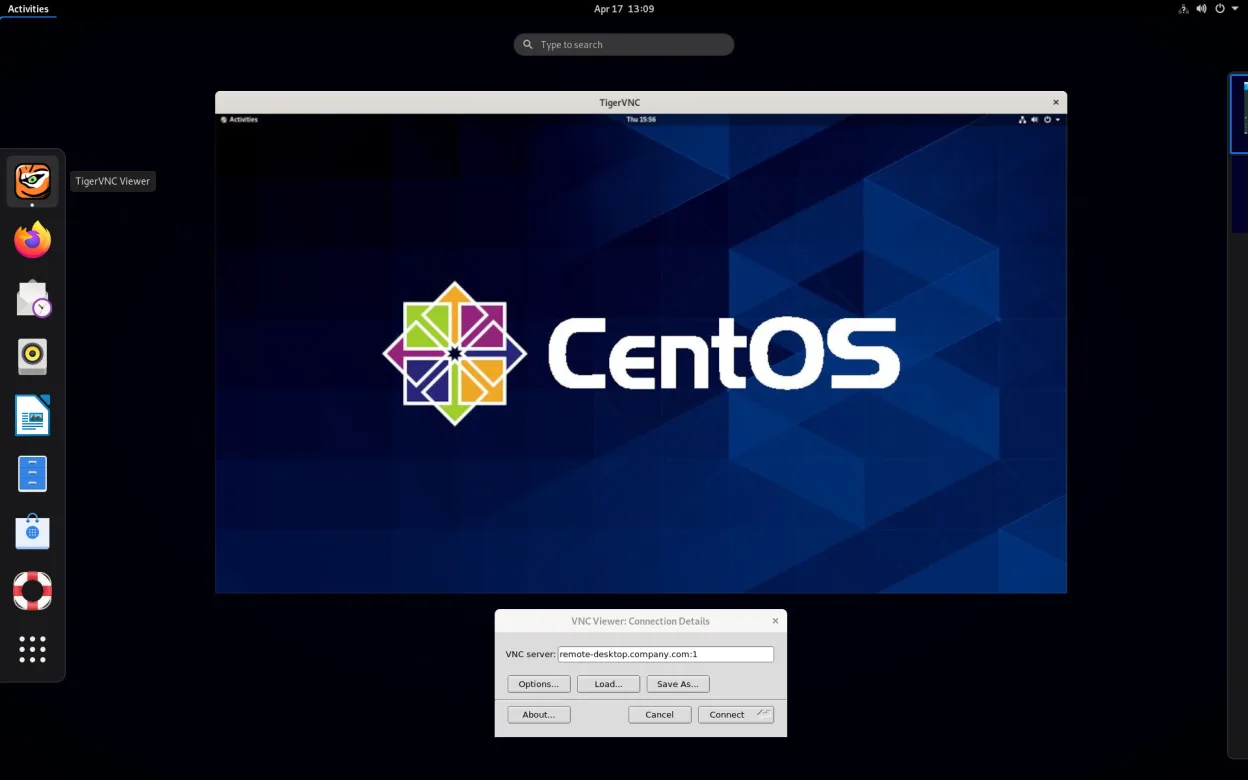


What is TigerVNC Viewer?
TigerVNC Viewer lets you view and control a remote desktop that runs a VNC server. It originated from the TightVNC project, split off in 2009, and has been maintained for over a decade, with the latest 1.14.0 release in July 2024. The code builds on RealVNC 4 and X.org, adding a fast JPEG‑turbo based encoding.
It is aimed at sysadmins, developers, and power users who need a lightweight, cross‑platform way to access headless machines, test UI changes, or provide remote support. The UI is simple: you enter a host:display string, optionally set a password, and the remote screen appears in a window.
Compared with Windows‑only tools like AnyDesk, TigerVNC feels more manual—there’s no built‑in relay server or automatic discovery, but the lack of proprietary binaries gives you full control over the connection and eliminates licensing concerns.
Best for: Technical users who need a fast, standards‑compliant VNC client without proprietary restrictions.
Key features of TigerVNC Viewer
- Supports Tight encoding accelerated by libjpeg‑turbo
- TLS encryption for secure sessions
- Clipboard sharing between local and remote
- Multi‑monitor handling
- Configurable scaling and color depth
- Keyboard layout translation
- Cross‑platform client (Linux, Windows, macOS)
- Command‑line options for scripting
Pros
- Free and open source, no vendor lock‑in
- High performance on low‑bandwidth links
- Works with any standard VNC server
- Lightweight and integrates well with desktop environments
Cons
- No built‑in cloud relay; you must manage network access yourself
- User interface is basic compared with commercial tools
- Initial setup can be confusing for non‑technical users
Windows programs TigerVNC Viewer replaces
How to install TigerVNC Viewer on Linux
flatpak install flathub org.tigervnc.vncviewersudo apt install tigervncsudo apt install tigervncsudo dnf install tigervncsudo pacman -S tigervncsudo zypper install tigervncTips for Windows users
AnyDesk stores connection IDs and uses its own relay; with TigerVNC you’ll connect directly to host:port, so ensure the remote VNC server is reachable (firewall, VPN, or SSH tunnel). Keyboard shortcuts like Ctrl+Alt+Del are sent via the "Send Ctrl‑Alt‑Del" menu item, not a dedicated key combo. Clipboard sharing works out of the box, but you may need to enable it on the server side.
Recent releases
- 1.14.0 —
https://github.com/TigerVNC/tigervnc/releases/tag/v1.14.0
- 1.13.0 —
- 1.12.0 —
TigerVNC Viewer: frequently asked questions
How do I connect to a VNC server behind a NAT?
Use an SSH tunnel (e.g., ssh -L 5901:localhost:5901 user@remote) and then point TigerVNC to localhost:5901.
Can TigerVNC Viewer encrypt the connection?
Yes, it supports TLS encryption; enable it in the connection options or use an SSH tunnel for full encryption.
Why does the remote cursor lag?
Try switching the encoding to Tight or adjusting the color depth and compression level in the viewer settings.
Is there a way to save connection profiles?
You can create .vnc files in ~/.vnc or use the "Save As" button in the UI to store host, password, and options.
Updated