
 Space Cadet PinballLinux
vs
Space Cadet PinballLinux
vs
 Full Tilt! PinballWindows
Space Cadet Pinball as a Linux alternative to Full Tilt! Pinball
Updated
Our verdict
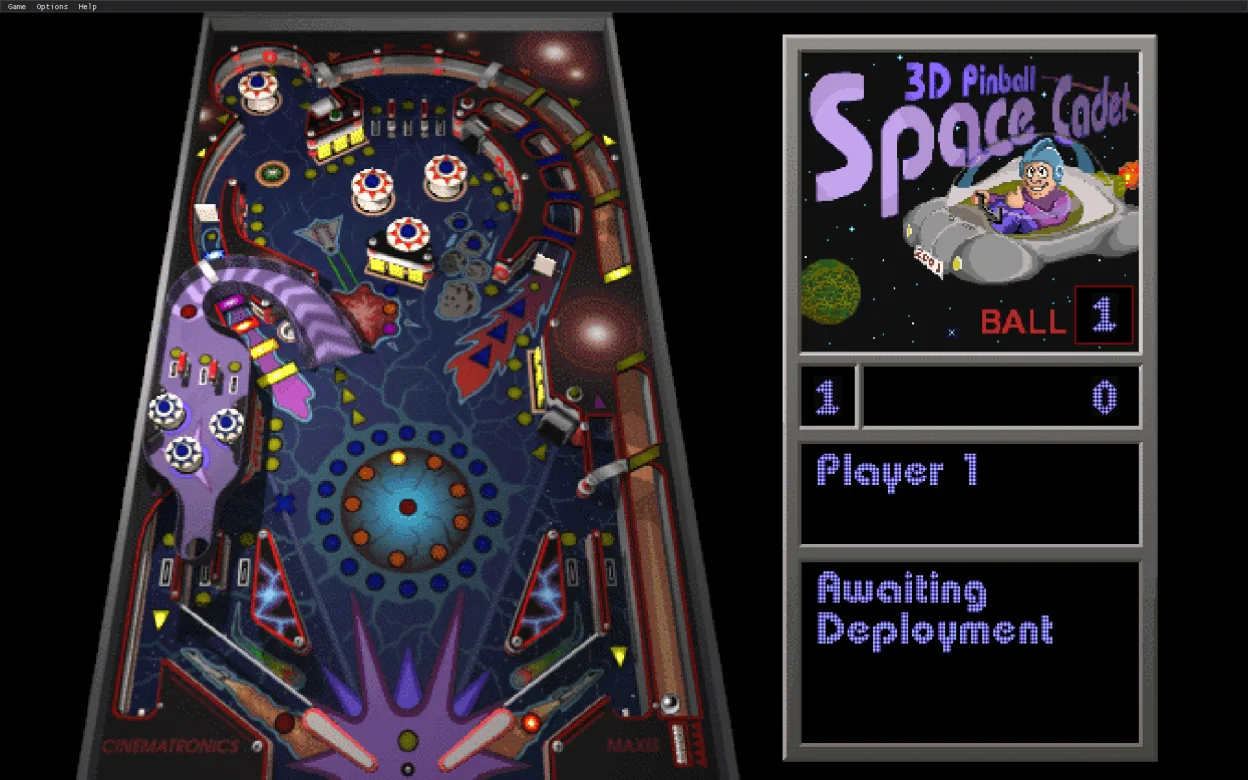
Space Cadet Pinball is a solid replacement for Full Tilt! Pinball. It runs natively on Linux, uses the same 3‑D engine, and supports the original .pin table files, so the look and feel are identical. It works on both X11 and Wayland, can be installed via Flatpak, and has no external dependencies. It’s ideal for users who want the classic Windows tables on a modern Linux desktop without extra configuration.
- License
- MIT
- Price
- Free
- Latest version
- 2.1.0 (October 16, 2023)
- Rating
- —
What works the same
- Uses the same 3‑D pinball engine as the original Windows game
- Supports the original .pin table files
- Keyboard and mouse controls match the Windows version
- Runs on low‑end hardware with modest system requirements
- Available as a standalone Linux binary via Flatpak
What is different
- Requires Flatpak runtime if installed that way, whereas Full Tilt! was a native Windows binary
- No bundled themed tables beyond the original three (no additional tables added by the port)
- No official Windows‑only features such as custom table editors
- No separate installer – you install the Flatpak package
- No direct support for Windows‑specific audio drivers (uses ALSA/PulseAudio)
Opening your Full Tilt! Pinball files
Space Cadet Pinball can open the original .pin table files from Full Tilt! Pinball directly. There is no need to export or convert files; the engine reads the same format. If a user has custom tables, they should be placed in the Flatpak data directory or the user’s home directory under .local/share/SpaceCadetPinball/tables.
Switching from Full Tilt! Pinball to Space Cadet Pinball, step by step
- Install Flatpak if not already present on your system.
- Run
flatpak install flathub com.muzych.spacecadetpinballto get the latest version. - Launch the game via the application menu or
flatpak run com.muzych.spacecadetpinball. - Place any custom .pin files in
~/.local/share/SpaceCadetPinball/tablesto have them appear in the table list.
Key features of Space Cadet Pinball
- MIT‑licensed open source
- Flatpak distribution for easy installation
- Supports original .pin table files
- Keyboard and mouse controls identical to Windows
- Runs on X11 and Wayland
- No external dependencies beyond Flatpak runtime
How to install Space Cadet Pinball on Linux
flatpak install flathub com.github.k4zmu2a.spacecadetpinballFrequently asked questions
Can I play the original Full Tilt! tables on Linux?
Yes. Space Cadet Pinball reads the same .pin files, so the original tables work out of the box.
Is the game open source?
Yes, it is released under the MIT license by Andrey Muzychenko.
Do I need a separate Windows installation to run it?
No. The Flatpak package contains all necessary libraries and runs natively on Linux.
