
 SpeedCrunchLinux
vs
 Windows CalculatorWindows
SpeedCrunch as a Linux alternative to Windows Calculator
Updated
Our verdict
SpeedCrunch is an excellent replacement for the scientific and programmer aspects of Windows Calculator, particularly for users who prefer keyboard-driven workflows. It handles trigonometry, exponents, and unit conversions with high precision, often exceeding the standard Windows utility. However, it lacks a dedicated graphing mode and specific date calculation features found in the Windows version. If you rely heavily on visual graphing or complex date arithmetic, you will miss those tools. For pure calculation speed, syntax checking, and complex number support, SpeedCrunch is a superior choice, provided you do not need the visual plotting capabilities of its Windows counterpart.
- License
- GPL-2.0+
- Price
- Free
- Latest version
- 1.2.0 (November 17, 2026)
- Rating
- —
What works the same
- Supports standard and scientific arithmetic operations
- Includes unit conversion capabilities
- Allows for high-precision calculations
- Fully keyboard-operable interface
What is different
- SpeedCrunch lacks a dedicated graphing mode for visualizing functions
- No specific date calculation or date difference tools
- SpeedCrunch uses real-time expression evaluation rather than immediate button-based input
- Windows Calculator includes a dedicated programmer mode with bit manipulation, while SpeedCrunch focuses on high-precision math and complex numbers
Opening your Windows Calculator files
Windows Calculator does not use a proprietary file format for saving calculations, so there is no direct file compatibility issue. You can manually copy expressions from one application to the other. Since SpeedCrunch maintains a scrollable history, you can keep your recent calculations within the app, but exporting a full history to a file format compatible with Windows Calculator is not a standard feature.
Switching from Windows Calculator to SpeedCrunch, step by step
- Install SpeedCrunch from your distribution's package manager or Flathub
- Familiarize yourself with the keyboard shortcuts for common functions
- Test basic arithmetic and scientific functions to ensure syntax compatibility
- Configure any necessary unit conversion settings
- Verify that complex number support meets your specific needs
Key features of SpeedCrunch
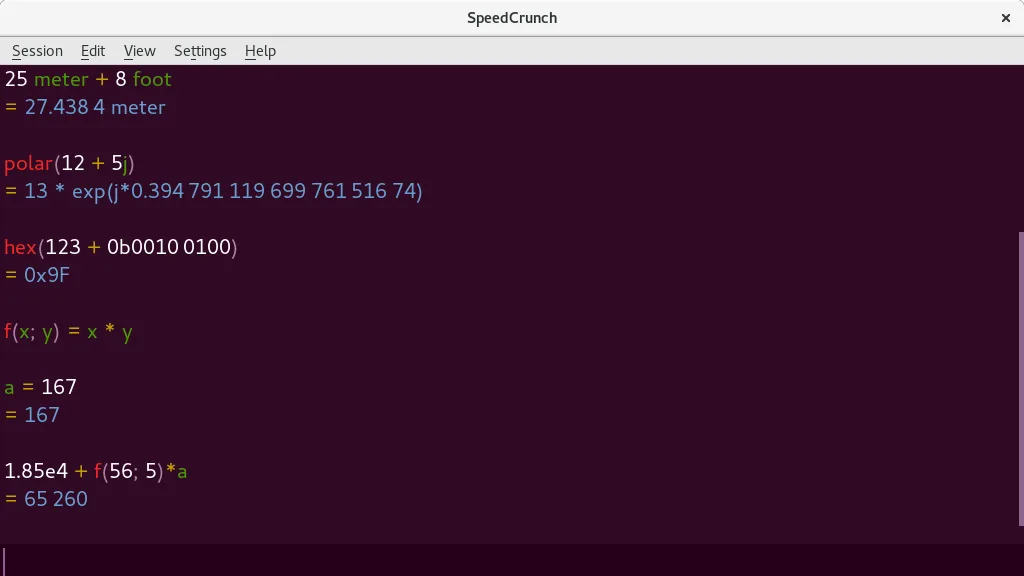
- Real-time result preview as you type
- Syntax highlighting for mathematical expressions
- Support for complex numbers
- Unit conversion capabilities
- User-defined functions
- Fully keyboard-driven interface
- Scrollable history of calculations
- High-precision arithmetic
How to install SpeedCrunch on Linux
flatpak install flathub org.speedcrunch.SpeedCrunchsudo apt install speedcrunchsudo dnf install speedcrunchsudo pacman -S speedcrunchsudo zypper install speedcrunchFrequently asked questions
Can I graph functions in SpeedCrunch?
No, SpeedCrunch does not have a built-in graphing mode. If you need to visualize functions, you should use a dedicated tool like GnuPlot or QtiPlot alongside SpeedCrunch.
Does SpeedCrunch support binary or hex calculations?
SpeedCrunch is primarily a high-precision scientific calculator. While it handles numbers well, it does not have a dedicated programmer mode with bit-level manipulation like Windows Calculator.
Is SpeedCrunch still maintained?
The latest release is version 0.12 from 2016. While the project is listed as active, the lack of recent major updates means you should verify it meets your current needs before relying on it for critical workflows.
2 other alternatives to Windows Calculator
 KCalcKCalc is KDE's scientific calculator with trigonometric functions, logic operations, and a results stack.Open sourceFreeFlatpakKCalc vs Windows Calculator
 gcalctoolGNOME Calculator is the standard, lightweight scientific calculator for the GNOME desktop environment.Open sourceFreegcalctool vs Windows Calculator