
 XineLinux
vs
XineLinux
vs
 Zoom PlayerWindows
Xine as a Linux alternative to Zoom Player
Updated
Our verdict
Xine can replace Zoom Player for basic playback of common codecs and subtitles, but it lacks the polished UI, skinning, and advanced library features that Zoom users rely on. It works well for users who need a lightweight, scriptable player and are comfortable with a more utilitarian interface. Those who value a fully featured media center with custom skins and remote control will find Xine insufficient.
- License
- GPL-2.0
- Price
- Free
- Latest version
- —
- Rating
- —
What works the same
- Supports MP4, MKV, AVI, MP3, AAC and many other formats
- Allows subtitles and multiple audio tracks
- Provides playlist management
- Offers hardware acceleration via underlying libraries
- Supports keyboard shortcuts for playback control
What is different
- No built‑in skinning or theme engine, UI is minimal
- No remote control or theater‑mode interface
- Lacks advanced library or media organization tools
- No official support for exporting Zoom Player playlists
- No dedicated support for Windows‑only codecs without w32codecs wrapper
Opening your Zoom Player files
Zoom Player uses proprietary playlist files (.zpl) and library databases that Xine cannot read. To play a video that was previously opened in Zoom Player, simply open the media file directly in Xine; however, any Zoom‑specific metadata or playlist structure will not transfer. If you need to migrate playlists, you must recreate them manually in Xine's playlist editor.
Switching from Zoom Player to Xine, step by step
- Install xine via your distro’s package manager (e.g., apt install xine-utils).
- Open Xine and go to Preferences to enable hardware acceleration if available.
- Create a new playlist in Xine and drag‑drop the media files you used in Zoom Player.
- Add subtitles by selecting the subtitle file in the playback menu.
- Adjust audio track selection in the Audio menu.
- Save the playlist for future use.
Key features of Xine
- Supports over 200 audio and video formats via liba52, libmpeg2, FFmpeg, libmad, FAAD2, and Ogle
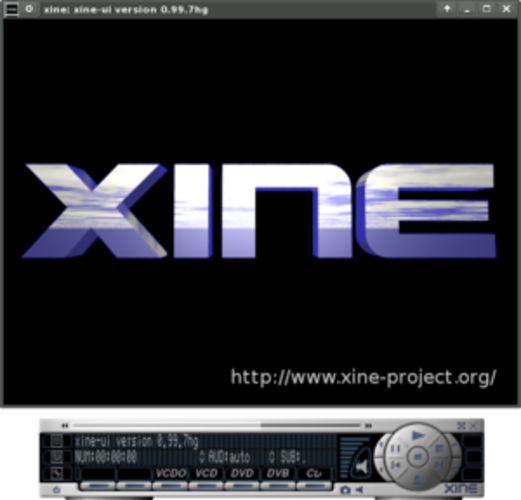
- Uses a shared library (xine‑lib) that allows multiple frontends
- Can run Windows codecs through the w32codecs wrapper
- Includes a command‑line interface for scripting
- Offers basic playback controls and playlist support
- Can be extended with plugins for additional functionality
Frequently asked questions
Does Xine support the same video codecs as Zoom Player?
Yes, Xine supports MP4, MKV, AVI, and many others through libraries like FFmpeg and libmpeg2. It also can use Windows codecs via w32codecs if needed.
Can I use custom skins with Xine?
No, Xine does not provide a skinning system. The interface is fixed and minimal.
Is there a way to control Xine remotely?
Xine offers basic keyboard shortcuts and a command‑line interface, but it does not have a dedicated remote control protocol or theater‑mode like Zoom Player.
5 other alternatives to Zoom Player
 KaffeineKaffeine is a KDE media player for Unix-like systems, known for strong digital TV (DVB) support and DVD…Open sourceFreeFlatpakKaffeine vs Zoom Player
 TotemTotem (GNOME Videos) is the default GNOME video player built on GStreamer.Open sourceFreeTotem vs Zoom Player
 MplayerMPlayer is a free, command‑line media player that supports a wide range of formats and codecs.Open sourceFreeMplayer vs Zoom Player
 VLC media playerVLC is a free, open‑source multimedia player that runs on Linux and handles virtually any audio or video…Open sourceFreeFlatpakVLC media player vs Zoom Player
 Gnome MPlayerGnome MPlayer is a lightweight GUI frontend for MPlayer, designed for GNOME desktops.Open sourceFreeDiscontinuedGnome MPlayer vs Zoom Player