
 BriarLinux
vs
SignalWindows
BriarLinux
vs
SignalWindows
Briar as a Linux alternative to Signal
Updated
Our verdict
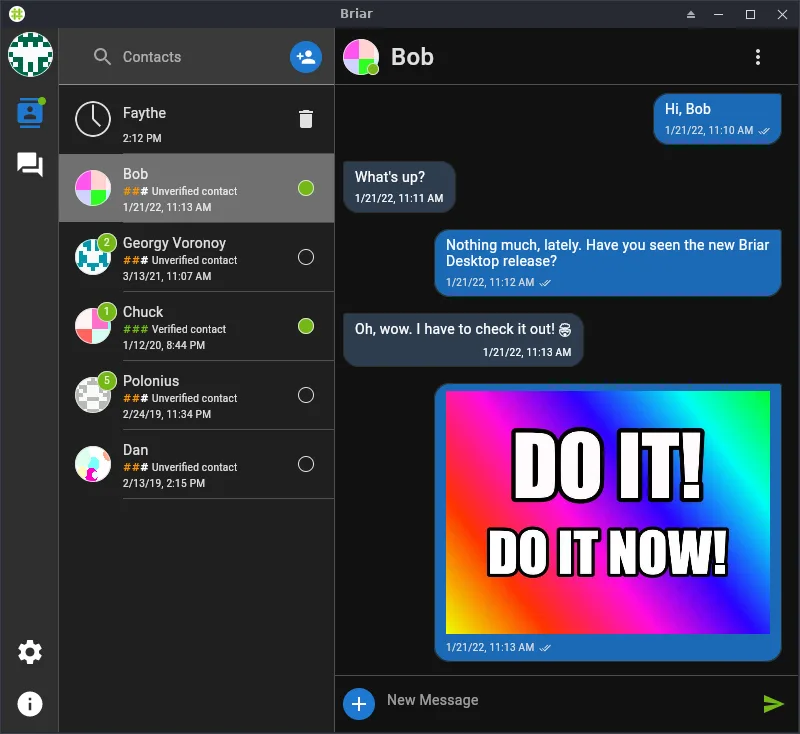
Briar is a valid Linux alternative to Signal for users who prioritize censorship resistance and peer-to-peer communication over real-time server-based calls. It covers encrypted text, group chats, and file sharing well. However, it lacks native voice and video calling features, which are core to Signal. If you rely heavily on calls or expect instant message delivery without nearby devices or Tor, Briar will feel restrictive. It is best suited for activists or users in unstable network environments who can sacrifice call functionality for stronger infrastructure independence.
- License
- AGPL-3.0-only
- Price
- Free
- Latest version
- 0.6.5-beta (February 20, 2026)
- Rating
- —
What works the same
- End-to-end encryption for all messages
- Support for one-to-one and group chats
- Open-source code available on GitHub
- Cross-platform availability including Linux and Android
What is different
- No native voice or video calling support
- Peer-to-peer sync via Tor, Wi-Fi, or Bluetooth instead of a central server
- Requires devices to be online or in proximity to exchange messages
- File sharing limited to 2 GB per file
Opening your Signal files
Briar does not support importing or exporting Signal chat history. The two applications use different encryption protocols and data structures, meaning there is no direct file compatibility. You cannot open Signal database files (.db) in Briar, nor can you export Briar messages in a format that Signal can read. Migration requires manual copying of important text or media, which is tedious for large archives.
Switching from Signal to Briar, step by step
- Install Briar via Flathub or your distribution's package manager
- Create a new Briar account and generate your identity key
- Share your Briar identity key with contacts via a secure channel
- Connect to Tor or ensure devices are on the same Wi-Fi/Bluetooth range
- Manually copy essential media files or text from Signal to Briar
- Verify encryption with contacts using their public keys
Key features of Briar
- End‑to‑end encryption for all messages
- Peer‑to‑peer sync via Bluetooth, Wi‑Fi or Tor
- No central server – messages stay on devices
- Group chats with optional encryption
- File sharing up to 2 GB
- Cross‑platform (Linux, Android, iOS)
- Open‑source code on GitHub
How to install Briar on Linux
flatpak install flathub org.briarproject.BriarFrequently asked questions
Can I use Briar without internet?
Yes. Briar can sync messages directly between devices using Bluetooth or Wi-Fi when the internet is unavailable, making it useful in crisis situations.
Does Briar support video calls?
No. Briar does not currently support voice or video calls. It is strictly a messaging and file-sharing application.
How does Briar protect privacy compared to Signal?
Briar uses peer-to-peer communication over Tor, meaning no central server stores your metadata or message content. Signal uses a central server that discards metadata but is still a potential point of failure or surveillance.
3 other alternatives to Signal
 ElementElement is an open‑source, matrix‑based chat and video‑conference client for Linux.Open sourceFreeFlatpakElement vs Signal
 JamiJami is a free, peer‑to‑peer chat and video‑call client that works without central servers.Open sourceFreeFlatpakJami vs SignalToxTox is a free, peer‑to‑peer instant messenger offering encrypted text, voice, and video chat.Open sourceFreeTox vs Signal