

Linux · Internet
Briar
Briar is a secure, server‑less messaging app that syncs via Tor, Bluetooth or Wi‑Fi.
- License
- AGPL-3.0-only
- Latest version
- 0.6.5-beta (February 20, 2026)
- Developer
- The Briar Project
- Installs
- 405 (Flathub, 30 days)
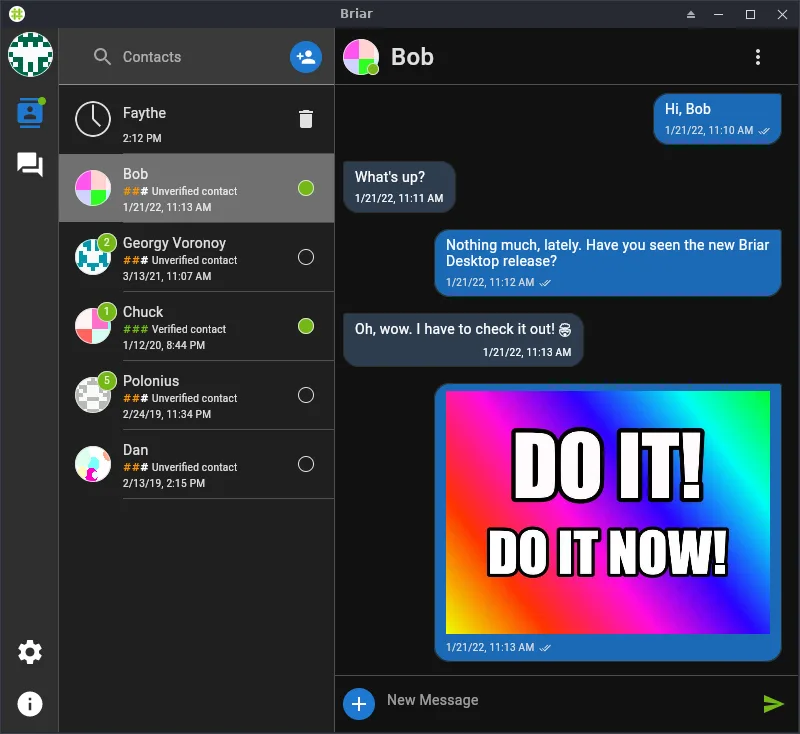
What is Briar?
Briar was created by The Briar Project in 2014 to give activists, journalists and privacy‑conscious users a messaging tool that does not depend on central servers. The app uses end‑to‑end encryption and a peer‑to‑peer sync model, so messages are stored only on the users’ devices. The latest stable release is 0.6.5‑beta, released in February 2026.
Briar is aimed at people who need reliable communication even when the internet is unreliable or monitored. It is especially useful for field reporters, human‑rights workers or anyone who worries about surveillance. The user interface is minimalistic and focused on privacy, with no ads or analytics.
Compared with Signal on Windows, Briar offers a more radical approach: no central servers and the ability to sync over local networks. The experience is slower at first because the app needs to discover peers, but once a connection is established it feels like a lightweight, offline‑first chat client.
Best for: Users who need a private, server‑less messaging solution that works offline and over Tor.
Key features of Briar
- End‑to‑end encryption for all messages
- Peer‑to‑peer sync via Bluetooth, Wi‑Fi or Tor
- No central server – messages stay on devices
- Group chats with optional encryption
- File sharing up to 2 GB
- Cross‑platform (Linux, Android, iOS)
- Open‑source code on GitHub
Pros
- Zero‑trust architecture protects against server compromise
- Works offline or with limited connectivity
- No ads or tracking
- Strong community support
- Regular updates
Cons
- Learning curve for peer discovery
- Group chat performance can lag on large networks
- Limited media handling compared to Signal
- No voice/video calls yet
Windows programs Briar replaces
How to install Briar on Linux
flatpak install flathub org.briarproject.BriarTips for Windows users
Briar uses its own contact list; you’ll need to exchange QR codes or public keys manually. Messages are plain text or files; no special file formats are required. Keyboard shortcuts differ: Ctrl+N for new chat, Ctrl+S to send. The workflow is more manual than Signal’s auto‑sync, so expect a slower initial connection setup.
Recent releases
- 0.6.5-beta —
See the changelog for more information on this release.
- 0.6.4-beta —
See the changelog for more information on this release.
- 0.6.3-beta —
See the changelog for more information on this release.
- 0.6.2-beta —
See the changelog for more information on this release.
Briar: frequently asked questions
Can I use Briar on Linux without a desktop environment?
Yes, it runs as a native GTK app and can be launched from a terminal or a launcher.
Does Briar support voice or video calls?
No, it currently only supports text and file messaging.
How does Briar handle group chats?
Groups are created by adding members; all messages are end‑to‑end encrypted and stored on each device.
Is Briar safe if my Wi‑Fi is compromised?
Messages are encrypted; the app does not rely on the Wi‑Fi network for security, but local network traffic can be monitored.
Updated