
Windows · Sound & Video
Best Linux alternatives to CapCut (Windows)
CapCut is a free, short-form-focused video editor from ByteDance, popular for social media clips with heavy effects.
Updated
Quick answer
The best Linux alternative to CapCut (Windows) is Kdenlive. Other strong options: Shotcut, Olive, OpenShot.
6 Linux alternatives to CapCut (Windows)
-

Kdenlive is a free, feature‑rich non‑linear video editor built on the MLT framework.
Kdenlive is a strong, professional-grade replacement for CapCut on Linux, though the workflow differs. While CapCut prioritizes speed for social media with one-click templates, Kdenlive offers deeper control over timelines, audio, and color. It is ideal for users who outgrow CapCut’s limitations or…
Feature parity85% -

Shotcut is a free, open-source video editor for Linux with support for a wide range of formats via FFmpeg.
Shotcut is a solid replacement for CapCut (Windows) if you need full control over editing and don’t rely on pre-built social media effects. It handles non-linear editing, multi-track timelines, keyframes, and export presets well. However, it lacks the polished, template-driven workflow that makes…
Feature parity70% -

Olive is a free, open‑source non‑linear video editor for Linux.
Olive is a legitimate open-source alternative for basic non-linear editing, but it is not a drop-in replacement for CapCut. If you need quick, trendy social media clips with heavy built-in effects and templates, Olive will frustrate you. It lacks CapCut’s specialized short-form toolset and polished…
Feature parity45% -

OpenShot is a free, open-source, non-linear video editor for Linux and other platforms, built with Python and MLT.
OpenShot is a solid replacement for CapCut (Windows) if you need a free, open-source editor for basic to intermediate short-form videos. It handles core editing tasks like trimming, transitions, titles, and keyframing well, and supports common formats and social presets. However, it lacks CapCut’s…
Feature parity70% -
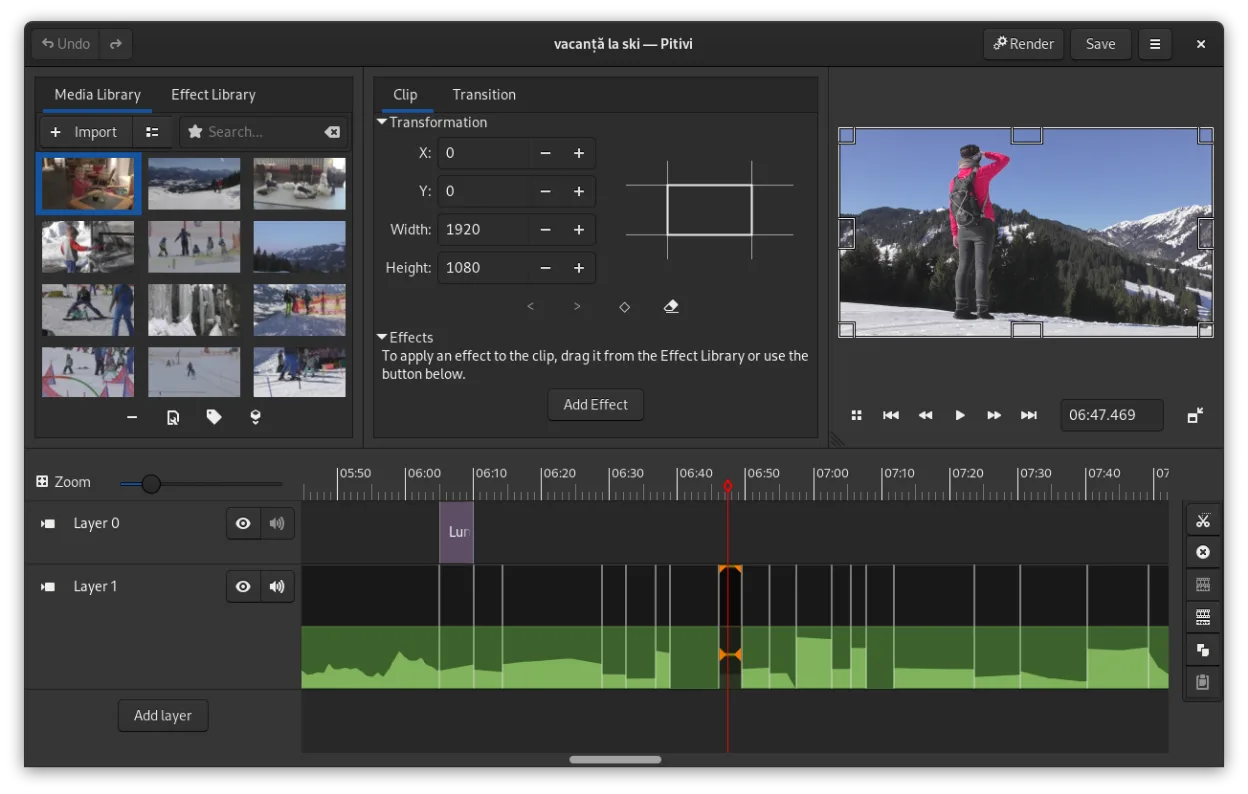
PiTiVi is a free, open-source, non-linear video editor for Linux built on GStreamer with a clean GNOME-integrated interface.
PiTiVi can serve as a viable Linux replacement for CapCut, especially for users who need a traditional non‑linear editor rather than a mobile‑style quick‑cut tool. It offers a full timeline, keyframe animation, and a decent set of transitions, making it suitable for hobbyists and semi‑professional…
Feature parity65% -

Flowblade is a fast, stable, multitrack non-linear video editor for Linux, suitable for beginners to professionals.
Flowblade is a solid replacement for CapCut if you need a stable, traditional non-linear editor for cutting, mixing, and basic effects. It handles standard formats and keyframe animation well. However, it lacks CapCut’s specific social media templates, auto-captioning, and trendy preset effects…
Feature parity70%



What is CapCut (Windows)?
CapCut is primarily used by content creators, marketers, and hobbyists to produce short-form video for platforms like TikTok, Instagram Reels, and YouTube Shorts. It streamlines the editing process by offering a timeline interface that is less intimidating than professional suites, allowing users to quickly cut clips, add text, and apply visual effects without needing deep technical knowledge of color grading or multi-track audio mixing.
The software operates on a freemium model. The core editing features are free to use, which has driven its massive adoption. However, ByteDance has increasingly gated premium templates, specific effects, and cloud storage behind a paid subscription. Users can edit and export for free, but accessing the full library of trending assets and removing watermarks on certain premium elements requires a subscription fee.
Users look for Linux alternatives because CapCut is proprietary and lacks a native Linux build. While it runs on Windows and macOS, Linux users are forced to use workarounds like Wine or dual-booting, which can be unstable or cumbersome. Additionally, some users prefer open-source tools for privacy reasons, to avoid subscription costs, or simply because they want a local, offline-capable editor that integrates better with their existing Linux workflow and file systems.
What a replacement for CapCut (Windows) must do
- Non-linear video editing timeline
- Support for common formats like MP4, MOV, and MKV
- Basic audio editing and mixing
- Text overlays and titles
- Transitions and visual effects
- Export presets for social media resolutions
- Keyframe animation for motion graphics
Can you run CapCut (Windows) on Linux?
There is no native Linux version of CapCut. The developer, ByteDance, has not released an official build for Linux distributions. While some users report success running the Windows version via Wine or Proton, stability varies significantly depending on the specific Wine version and system configuration. It is not guaranteed to work out of the box, and performance issues or missing features are common. The web version exists but requires a browser and an account, which may not satisfy users needing offline editing or higher performance than a browser-based tool can provide.
Which alternative should you choose?
If you need a robust, feature-rich editor that handles complex timelines and professional workflows, Kdenlive is the strongest choice among the listed options. For a balance of simplicity and power, Shotcut is a solid, user-friendly option that works well for most social media editing tasks. If you prefer a more modern, node-based approach or want to experiment with a newer interface, Olive might appeal to you, though it is less mature. OpenShot and PiTiVi are better suited for beginners who need basic cutting and splicing without a steep learning curve, while Flowblade offers a clean, intuitive interface for straightforward editing jobs.
Moving your CapCut (Windows) files and habits
Migrating from CapCut to a Linux editor involves exporting your projects or media files. CapCut projects are proprietary and cannot be directly opened in Kdenlive, Shotcut, or other Linux editors. You must export your final video as a high-quality intermediate format, such as ProRes or DNxHR, if you plan to re-edit it, or simply export the final MP4 if you are just moving the finished product. Your raw footage (MP4, MOV) will work fine in any Linux editor. Note that specific CapCut effects, transitions, and templates will not transfer; you will need to recreate these using the native tools of your new Linux editor.
Side-by-side comparison
CapCut (Windows): frequently asked questions
Can I import CapCut projects into Kdenlive?
No, CapCut project files are proprietary and cannot be imported directly. You must export the video as a high-quality intermediate file to re-edit it in Kdenlive or another Linux editor.
Is CapCut available in the Linux Snap Store or Flathub?
No, there is no official CapCut package on Flathub or Snap. Any third-party packages found online are unofficial and may pose security risks or lack support.
Which Linux editor is closest to CapCut's interface?
Shotcut and Kdenlive have traditional timeline interfaces that are easier to learn than professional suites. While none are identical to CapCut's mobile-inspired UI, Shotcut is often considered the most approachable for beginners transitioning from simple editors.
Do these Linux editors support the same video codecs as CapCut?
Yes, most Linux editors support standard codecs like H.264, H.265, and ProRes. However, support for specific proprietary or newer codecs may vary, so it is best to test your footage before starting a project.
How important is CapCut (Windows) to you?
Know a better alternative? Suggest an alternative