
Windows · Sound & Video
Best Linux alternatives to Elgato Wave
Elgato Wave Link is a Windows/macOS app for mixing USB microphone audio and routing outputs, with no native Linux version.
Updated
Quick answer
The best Linux alternative to Elgato Wave is JACK Audio Connection Kit. Other strong options: Ardour, Carla, Mixxx.
4 Linux alternatives to Elgato Wave
-
JACK Audio Connection Kit is a low‑latency audio server for routing and mixing audio between Linux applications.
JACK is a solid foundation for replacing Elgato Wave, but it is not a drop-in replacement. It handles the core job of low-latency routing and mixing USB audio perfectly. However, it lacks the polished, user-friendly interface Elgato provides. You will need to pair it with a mixer application like…
Feature parity60% -

Ardour is a professional open-source digital audio workstation for recording, editing, and mixing audio and MIDI.
Ardour is a powerful but heavy replacement for Elgato Wave. It handles multi-channel mixing, routing, and effects like EQ and compression effectively, making it suitable for users who need a full DAW environment rather than a simple mixer. However, it is not designed for real-time, low-latency live…
Feature parity45% -
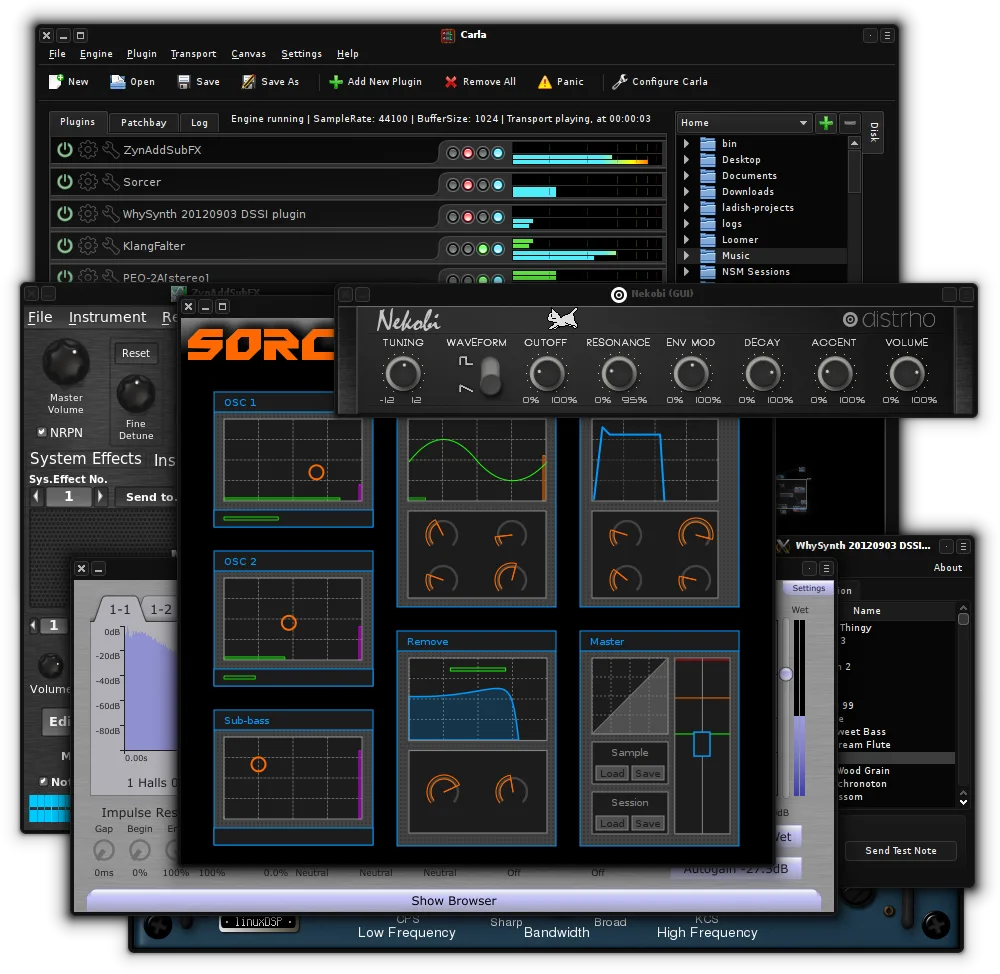
Carla is an open-source audio plugin host for Linux that supports multiple plugin formats and audio drivers.
Carla is a viable replacement for Elgato Wave Link if you are comfortable with manual audio routing. It handles multi-channel mixing, USB input, and real-time effects like EQ and compression effectively. However, it lacks the simplified, preset-based interface of Wave Link. This tool suits users…
Feature parity70% -

Mixxx is a free, open‑source DJ mixing program for Linux with beat‑matching, effects, and controller support.
Mixxx is not a direct replacement for Elgato Wave Link, but it can serve users needing live audio mixing and routing on Linux if their focus shifts toward DJ-style performance. It excels at mixing pre-recorded music with effects, beat matching, and controller support, but lacks Elgato Wave’s…
Feature parity40%


What is Elgato Wave?
Streamers and content creators use Elgato Wave Link to manage audio from compatible USB microphones. It allows users to mix multiple audio sources, apply effects, and route signals to different destinations like a computer, phone, or external recorder. The tool simplifies complex audio setups for live broadcasting and recording.
The software operates on a freemium model. Basic mixing and routing features are available for free, while advanced effects, presets, and specific hardware integrations require a paid subscription or one-time license purchase. This tiered approach targets both casual users and professional audio engineers who need precise control.
Users seek a Linux alternative primarily because Elgato does not provide a native Linux client. While the hardware may work, the control software is missing, forcing users to rely on generic audio tools. This gap prevents full utilization of the microphone's features, such as direct-to-phone recording or advanced DSP processing, on Linux systems.
What a replacement for Elgato Wave must do
- Multi-channel audio mixing
- Real-time audio routing
- USB audio device support
- Effect processing (EQ, compression)
- Separate output destinations
- Low-latency monitoring
Can you run Elgato Wave on Linux?
There is no native Linux version of Elgato Wave Link. The application is exclusive to Windows and macOS. Running it via Wine or Proton is unlikely to work reliably because the software relies on specific USB drivers and system-level audio hooks that do not translate well to Linux. You should assume the official software will not function on Linux and plan to use native audio tools instead.
Which alternative should you choose?
For general streaming and recording, OBS Studio is the best fit as it handles source mixing and routing directly. If you need a dedicated audio interface replacement with complex routing, JACK Audio Connection Kit provides the underlying infrastructure, though it requires manual configuration. Ardour is suitable if you need to record and edit the final mix in a DAW environment. Carla is useful for running VST plugins if your microphone supports them, and Mixxx is better for DJing than static stream mixing.
Moving your Elgato Wave files and habits
There is no direct data migration path because Elgato Wave Link settings are tied to its proprietary ecosystem. You will need to manually recreate your audio chain in the chosen Linux tool. Export any recorded audio files in standard formats like WAV or MP3 from your previous setup. Note that specific Elgato hardware features, such as direct-to-phone recording, may not be accessible via standard Linux USB audio drivers, so verify hardware compatibility before relying on it.
Side-by-side comparison
| App | License | Flatpak | Latest version | Feature parity | Rating |
|---|---|---|---|---|---|
| JACK Audio Connection Kit | GPL-2.0-or-later | — | 1.9.22 | 60% | — |
| Ardour | GPL-2.0+ | ✓ | 9.8.0 | 45% | — |
| Carla | GPL-2.0 | ✓ | 2.5.10 | 70% | — |
| Mixxx | GPL-2.0 | ✓ | 2.5.6 | 40% | — |
Elgato Wave: frequently asked questions
Can I use my Elgato microphone on Linux?
Yes, most USB microphones work as standard audio devices on Linux. However, you will lose access to the proprietary Wave Link software features like built-in effects and direct-to-phone recording unless those functions are handled by the hardware firmware itself.
Is OBS Studio a complete replacement for Wave Link?
OBS Studio can replace the mixing and routing aspects of Wave Link for streaming purposes. It allows you to combine multiple audio sources and apply filters, but it is a video-centric tool, so the interface is less focused on pure audio engineering than a dedicated mixer.
Do I need JACK to use OBS for audio mixing?
Not necessarily. OBS can use PulseAudio or PipeWire directly for most users. JACK is only required if you need ultra-low latency monitoring or complex routing between multiple audio applications, which is common in professional studio setups but not always needed for streaming.
Will my Elgato subscription work on Linux?
No. Your subscription is tied to the Windows or macOS application. Since there is no Linux client, you cannot activate or use your paid license features on a Linux system. You would need to rely on free native Linux tools.
How important is Elgato Wave to you?
Know a better alternative? Suggest an alternative