
Linux · Sound & Video
Carla
Carla is an open-source audio plugin host for Linux that supports multiple plugin formats and audio drivers.
- License
- GPL-2.0
- Latest version
- 2.5.10 (July 31, 2025)
- Developer
- Carla developers
- Installs
- 802 (Flathub, 30 days)
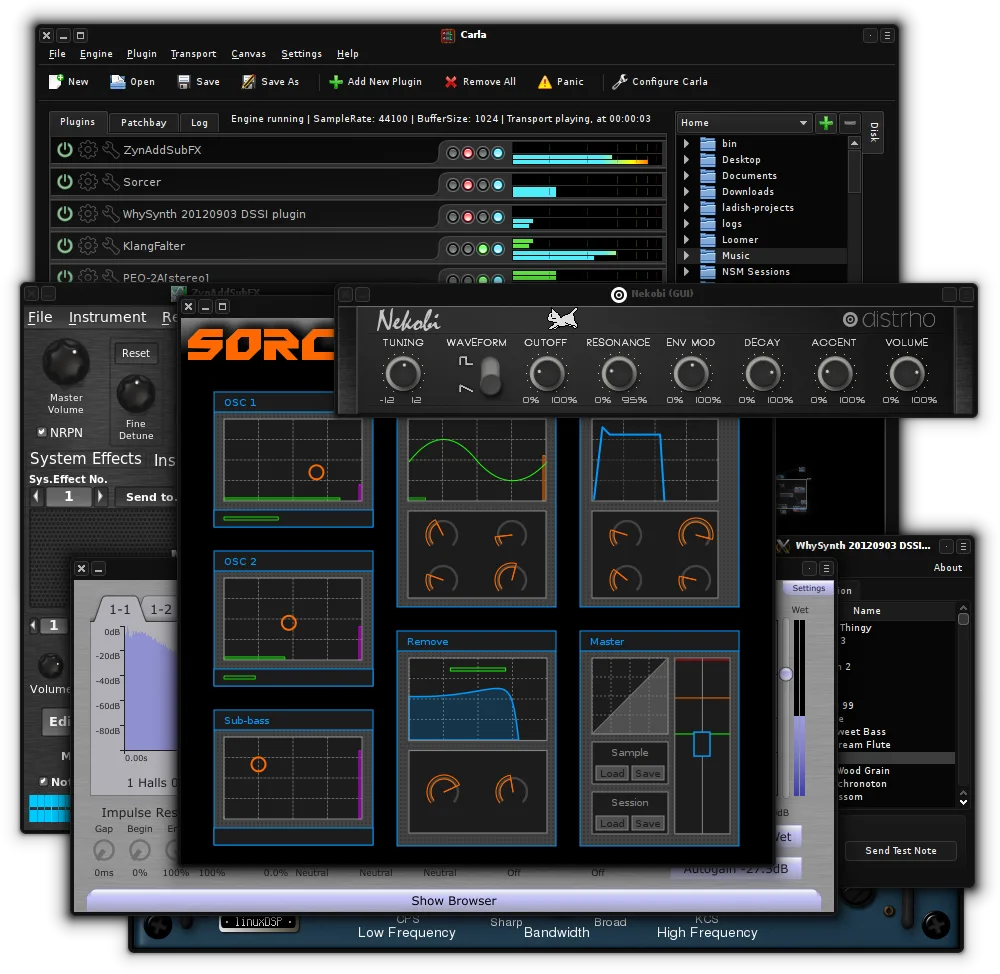
What is Carla?
Carla is a mature, actively developed audio plugin host originally created by Filipe Coelho. First released in 2010, it has evolved into a stable and feature-rich tool used in professional and hobbyist audio workflows. Its support for various plugin formats and deep integration with Linux audio systems like JACK make it a solid choice in the ecosystem.
It's best suited for musicians, audio engineers, and streamers who need flexible routing and plugin management. If you're running a home studio or managing live audio feeds with effects, Carla gives you fine-grained control. It’s especially useful when combined with JACK for low-latency performance.
Compared to tools like Elgato Wave Link, Carla offers deeper audio routing and plugin support but requires more technical setup. It doesn’t aim to be a plug-and-play streaming mixer; instead, it's a powerful host for effects and virtual instruments. The interface feels more like a DAW component than a simple audio router.
Best for: Linux users who need a flexible, plugin-capable audio host for live processing or studio work.
Key features of Carla
- Hosts VST2, VST3, LV2, and SF2 plugins
- Supports JACK, ALSA, and other audio drivers
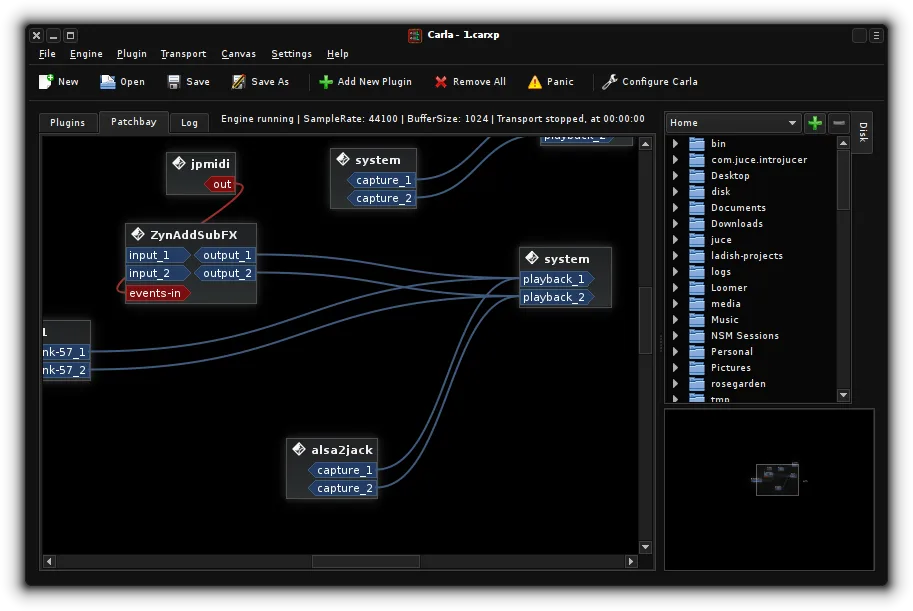
- Modular signal routing with patchable connections
- Plugin bridge for running Windows VSTs
- Customizable UI with themes and skins
- MIDI learn and automation support
- Real-time audio monitoring and metering
- Standalone and DAW plugin modes
Pros
- Supports a wide range of plugin formats
- Highly customizable routing and signal flow
- Runs Windows VSTs via built-in bridging
- Stable and actively maintained
- Integrates well with JACK and PipeWire
Cons
- Steeper learning curve for beginners
- Setup can be complex without JACK experience
- UI feels dated compared to modern Windows apps
Windows programs Carla replaces
How to install Carla on Linux
flatpak install flathub studio.kx.carlasudo apt install carlasudo dnf install Carlasudo pacman -S carlasudo zypper install carlaTips for Windows users
If you're coming from Elgato Wave Link, expect a shift from GUI simplicity to routing depth. Carla doesn’t manage USB audio devices directly like Wave Link; instead, route audio through JACK or PipeWire. Use QJackCtl or Carla’s JACK backend to manage inputs/outputs. Save processor chains as presets. Learn MIDI mapping early—it’s key for live control.
Recent releases
- 2.5.10 —
Carla: frequently asked questions
Can Carla run Windows VST plugins?
Yes, Carla includes a plugin bridge that allows loading of Windows VST2 and VST3 plugins on Linux. The host runs them in a separate process to improve stability. You’ll need Wine installed for this to work.
Does Carla work with PipeWire?
Yes, Carla works under PipeWire through the JACK compatibility layer. Enable JACK support in PipeWire and configure Carla to use the JACK backend for full routing capabilities.
How do I automate parameters in Carla?
Carla supports MIDI learn for most parameters. Right-click a control and select 'MIDI learn', then move a knob on your controller. Automation can also be handled externally via a DAW if Carla is used as a plugin.
Is Carla good for live streaming?
It can be, especially if you need effects processing. However, it requires setup with JACK and monitoring tools. For simpler streaming workflows, consider using Carla alongside OBS or using a dedicated mixer like PulseAudio Volume Control.
Updated