
 digiKamLinux
vs
Nik CollectionWindows
digiKam als Linux-Alternative zu Nik Collection
Aktualisiert am
Unser Fazit
digiKam is not a direct replacement for the Nik Collection. It is a photo manager with basic editing tools, but it lacks the specialized plugin integration, advanced colour grading, and creative stylisation filters that Nik Collection provides. Photographers who need a lightweight, organized library with simple RAW adjustments may find digiKam useful, but those who rely on Nik’s retouching, noise reduction, or creative effects will need a different Linux solution such as Darktable or RawTherapee.
- Lizenz
- GPL-2.0+
- Preis
- Kostenlos
- Aktuelle Version
- 9.1.0 (7. Juni 2026)
- Bewertung
- —
Was gleich funktioniert
- Both run on Linux, Windows, and macOS
- Both support RAW files
- Both offer basic colour adjustments and sharpening
- Both can be used as standalone applications
Was anders ist
- digiKam is a photo manager, not a plugin suite
- No plugin integration with host editors in digiKam
- Lacks advanced colour grading and creative stylisation filters
- Missing noise reduction and dedicated black‑and‑white conversion tools
- digiKam does not handle Nik Collection file formats
Ihre Nik Collection-Dateien öffnen
digiKam cannot open or export Nik Collection plugin files (.lrn, .dng presets, etc.). The Nik Collection files are proprietary and require Adobe Lightroom, Photoshop, or the native Nik host applications. If you need to migrate presets, you would have to recreate them manually in a compatible editor on Linux.
Von Nik Collection zu digiKam wechseln – Schritt für Schritt
- Export your Nik presets or settings from the host editor as a file or note them down.
- Identify equivalent tools in your chosen Linux editor (e.g., Darktable, RawTherapee).
- Recreate the adjustments manually, using the same parameters where possible.
- Save the new adjustments as presets in the Linux editor for future use.
- Verify the results by applying the new preset to a sample image.
Wichtige Funktionen von digiKam
- Direkter Import von Kameras, SD-Karten und USB-Laufwerken mit konfigurierbaren Regeln
- Fortgeschrittenes Tagging, Bewertung und Label-System für komplexe Bibliotheksorganisation
- Leistungsstarker Such-Engine, die EXIF, IPTC und XMP-Metadatakriterien unterstützt
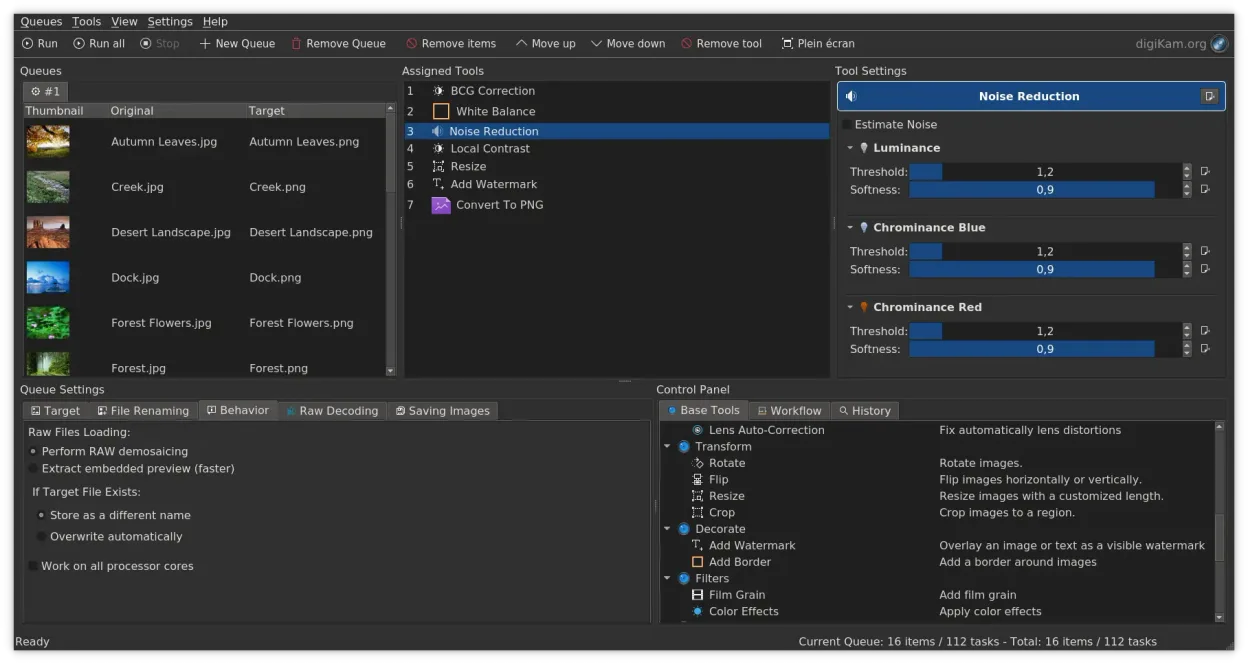
- Nicht-destruktive Bearbeitung mit Farbkorrekturen, Zuschneiden und Schärfen
- Native RAW-Unterstützung über LibRaw zum Dekodieren und Voransicht
- Videokatalogisierung und Metadatenerfassung mit FFmpeg-Backends
- Albumorganisation mit Drag-and-Drop-Oberfläche
- Plattformübergreifende Verfügbarkeit für Linux, Windows und macOS
digiKam unter Linux installieren
flatpak install flathub org.kde.digikamsudo apt install digikamsudo apt install digikamsudo dnf install digikamsudo pacman -S digikamsudo zypper install digikamHäufige Fragen
Can I use digiKam to edit photos the same way I use Nik Collection plugins?
No, digiKam offers basic editing such as colour balance, cropping, and sharpening, but it does not provide the advanced retouching or creative filters that Nik Collection plugins deliver.
Does digiKam support the same file formats as Nik Collection?
Both support RAW files, but digiKam cannot read or write the proprietary Nik Collection preset files. It works with standard image formats like JPEG, TIFF, and DNG.
Is there a way to integrate Nik Collection plugins into digiKam?
No. digiKam does not support third‑party plugin architectures like the Nik Collection. You would need to use a host editor that can load Nik plugins, such as GIMP with the Nik Collection plugin bridge, if available.
4 weitere Alternativen zu Nik Collection
 GIMPGIMP ist ein kostenloser, quelloffener Rastergrafik‑Editor für Fotobearbeitung, digitale Malerei und…Open SourceKostenlosFlatpakGIMP vs. Nik Collection
 darktabledarktable ist ein kostenloser, quelloffener Bildbearbeitungsprogrammier, der Rohdateien verwaltet und einen…Open SourceKostenlosFlatpakdarktable vs. Nik Collection
 RawTherapeeRawTherapee ist ein quelloffenes, plattformübergreifendes Programm zur Entwicklung von Raw-Fotos.Open SourceKostenlosFlatpakRawTherapee vs. Nik Collection
 LightZoneLightZone ist ein kostenloser, quelloffener RAW-Fotoeditor mit einem nicht-destruktiven Tool-Stack-Workflow.Open SourceKostenlosFlatpakLightZone vs. Nik Collection