
 MyPaintLinux
vs
Adobe FrescoWindows
MyPaint als Linux-Alternative zu Adobe Fresco
Aktualisiert am
Unser Fazit
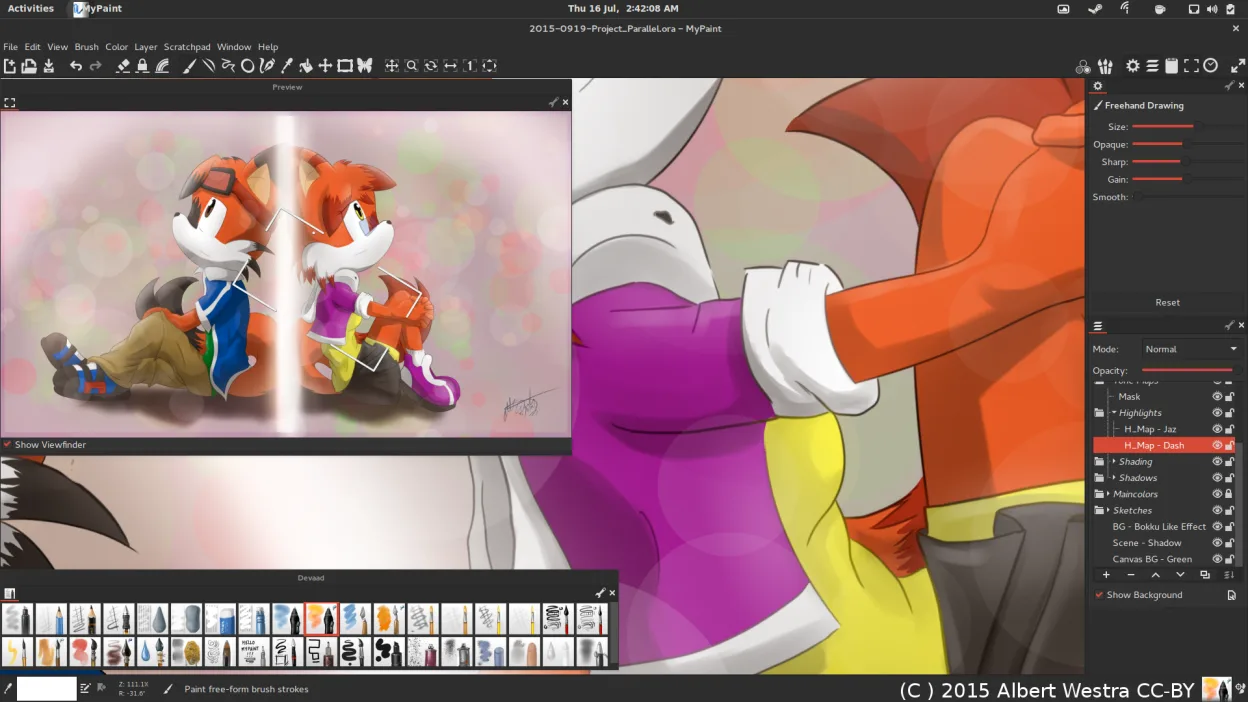
MyPaint can replace Adobe Fresco for users who only need raster painting with a strong brush engine and tablet support. It lacks vector tools, advanced layer features, and native PSD handling, so it suits illustrators and concept artists who work mainly in raster and prefer a lightweight, distraction‑free environment.
Funktionsabdeckung
- Lizenz
- GPL-2.0+
- Preis
- Kostenlos
- Aktuelle Version
- 2.0.1 (29. Mai 2020)
- Bewertung
- —
Was gleich funktioniert
- Pressure‑sensitive brush engine
- Tablet and stylus integration
- Layer support with basic blending modes
- Export to PNG/JPEG
- Unlimited undo/redo history
Was anders ist
- No vector shape tools
- Limited layer options (no masks, advanced blending modes)
- No native PSD import/export
- No built‑in PSD compatibility
- No advanced color management
- No cloud sync or collaboration features
Ihre Adobe Fresco-Dateien öffnen
MyPaint cannot open Adobe Fresco files directly. Exporting from Fresco to PNG or JPEG and then opening in MyPaint is possible, but any layer or vector data will be flattened. Importing MyPaint files into Fresco is not supported either. For PSD compatibility, a third‑party converter or intermediate format like OpenRaster would be required.
Von Adobe Fresco zu MyPaint wechseln – Schritt für Schritt
- Export your Fresco artwork to PNG or JPEG (flatten layers).
- Open the exported image in MyPaint via File → Open.
- Recreate any vector elements using MyPaint’s shape tools (if needed).
- Save the new file as a MyPaint project (.mypaint) or export to PNG/JPEG for further use.
- If you need PSD compatibility, use GIMP or Krita to convert the MyPaint file to PSD.
Wichtige Funktionen von MyPaint
- Pinsel-Engine mit hunderten konfigurierbaren Parametern
- Unterstützung für Drucksensorik und Neigung auf Grafiktabletts
- Einfache, ablenkungsfreie Oberfläche nur mit Leinwand
- Ebenenunterstützung mit grundlegenden Mischmodi
- Export in PNG, JPEG, OpenRaster und andere gängige Formate
- Erweiterbar über Python-Plugins
- Vorinstallierte Pinselpakete von professionellen Künstlern
- Rückgängig/Wiederherstellen-Verlauf mit unbegrenzten Schritten
MyPaint unter Linux installieren
Flatpak (Flathub)
flatpak install flathub org.mypaint.MyPaintUbuntu / Mint
sudo apt install mypaintDebian
sudo apt install mypaintFedora
sudo dnf install mypaintArch / Manjaro
sudo pacman -S mypaintopenSUSE
sudo zypper install mypaint5 weitere Alternativen zu Adobe Fresco
 KritaKrita ist ein vollwertiges Open‑Source-Programm für digitales Malen und Illustration.Open SourceKostenlosFlatpakKrita vs. Adobe Fresco
 GIMPGIMP ist ein kostenloser, quelloffener Rastergrafik‑Editor für Fotobearbeitung, digitale Malerei und…Open SourceKostenlosFlatpakGIMP vs. Adobe Fresco
 InkscapeInkscape ist ein kostenloser, quelloffener Vektorgrafikeditor, der Adobe Illustrator und CorelDRAW Konkurrenz…Open SourceKostenlosFlatpakInkscape vs. Adobe Fresco
 Pencil2DPencil2D ist ein Open-Source-Tool für 2D-Animationen mit handgezeichneten Vektor- und Bitmap-Grafiken.Open SourceKostenlosFlatpakPencil2D vs. Adobe Fresco
 PixeloramaPixelorama is a free, open-source pixel art editor and animation tool for Linux, suitable for sprites and…Open SourceKostenlosFlatpakPixelorama vs. Adobe Fresco
MyPaint bewerten
Als Erste(r) bewerten
Guter Ersatz für Adobe Fresco?
9