
 MyPaintLinux
vs
SketchBookWindows
MyPaint als Linux-Alternative zu SketchBook
Aktualisiert am
Unser Fazit
MyPaint is a solid replacement for SketchBook if you prioritize brush fidelity and tablet performance over polished UI. It matches SketchBook's core strength: pressure-sensitive raster drawing with a minimal interface. However, it is not a drop-in swap. MyPaint lacks the tight, modern workflow and specific toolset some SketchBook users rely on. It is ideal for concept artists and illustrators who value open-source flexibility and unlimited undo. Avoid it if you need advanced vector tools or a highly structured layer system with complex masking, as MyPaint keeps layers simple by design.
- Lizenz
- GPL-2.0+
- Preis
- Kostenlos
- Aktuelle Version
- 2.0.1 (29. Mai 2020)
- Bewertung
- —
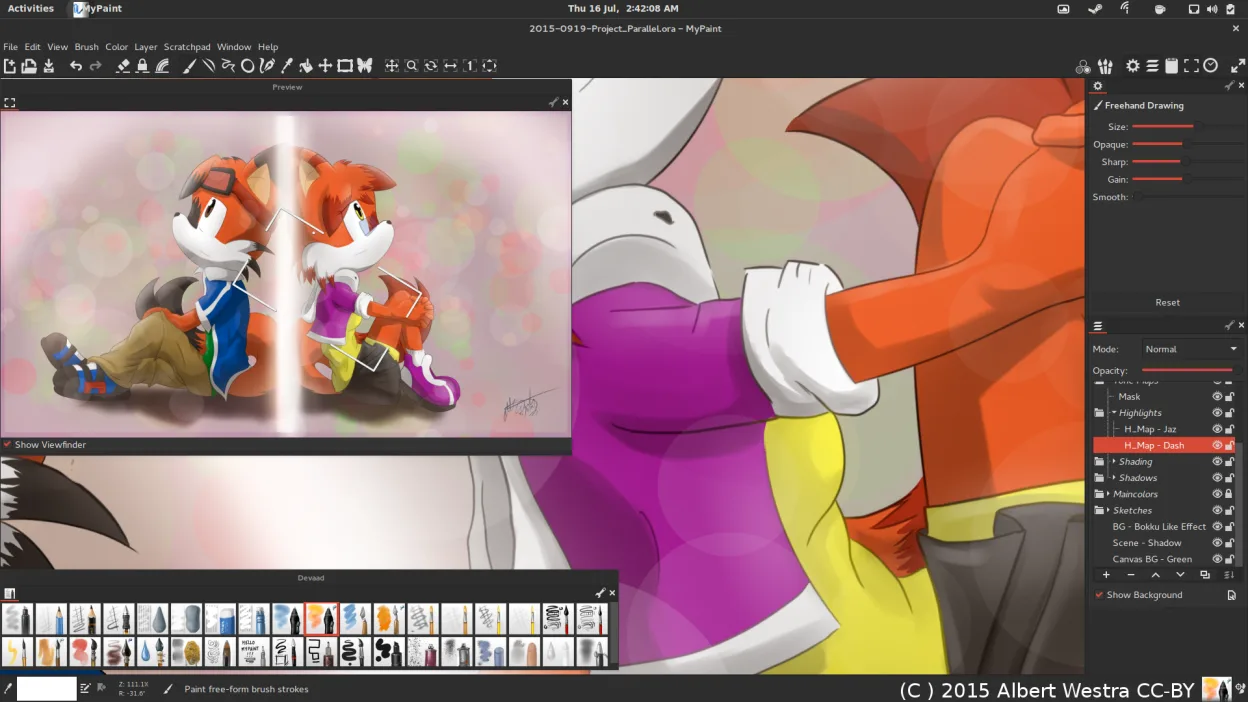
Was gleich funktioniert
- Pressure-sensitive raster drawing engine
- Minimal, canvas-focused interface
- Support for graphics tablets and tilt
- Export to standard formats like PNG and JPEG
- Free to use on Linux
Was anders ist
- MyPaint has simpler layer management without advanced masking
- SketchBook offers a more polished, modern UI with integrated tutorials
- MyPaint is open-source (GPL-2.0+) while SketchBook is proprietary
- MyPaint relies on Python plugins for extension, unlike SketchBook's closed ecosystem
Ihre SketchBook-Dateien öffnen
MyPaint does not natively open SketchBook's proprietary .skb files. You will need to export your SketchBook work as PNG or JPEG before importing it into MyPaint. MyPaint supports OpenRaster (.ora) for native saving, which preserves layers, but this format is not used by SketchBook. Always keep a backup of your original files before migrating.
Von SketchBook zu MyPaint wechseln – Schritt für Schritt
- Install MyPaint via your package manager or Flathub
- Export all existing SketchBook projects as high-resolution PNGs
- Import the PNGs into MyPaint as new canvases
- Configure your tablet drivers to ensure pressure sensitivity works
- Test the default brush pack to match your SketchBook workflow
- Save new projects in OpenRaster format to preserve layers
Wichtige Funktionen von MyPaint
- Pinsel-Engine mit hunderten konfigurierbaren Parametern
- Unterstützung für Drucksensorik und Neigung auf Grafiktabletts
- Einfache, ablenkungsfreie Oberfläche nur mit Leinwand
- Ebenenunterstützung mit grundlegenden Mischmodi
- Export in PNG, JPEG, OpenRaster und andere gängige Formate
- Erweiterbar über Python-Plugins
- Vorinstallierte Pinselpakete von professionellen Künstlern
- Rückgängig/Wiederherstellen-Verlauf mit unbegrenzten Schritten
MyPaint unter Linux installieren
flatpak install flathub org.mypaint.MyPaintsudo apt install mypaintsudo apt install mypaintsudo dnf install mypaintsudo pacman -S mypaintsudo zypper install mypaintHäufige Fragen
Does MyPaint support tilt sensitivity?
Yes, MyPaint supports both pressure and tilt sensitivity on compatible graphics tablets, allowing for more natural brush strokes.
Can I use custom brushes in MyPaint?
Yes, you can import custom brushes or configure existing ones using the extensive brush engine. You can also write Python plugins to create new brush behaviors.
Is MyPaint suitable for beginners?
It is very approachable due to its simple interface and pre-made professional brushes. However, the lack of a traditional menu bar might require a short learning curve for users coming from complex suites like Photoshop.
4 weitere Alternativen zu SketchBook
 KritaKrita ist ein vollwertiges Open‑Source-Programm für digitales Malen und Illustration.Open SourceKostenlosFlatpakKrita vs. SketchBook
 GIMPGIMP ist ein kostenloser, quelloffener Rastergrafik‑Editor für Fotobearbeitung, digitale Malerei und…Open SourceKostenlosFlatpakGIMP vs. SketchBook
 PintaPinta ist ein kostenloser, quelloffener Bitmap‑Editor, der Paint.NET mit einer einfachen Oberfläche und…Open SourceKostenlosFlatpakPinta vs. SketchBook
 Xournal++Eine plattformübergreifende, quelloffene Notizen-App für handschriftliche Aufzeichnungen, PDF-Anmerkungen und…Open SourceKostenlosFlatpakXournal++ vs. SketchBook