
 MyPaintLinux
vs
Corel PainterWindows
MyPaintLinux
vs
Corel PainterWindows
MyPaint als Linux-Alternative zu Corel Painter
Aktualisiert am
Unser Fazit
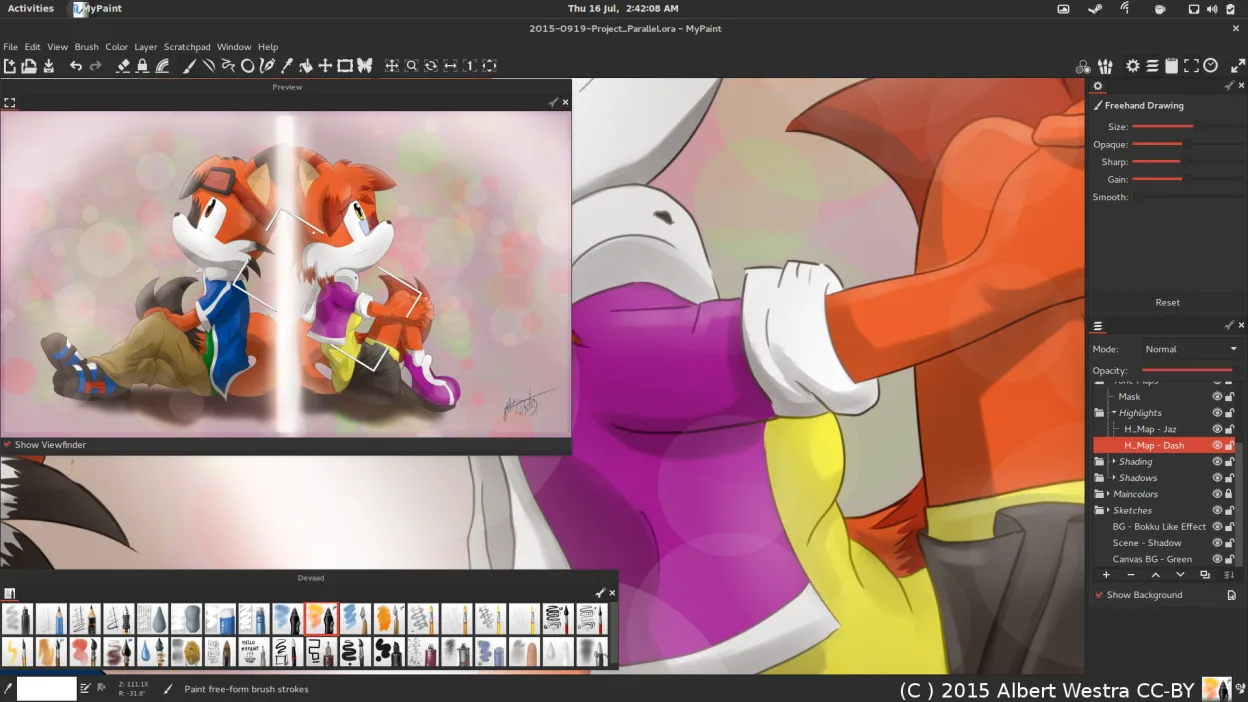
MyPaint is a strong free alternative for digital painters who prioritize realistic brush dynamics and tablet interaction. It handles oil, watercolor, and ink simulations well through its extensive brush engine. However, it lacks the depth of Corel Painter’s professional workflow tools. If you rely on complex non-destructive editing, advanced layer management, or specific print-ready color profiles, you will find MyPaint limiting. It suits hobbyists and illustrators who value a distraction-free canvas and open-source flexibility over enterprise-grade feature sets. For heavy commercial print work, consider keeping Corel or using GIMP for post-processing.
- Lizenz
- GPL-2.0+
- Preis
- Kostenlos
- Aktuelle Version
- 2.0.1 (29. Mai 2020)
- Bewertung
- —
Was gleich funktioniert
- Simulates traditional media like oil, watercolor, and ink with realistic dynamics
- Supports pressure and tilt sensitivity on graphics tablets
- Offers a large library of pre-installed, customizable brushes
- Provides layer support for non-destructive editing workflows
- Allows export to common formats like PNG and JPEG
Was anders ist
- Lacks advanced color management and print-specific features found in Corel Painter
- Interface is minimal and canvas-focused, lacking Corel’s comprehensive tool panels
- No built-in vector tools or advanced text manipulation capabilities
- Fewer specialized artistic effects and texture libraries compared to Corel’s extensive assets
- Open-source GPL license versus Corel’s proprietary commercial licensing
Ihre Corel Painter-Dateien öffnen
MyPaint does not natively open Corel Painter’s proprietary .PSB or .PSD files directly as editable projects. You can import raster images (PNG, JPEG, TIFF) from Corel Painter, but layer structure and specific brush settings will not transfer. For best results, export your work from Corel Painter as a high-resolution PNG or TIFF with flattened layers before opening it in MyPaint for further raster editing.
Von Corel Painter zu MyPaint wechseln – Schritt für Schritt
- Install MyPaint via your distribution’s package manager or Flathub
- Connect your graphics tablet and configure pressure sensitivity in system settings
- Export your current Corel Painter projects as high-resolution PNG or TIFF files
- Open the exported images in MyPaint to continue working on the raster layers
- Explore the pre-installed brush packs to find equivalents for your favorite Corel brushes
- Save your work in OpenRaster format to preserve layer information within MyPaint
Wichtige Funktionen von MyPaint
- Pinsel-Engine mit hunderten konfigurierbaren Parametern
- Unterstützung für Drucksensorik und Neigung auf Grafiktabletts
- Einfache, ablenkungsfreie Oberfläche nur mit Leinwand
- Ebenenunterstützung mit grundlegenden Mischmodi
- Export in PNG, JPEG, OpenRaster und andere gängige Formate
- Erweiterbar über Python-Plugins
- Vorinstallierte Pinselpakete von professionellen Künstlern
- Rückgängig/Wiederherstellen-Verlauf mit unbegrenzten Schritten
MyPaint unter Linux installieren
flatpak install flathub org.mypaint.MyPaintsudo apt install mypaintsudo apt install mypaintsudo dnf install mypaintsudo pacman -S mypaintsudo zypper install mypaintHäufige Fragen
Can I use MyPaint for professional print work?
Yes, but you must manage color profiles and resolution carefully. MyPaint exports standard raster formats, so you should verify color accuracy and DPI settings before sending files to a printer. It is less robust than Corel Painter for complex print workflows.
Does MyPaint support 64-bit color depth?
MyPaint primarily works with 32-bit color depth. If your workflow requires 64-bit color for high-end print or scientific applications, MyPaint may not be sufficient. Check specific requirements for your output medium.
How do I customize brushes in MyPaint?
You can adjust hundreds of parameters for each brush, including dynamics, texture, and size. The interface allows real-time tweaking, and you can save your configurations as new brushes for reuse in future projects.
4 weitere Alternativen zu Corel Painter
 KritaKrita ist ein vollwertiges Open‑Source-Programm für digitales Malen und Illustration.Open SourceKostenlosFlatpakKrita vs. Corel Painter
 GIMPGIMP ist ein kostenloser, quelloffener Rastergrafik‑Editor für Fotobearbeitung, digitale Malerei und…Open SourceKostenlosFlatpakGIMP vs. Corel Painter
 InkscapeInkscape ist ein kostenloser, quelloffener Vektorgrafikeditor, der Adobe Illustrator und CorelDRAW Konkurrenz…Open SourceKostenlosFlatpakInkscape vs. Corel Painter
 PintaPinta ist ein kostenloser, quelloffener Bitmap‑Editor, der Paint.NET mit einer einfachen Oberfläche und…Open SourceKostenlosFlatpakPinta vs. Corel Painter