
 TigerVNC ViewerLinux
vs
ParsecWindows
TigerVNC ViewerLinux
vs
ParsecWindows
TigerVNC Viewer als Linux-Alternative zu Parsec
Aktualisiert am
Unser Fazit
TigerVNC Viewer is not a good replacement for Parsec if you need low-latency gaming or high-performance remote access over the internet. It works well for desktop sharing on a local network with acceptable latency, but lacks Parsec’s optimized protocols for 60+ FPS and gamepad support. Audio forwarding is limited unless manually configured. It’s suitable for users who prioritize screen access over responsiveness, especially in LAN environments. For cloud gaming or smooth streaming, Parsec remains far superior.
- Lizenz
- GPL-2.0-or-later
- Preis
- Kostenlos
- Aktuelle Version
- 1.14.0 (24. Juli 2024)
- Bewertung
- —
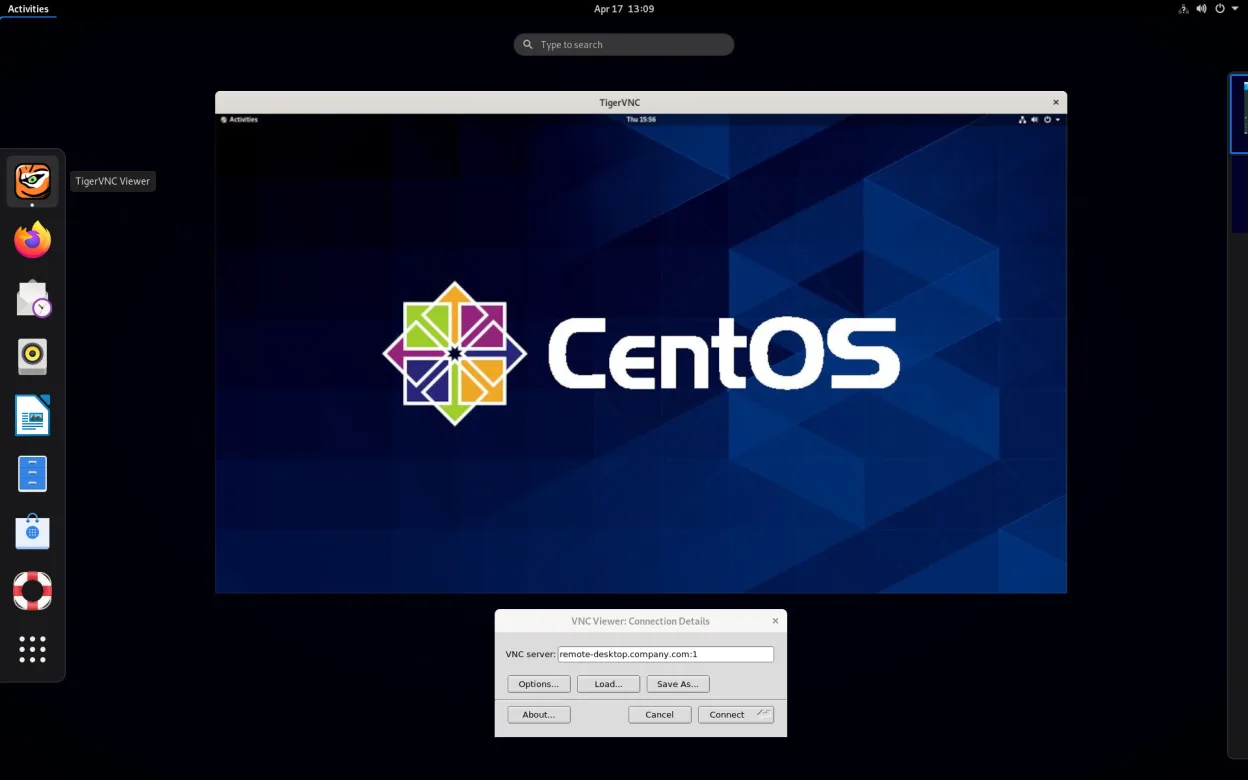
Was gleich funktioniert
- Both allow remote desktop access from Linux to another machine
- Support cross-platform connections (Linux, Windows, macOS)
- Enable keyboard and mouse input forwarding
- Work over local network and internet with proper setup
- Offer configurable display scaling and color depth
Was anders ist
- TigerVNC lacks built-in audio streaming; Parsec supports it natively
- Parsec is optimized for 60+ FPS gaming; TigerVNC typically maxes out at 30–40 FPS
- TigerVNC has no native gamepad support or low-latency input tuning
- Parsec uses peer-to-peer connections by default; TigerVNC requires manual port forwarding or SSH tunneling
- TigerVNC relies on a VNC server running on the remote machine, while Parsec installs a full remote-access service
Ihre Parsec-Dateien öffnen
TigerVNC Viewer does not use or support Parsec-specific files, sessions, or configuration formats. Parsec does not generate portable files for import elsewhere. Connection details in TigerVNC are managed through host addresses, ports, and passwords entered manually or via command line. There is no direct way to convert or open Parsec saved connections in TigerVNC.
Von Parsec zu TigerVNC Viewer wechseln – Schritt für Schritt
- Install a VNC server (like TigerVNC Server or x11vnc) on the host machine
- Configure the VNC server with a resolution, password, and optionally TLS
- Open TigerVNC Viewer and enter the host IP address and port
- Adjust encoding and color depth settings for performance
- Use SSH tunneling or a firewall for secure internet access
Wichtige Funktionen von TigerVNC Viewer
- Unterstützt Tight‑Kodierung, beschleunigt durch libjpeg‑turbo
- TLS‑Verschlüsselung für sichere Sitzungen
- Zwischenablage‑Freigabe zwischen lokal und remote
- Mehrmonitor‑Unterstützung
- Konfigurierbare Skalierung und Farbtiefe
- Tastaturlayout‑Übersetzung
- Cross‑platform‑Client (Linux, Windows, macOS)
- Befehlszeilenoptionen für Skripting
TigerVNC Viewer unter Linux installieren
flatpak install flathub org.tigervnc.vncviewersudo apt install tigervncsudo apt install tigervncsudo dnf install tigervncsudo pacman -S tigervncsudo zypper install tigervncHäufige Fragen
Can TigerVNC Viewer stream at 60 FPS like Parsec?
No, TigerVNC typically achieves 30–40 FPS under ideal conditions. It’s not optimized for high frame rates like Parsec, especially over the internet. Performance depends heavily on network speed, encoding settings, and the remote desktop’s workload.
Does TigerVNC support audio from the remote machine?
Not directly. VNC itself does not handle audio streaming. You’d need to set up separate audio forwarding (e.g., via PulseAudio over network or a second tool), which adds complexity compared to Parsec’s built-in audio support.
Is TigerVNC secure for internet use?
Yes, if configured properly. TigerVNC supports TLS encryption, but you should also use SSH tunneling or a VPN for secure remote access. Leaving VNC ports open directly to the internet without encryption is risky.
5 weitere Alternativen zu Parsec
 RemminaRemmina ist ein Linux-Remote-Desktop-Client, der RDP, VNC, SSH und X2Go unterstützt, um von GTK-basierten…Open SourceKostenlosFlatpakRemmina vs. ParsecGNOME Remote DesktopGNOME Remote Desktop ist ein integrierter VNC-Server für Linux, der Fernzugriff auf Ihre grafische Sitzung…Open SourceKostenlosGNOME Remote Desktop vs. Parsec
 NoMachine PlayerNoMachine Player ist ein proprietärer Remote-Desktop-Client, der Verbindungen zu Linux-, Windows- oder…FlatpakNoMachine Player vs. Parsecx11vncEin VNC-Server für X11, der es Ihnen ermöglicht, Ihren Linux-Desktop aus jedem VNC-Client heraus…Open SourceKostenlosx11vnc vs. ParsecFreeRDPFreeRDP ist eine Open-Source-Implementierung des Remote Desktop Protocol, mit der Sie sich mit Windows- oder…Open SourceKostenlosFreeRDP vs. Parsec