
 VLC media playerLinux
vs
KMPlayerWindows
VLC media player als Linux-Alternative zu KMPlayer
Aktualisiert am
Unser Fazit
VLC media player is a solid replacement for KMPlayer on Linux. It supports the same core playback functions—wide codec coverage, DVD/VCD playback, subtitles, multiple audio tracks, and a lightweight interface. Users who need a free, open‑source solution without ads will find VLC sufficient. If you rely on advanced configuration options or specific Windows‑only codecs, you may need additional plugins, but for most everyday media consumption VLC works well.
- Lizenz
- GPL-2.0+
- Preis
- Kostenlos
- Aktuelle Version
- 3.0.24 (17. September 2026)
- Bewertung
- —
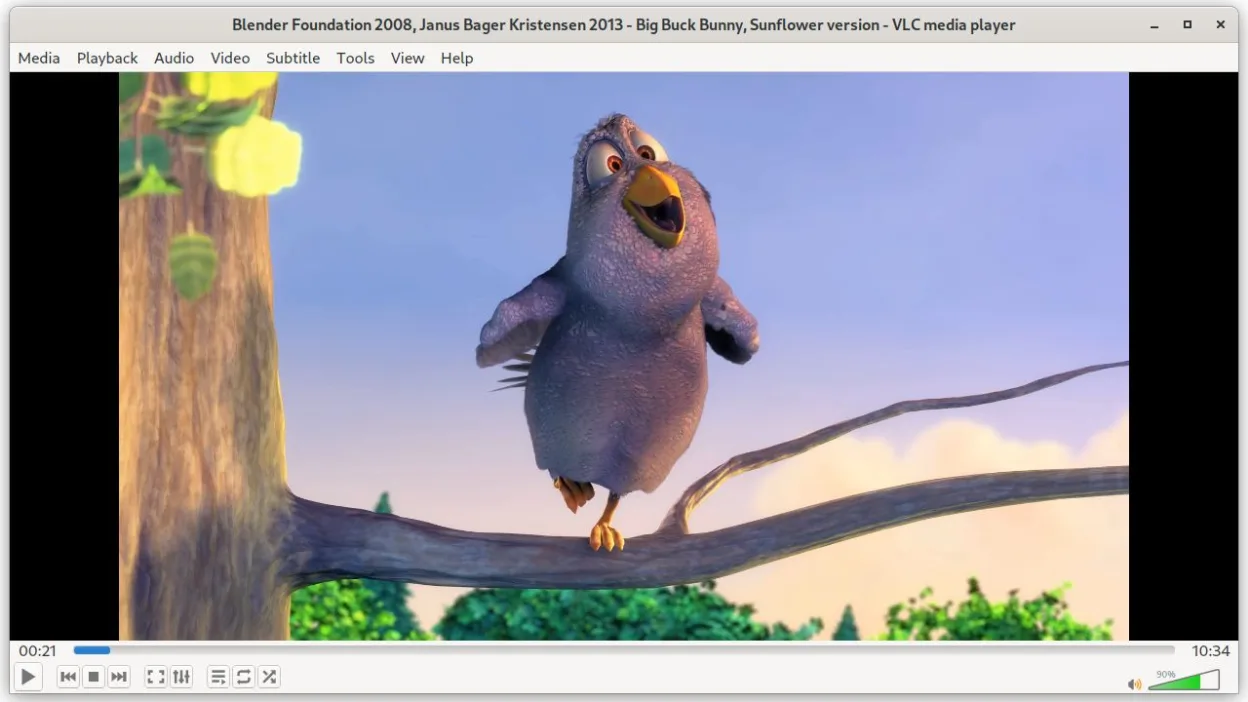
Was gleich funktioniert
- Both play a broad range of audio/video formats including AVI, MKV, MP4, FLV
- Both support DVD, Audio CD, and VCD playback
- Both allow subtitle display and synchronization
- Both provide basic playback controls (play, pause, stop, seek)
- Both are lightweight and start quickly
Was anders ist
- VLC is open‑source and free, KMPlayer is proprietary and may contain ads
- VLC offers built‑in media conversion and streaming server features, KMPlayer focuses on playback
- VLC has a command‑line interface (cvlc) for scripting, KMPlayer lacks this
- VLC’s UI is more minimalistic; KMPlayer offers more advanced playback settings out of the box
- VLC does not natively support some niche Windows‑only codecs that KMPlayer might
Ihre KMPlayer-Dateien öffnen
VLC can open most KMPlayer‑compatible files directly, as it supports the same common codecs. If a file is encoded with a very rare or proprietary codec that KMPlayer handles but VLC does not, you may need to install additional codec packs or convert the file first. Exporting from KMPlayer to a format like MP4 or MKV will work smoothly in VLC.
Von KMPlayer zu VLC media player wechseln – Schritt für Schritt
- Install VLC from your distribution’s package manager or Flathub (v3.0.23).
- Open the KMPlayer‑handled file in VLC via File → Open.
- Adjust subtitle sync or audio track in VLC’s Subtitle/Audio menus if needed.
- Save any custom playlist or configuration as a .xspf or .m3u file for future use.
- If you need advanced playback options, explore VLC’s Preferences under Input/Codecs.
- Close KMPlayer and set VLC as the default media player for the file types you use.
Wichtige Funktionen von VLC media player
- Spielt die meisten Audio‑ und Videoformate sofort ab
- Unterstützt DVDs, Audio‑CDs, VCDs und Netzwerkstreams
- Integrierte Untertitelunterstützung mit Synchronisation
- Medienkonvertierung und grundlegende Bearbeitung
- Streaming‑Server‑Funktionen
- Erweiterbar über Plugins und Skins
- Kommandozeilen‑Interface für Skripte
VLC media player unter Linux installieren
flatpak install flathub org.videolan.VLCHäufige Fragen
Does VLC support the same codecs as KMPlayer?
VLC supports the vast majority of codecs that KMPlayer does, including AVI, MKV, MP4, FLV, and many others. Rare or proprietary codecs may require additional plugins.
Will VLC play my DVDs without extra steps?
Yes, VLC can play DVDs directly, but you may need to install the libdvdcss2 package on some distributions to decrypt encrypted discs.
Can I use VLC to convert a file that KMPlayer opened?
VLC’s Convert/Save feature allows you to transcode almost any supported format to common containers like MP4 or MKV. Open the file, choose Media → Convert/Save, and select the desired output format.
5 weitere Alternativen zu KMPlayer
 mpvmpv ist ein kostenloser, quelloffener, plattformübergreifender Mediaplayer, der nahezu jedes Video- oder…Open SourceKostenlosFlatpakmpv vs. KMPlayer
 CelluloidCelluloid ist ein leichter Mediaplayer für Linux, der die mpv‑Engine und GTK für eine saubere GNOME‑ähnliche…Open SourceKostenlosFlatpakCelluloid vs. KMPlayer
 TotemTotem (GNOME Videos) ist der standardmäßige GNOME-Videoplayer, der auf GStreamer basiert.Open SourceKostenlosTotem vs. KMPlayer
 HarunaHaruna ist ein unter der GPL lizenzierte, quelloffene Mediaplayer, der die Wiedergabe lokaler und…Open SourceKostenlosFlatpakHaruna vs. KMPlayer
 SMPlayerSMPlayer ist ein kostenloser, quelloffener Mediaplayer mit integrierten Codecs, der nahezu alle Video- und…Open SourceKostenlosFlatpakSMPlayer vs. KMPlayer