
 WPS OfficeLinux
vs
Microsoft 365 (Office 365)Windows
WPS Office als Linux-Alternative zu Microsoft 365 (Office 365)
Aktualisiert am
Unser Fazit
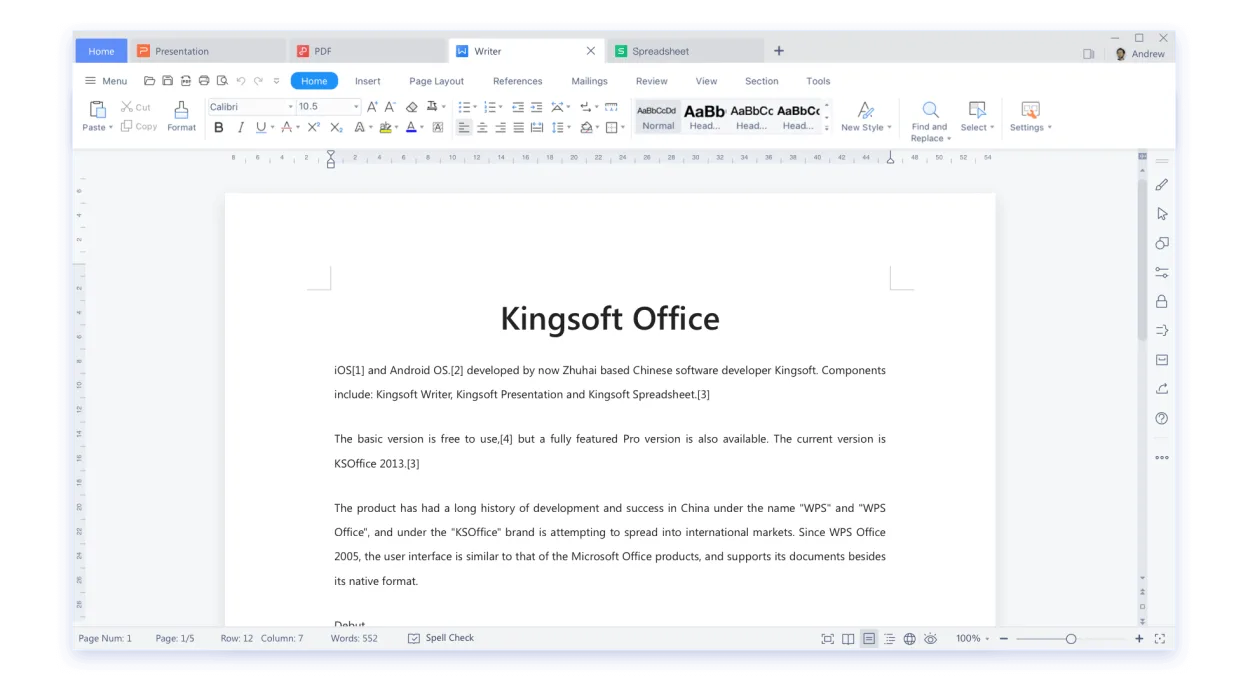
WPS Office is a solid Linux alternative for most users who need the core Office productivity apps—documents, spreadsheets, and presentations. It handles the common Microsoft formats well and offers a familiar ribbon UI, making the switch painless for individuals and small teams. It falls short for organisations that rely heavily on Outlook, advanced real‑time co‑authoring, or deep integration with Microsoft’s cloud services. If your workflow is centred on creating and editing files locally and you don’t need the full suite of cloud‑first features, WPS Office works well; power users and enterprises may still prefer Microsoft 365.
- Lizenz
- LicenseRef-proprietary=https://www.wps.c…
- Preis
- freemium
- Aktuelle Version
- 11.1.0.11723 (22. Februar 2024)
- Bewertung
- —
Was gleich funktioniert
- Supports .docx, .xlsx, .pptx files","Ribbon‑style interface similar to Office","Spell‑check and basic grammar tools","Template library for documents and slides","Cross‑platform availability (Windows, macOS, Linux)
Was anders ist
- No native Outlook‑style email client; relies on external mail programs","Real‑time collaboration limited to WPS Cloud, not as seamless as Microsoft 365’s Teams/OneDrive","Macro support is basic and not fully compatible with VBA","Cloud storage and sync are tied to WPS Cloud, lacking deep Office 365 ecosystem integration","Advanced data‑analysis features (Power Query, Power Pivot) are absent
Ihre Microsoft 365 (Office 365)-Dateien öffnen
WPS Office opens and saves .docx, .xlsx and .pptx files with a high degree of fidelity. Simple documents and standard spreadsheets usually retain formatting, formulas and charts. Complex features such as advanced VBA macros, embedded objects or intricate SmartArt may not translate perfectly, so a quick check after conversion is advisable. PDF export works reliably both ways.
Von Microsoft 365 (Office 365) zu WPS Office wechseln – Schritt für Schritt
- Download and install WPS Office from Flathub or the official .deb/.rpm packages
- Open existing Microsoft Office files in the corresponding WPS apps to verify formatting
- Save a copy of each file in WPS format if you plan to edit them regularly
- Configure WPS Cloud or link a third‑party storage service for syncing
- If you need email, set up your preferred Linux mail client (e.g., Thunderbird) with existing accounts
Wichtige Funktionen von WPS Office
- Vollständige Kompatibilität mit .docx, .xlsx, .pptx
- Ribbon‑basiertes Interface, das Microsoft Office ähnelt
- Integrierter PDF‑Betrachter und -Editor
- Cloud‑Synchronisation über WPS Cloud
- Rechtschreib‑ und Grammatikprüfung
- Eingebaute Vorlagenbibliothek
- Unterstützung für Makros in Writer
- Plattformübergreifende Verfügbarkeit (Windows, macOS, Linux)
WPS Office unter Linux installieren
flatpak install flathub com.wps.OfficeHäufige Fragen
Can WPS Office replace Outlook for email?
No, WPS Office does not include an email client; you’ll need a separate Linux mail program.
Is real‑time collaboration possible with WPS Office?
WPS offers basic cloud‑based sharing, but it lacks the integrated Teams/OneDrive co‑authoring found in Microsoft 365.
Will my VBA macros work in WPS Writer?
WPS supports a limited macro language; most VBA scripts will not run without modification.
3 weitere Alternativen zu Microsoft 365 (Office 365)
 LibreOfficeLibreOffice ist eine kostenlose, quelloffene Office-Suite mit Writer, Calc, Impress, Draw, Base und Math.Open SourceKostenlosFlatpakLibreOffice vs. Microsoft 365 (Office 365)
 ONLYOFFICE Desktop EditorsONLYOFFICE Desktop Editors ist eine kostenlose, quelloffene Office-Suite für Linux, die Word, Excel…Open SourceKostenlosFlatpakONLYOFFICE Desktop Editors vs. Microsoft 365 (Office 365)
 CalligraCalligra ist eine kostenlose, quelloffene Office-Suite für Linux, die Textverarbeitung, Tabellenkalkulation…Open SourceKostenlosFlatpakCalligra vs. Microsoft 365 (Office 365)