
 Xournal++Linux
vs
Adobe Acrobat Reader DCWindows
Xournal++ als Linux-Alternative zu Adobe Acrobat Reader DC
Aktualisiert am
Unser Fazit
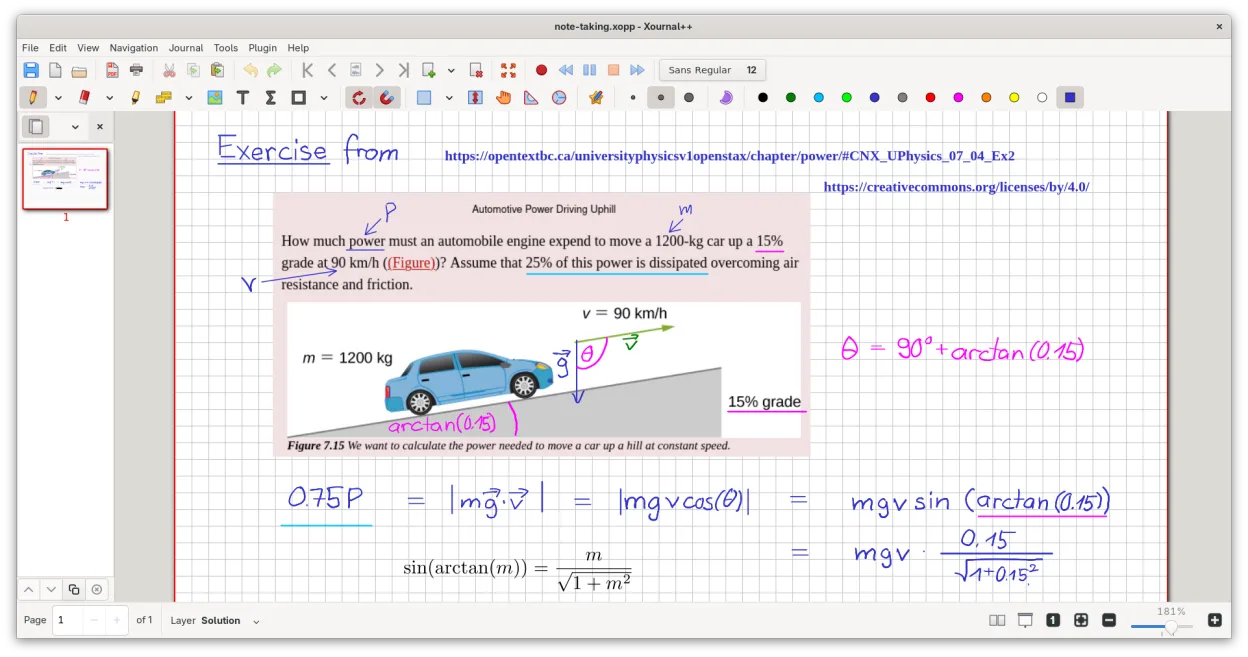
Xournal++ is a good replacement for Adobe Acrobat Reader DC if your main need is annotating PDFs, especially with a stylus. It excels at handwritten notes, drawing, and marking up documents. However, it lacks built-in support for filling complex PDF forms and password-protected PDF handling. While it can view and export PDFs, signing and advanced form features in Acrobat are not fully replicated. Best for students, educators, or anyone prioritizing inking over form processing.
- Lizenz
- GPL-2.0
- Preis
- Kostenlos
- Aktuelle Version
- 1.3.8 (25. September 2026)
- Bewertung
- —
Was gleich funktioniert
- Both allow PDF annotation including highlighting and text markup
- Support stylus input for handwriting and drawing
- Export annotated documents to PDF and image formats
- Offer cross-platform compatibility (Linux, Windows, macOS)
- Enable text selection and link following from source PDF
Was anders ist
- Xournal++ lacks native form-filling and digital signature features
- No built-in password protection or decryption of PDFs
- Focuses on note-taking rather than document management
- Does not include cloud sync or Adobe's online services
- Requires external LaTeX for equation rendering
Ihre Adobe Acrobat Reader DC-Dateien öffnen
Xournal++ can open most standard PDFs and preserves text and links. Annotations are overlaid and saved in Xournal++'s format (.xopp) or exported to PDF, PNG, or SVG. Users can export to plain PDF for sharing, but original form fields may not remain interactive. Compatibility with heavily encrypted or DRM-locked PDFs is limited, as Xournal++ does not handle password decryption beyond basic support if libraries are installed.
Von Adobe Acrobat Reader DC zu Xournal++ wechseln – Schritt für Schritt
- Install Xournal++ via Flathub or your package manager
- Import your PDFs by opening them directly in Xournal++
- Use the pen or highlighter tools to annotate as needed
- Export annotated files to PDF for sharing
- Enable LaTeX support if needed, ensuring a LaTeX distribution is installed
- Customize toolbar and stylus buttons for efficiency
Wichtige Funktionen von Xournal++
- Drucksensitive Stiftunterstützung für Wacom-, Huion- und XP-Pen-Tablets
- Annotieren, Hervorheben und Durchstreichen von Text auf PDF-Dateien
- Exportieren von Notizen nach PDF, PNG und SVG über die grafische Oberfläche oder die Kommandozeile
- Zeichenwerkzeuge wie Stift, Textmarker, Formen und LaTeX-Unterstützung
- Eingabestabilisierung für gleichmäßigere Handschrift
- Anpassbare Symbolleiste und Zuweisung von Werkzeugen zu Stifttasten
- Seitenleiste mit Seitenvorschauen, PDF-Lesezeichen und Ebenenverwaltung
Xournal++ unter Linux installieren
flatpak install flathub com.github.xournalpp.xournalppsudo apt install xournalppsudo apt install xournalppsudo dnf install xournalppsudo pacman -S xournalppsudo zypper install xournalppHäufige Fragen
Can Xournal++ fill out and save PDF forms like Acrobat Reader DC?
It can write over form fields but does not support interactive form filling. You cannot save entered data in digital form fields reliably.
Does Xournal++ support signing PDFs digitally?
No, it lacks digital signature support. You can insert a scanned signature image manually, but it won't provide cryptographic signing.
Can I edit text in a PDF like in Acrobat?
No. Xournal++ only allows adding new text or annotations. You cannot edit existing text in a PDF.
3 weitere Alternativen zu Adobe Acrobat Reader DC
 OkularOkular ist ein universeller Dokumentenbetrachter für KDE, der PDF, EPUB und Comics mit…Open SourceKostenlosFlatpakOkular vs. Adobe Acrobat Reader DC
 EvinceEvince ist der Standard-Dokumentbetrachter von GNOME für PDF, PostScript und Comic-Archive und bietet…Open SourceKostenlosFlatpakEvince vs. Adobe Acrobat Reader DC
 Master PDF EditorEin proprietärer PDF-Editor für Linux, der Textbearbeitung, Formulare und digitale Signaturen mit einer…FlatpakMaster PDF Editor vs. Adobe Acrobat Reader DC