
 Xournal++Linux
vs
Adobe Acrobat Reader DCWindows
Xournal++ as a Linux alternative to Adobe Acrobat Reader DC
Updated
Our verdict
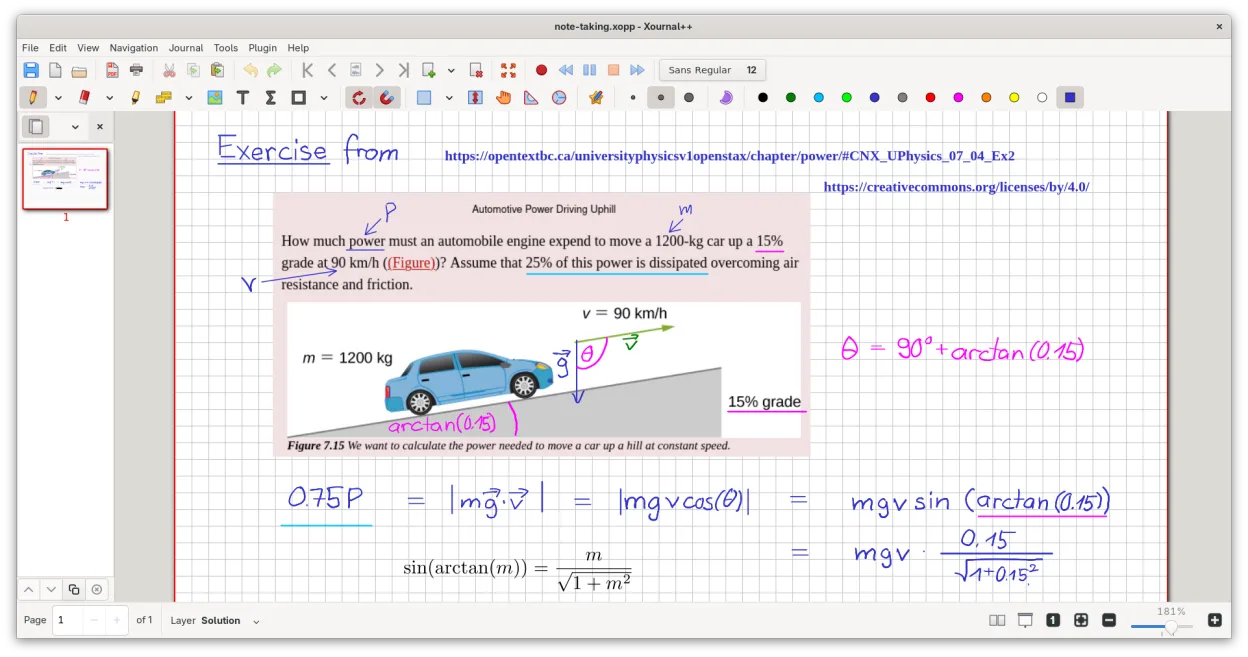
Xournal++ is a good replacement for Adobe Acrobat Reader DC if your main need is annotating PDFs, especially with a stylus. It excels at handwritten notes, drawing, and marking up documents. However, it lacks built-in support for filling complex PDF forms and password-protected PDF handling. While it can view and export PDFs, signing and advanced form features in Acrobat are not fully replicated. Best for students, educators, or anyone prioritizing inking over form processing.
- License
- GPL-2.0
- Price
- Free
- Latest version
- 1.3.8 (September 25, 2026)
- Rating
- —
What works the same
- Both allow PDF annotation including highlighting and text markup
- Support stylus input for handwriting and drawing
- Export annotated documents to PDF and image formats
- Offer cross-platform compatibility (Linux, Windows, macOS)
- Enable text selection and link following from source PDF
What is different
- Xournal++ lacks native form-filling and digital signature features
- No built-in password protection or decryption of PDFs
- Focuses on note-taking rather than document management
- Does not include cloud sync or Adobe's online services
- Requires external LaTeX for equation rendering
Opening your Adobe Acrobat Reader DC files
Xournal++ can open most standard PDFs and preserves text and links. Annotations are overlaid and saved in Xournal++'s format (.xopp) or exported to PDF, PNG, or SVG. Users can export to plain PDF for sharing, but original form fields may not remain interactive. Compatibility with heavily encrypted or DRM-locked PDFs is limited, as Xournal++ does not handle password decryption beyond basic support if libraries are installed.
Switching from Adobe Acrobat Reader DC to Xournal++, step by step
- Install Xournal++ via Flathub or your package manager
- Import your PDFs by opening them directly in Xournal++
- Use the pen or highlighter tools to annotate as needed
- Export annotated files to PDF for sharing
- Enable LaTeX support if needed, ensuring a LaTeX distribution is installed
- Customize toolbar and stylus buttons for efficiency
Key features of Xournal++
- Pressure-sensitive stylus support for Wacom, Huion, and XP-Pen tablets
- Annotate, highlight, and strike through text on top of PDF files
- Export notes to PDF, PNG, and SVG via GUI or command line
- Drawing tools including pen, highlighter, shapes, and LaTeX support
- Input stabilization for smoother handwriting
- Customizable toolbar and tool mapping to stylus buttons
- Sidebar with page previews, PDF bookmarks, and layer management
How to install Xournal++ on Linux
flatpak install flathub com.github.xournalpp.xournalppsudo apt install xournalppsudo apt install xournalppsudo dnf install xournalppsudo pacman -S xournalppsudo zypper install xournalppFrequently asked questions
Can Xournal++ fill out and save PDF forms like Acrobat Reader DC?
It can write over form fields but does not support interactive form filling. You cannot save entered data in digital form fields reliably.
Does Xournal++ support signing PDFs digitally?
No, it lacks digital signature support. You can insert a scanned signature image manually, but it won't provide cryptographic signing.
Can I edit text in a PDF like in Acrobat?
No. Xournal++ only allows adding new text or annotations. You cannot edit existing text in a PDF.
3 other alternatives to Adobe Acrobat Reader DC
 OkularOkular is a universal document viewer for KDE that handles PDF, EPUB, and comics with annotation support.Open sourceFreeFlatpakOkular vs Adobe Acrobat Reader DC
 EvinceEvince is the standard GNOME document viewer for PDF, PostScript, and comic book archives, offering basic…Open sourceFreeFlatpakEvince vs Adobe Acrobat Reader DC
 Master PDF EditorA proprietary PDF editor for Linux that handles text editing, forms, and digital signatures with a familiar…FlatpakMaster PDF Editor vs Adobe Acrobat Reader DC