
 Rocket.ChatLinux
vs
Microsoft Teams (2026 standalone version)Windows
Rocket.Chat como alternativa Linux a Microsoft Teams (2026 standalone version)
Actualizado el
Nuestra opinión
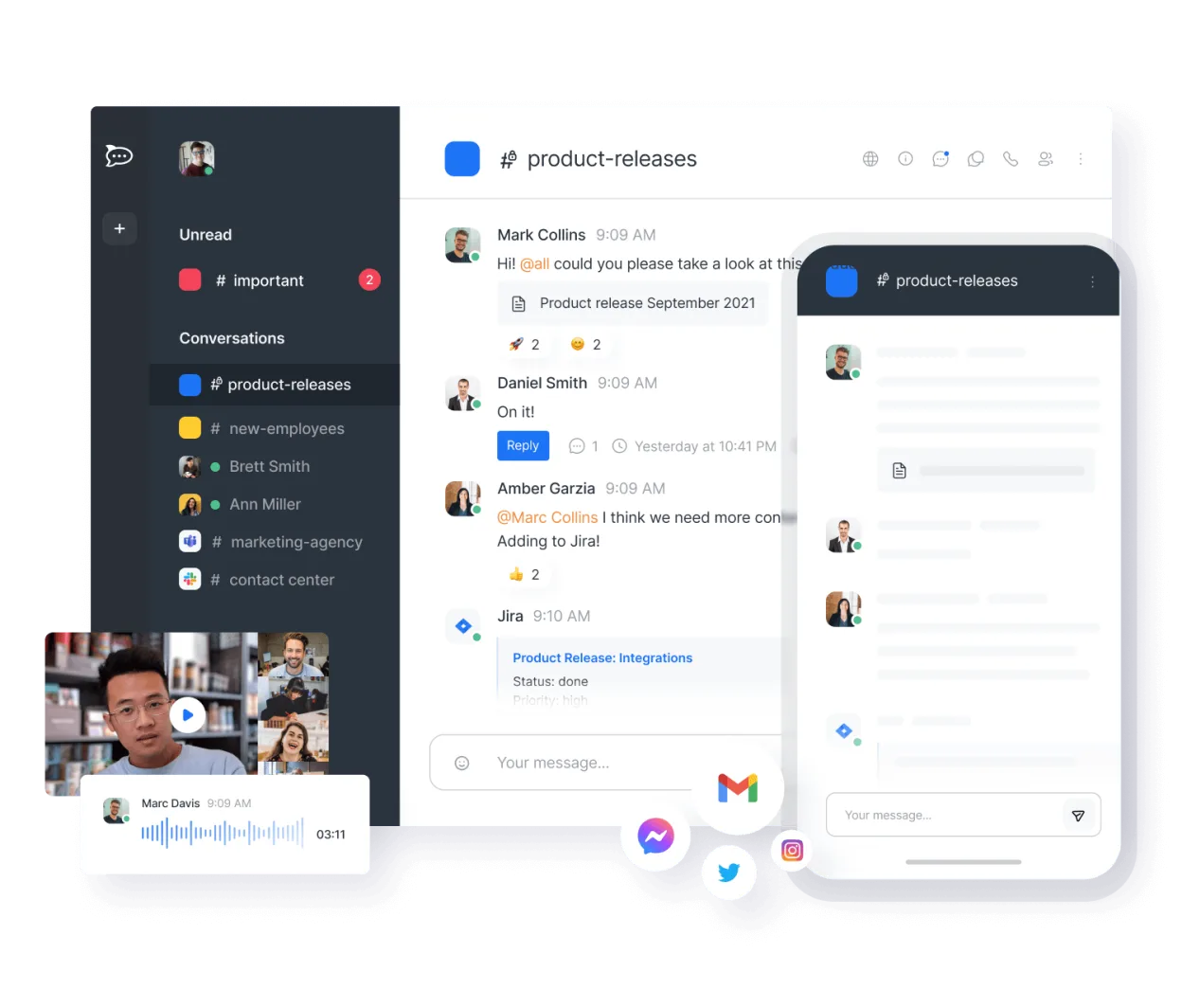
Rocket.Chat is a solid replacement for Microsoft Teams (2026 standalone version), especially for organizations that value self-hosting, open-source software, and customization. It covers core collaboration needs: real-time chat, video/audio calls, file sharing, and message history. While it lacks deep Microsoft 365 integration, teams not tied to Outlook or Office Online will find it functional and reliable. The interface is intuitive, and mobile apps work well. It’s best suited for tech-forward or privacy-conscious teams willing to manage their own server or use Rocket.Chat’s cloud.
- Licencia
- MIT
- Precio
- Gratis
- Última versión
- 4.19.3 (12 de noviembre de 2026)
- Valoración
- —
Lo que funciona igual
- Real-time text chat with channels and direct messages
- Audio and video conferencing with screen sharing
- File sharing and desktop notifications
- Cross-platform access including desktop and mobile
- Searchable message history and persistent chat rooms
Lo que cambia
- No native integration with Outlook or Microsoft Calendar
- Live collaborative editing relies on external services like OnlyOffice or Collabora
- Fewer pre-built templates and governance tools compared to Teams
- Admin interface is more technical, less polished for non-technical IT staff
Abrir tus archivos de Microsoft Teams (2026 standalone version)
Rocket.Chat allows file uploads and sharing but doesn't natively open Microsoft Teams-specific data exports. You can manually transfer documents, but there's no direct import of Teams chat history or channel data. Files created in Microsoft Office can be shared and viewed, but real-time co-editing requires integration with LibreOffice Online, OnlyOffice, or Collabora. Exporting messages is possible in JSON or CSV, but format compatibility with Teams is not supported.
Pasar de Microsoft Teams (2026 standalone version) a Rocket.Chat, paso a paso
- Install Rocket.Chat via Flathub, Snap, or self-host using Docker
- Set up users and import contacts manually or via LDAP
- Create channels and assign permissions to mirror Teams structure
- Integrate with existing calendar system or use Rocket.Chat with OnlyOffice for scheduling and docs
- Train users on navigation, file sharing, and calling features
Funciones clave de Rocket.Chat
- Usuarios y canales ilimitados por defecto
- Conferencias de video y audio
- Compartir archivos y edición de documentos en vivo
- API extensa e integraciones de bots
- Cifrado de extremo a extremo para canales privados
- Opciones autoalojadas o alojadas en la nube
- Aplicaciones móviles para iOS y Android
- Temas y diseños personalizables
Cómo instalar Rocket.Chat en Linux
flatpak install flathub chat.rocket.RocketChatPreguntas frecuentes
Can Rocket.Chat do video meetings for 50+ people like Teams?
Yes, Rocket.Chat supports group video calls with 50+ participants, especially when self-hosted with sufficient bandwidth and TURN server setup.
Is there a way to sync Rocket.Chat with Outlook calendars?
Not directly. You'd need to use Zapier or custom scripts; otherwise, use Rocket.Chat with a compatible calendar service like Nextcloud.
Can I migrate chat history from Microsoft Teams to Rocket.Chat?
No built-in tool exists. You'd need to export data from Teams and manually import into Rocket.Chat via API scripts, with limited formatting support.
Otras 4 alternativas a Microsoft Teams (2026 standalone version)
 SlackSlack es una aplicación propietaria de comunicación para equipos en Linux que centraliza conversaciones…FlatpakSlack vs Microsoft Teams (2026 standalone version)
 MattermostMattermost es una plataforma de colaboración de código abierto y autoalojada para equipos de desarrolladores…Código abiertoGratisFlatpakMattermost vs Microsoft Teams (2026 standalone version)
 ZulipZulip es una aplicación de chat de grupo de código abierto que utiliza conversaciones en hilos para gestionar…Código abiertoGratisFlatpakZulip vs Microsoft Teams (2026 standalone version)
 ElementElement es un cliente de chat y videoconferencia basado en matrices, de código abierto, para Linux.Código abiertoGratisFlatpakElement vs Microsoft Teams (2026 standalone version)
Todas las alternativas a Microsoft Teams (2026 standalone version)