
 ZulipLinux
vs
Microsoft YammerWindows
Zulip como alternativa Linux a Microsoft Yammer
Actualizado el
Nuestra opinión
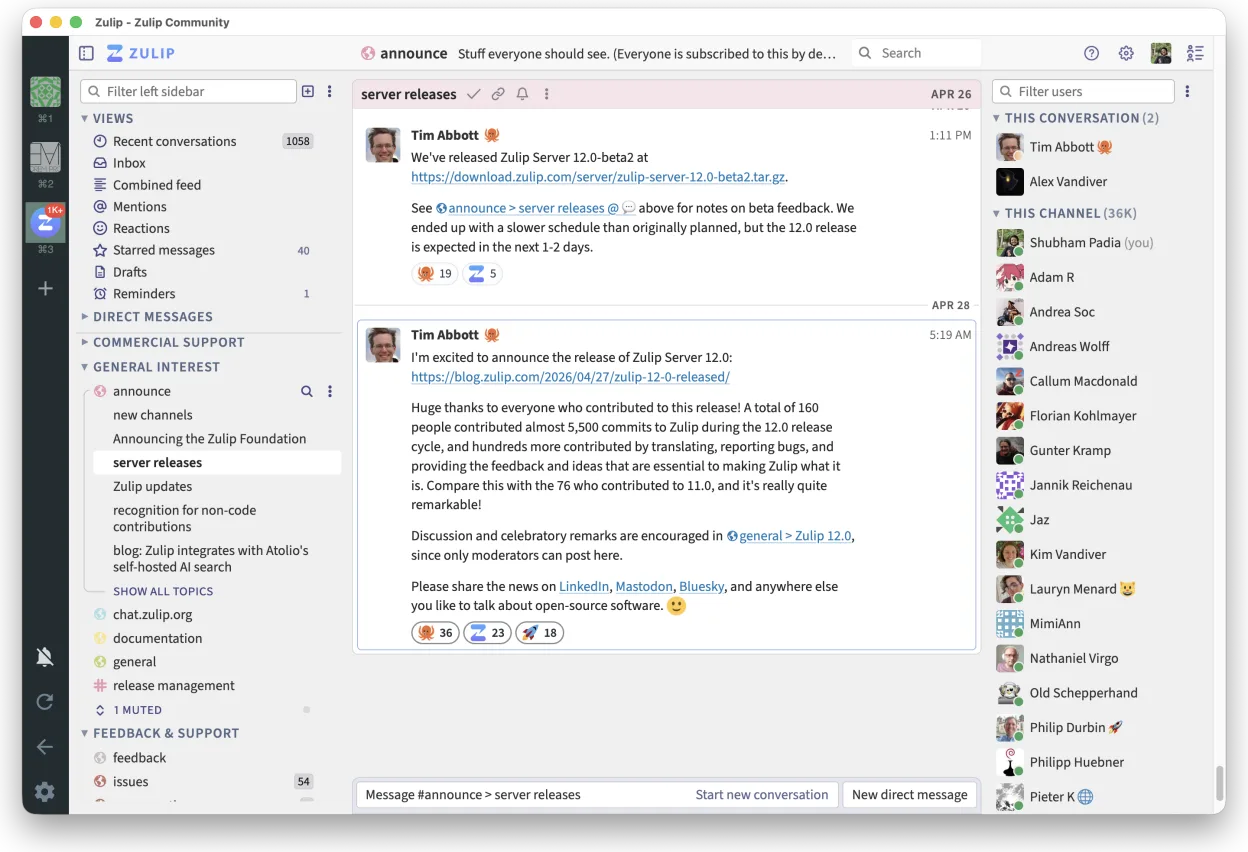
Zulip is a strong self-hosted alternative for teams that prioritize structured, threaded discussions over Yammer’s broader social network features. It excels at keeping high-volume conversations organized and searchable, making it ideal for technical teams or large organizations needing privacy and control. However, it lacks Yammer’s deep integration with Microsoft 365 and its specific social networking elements like company-wide news feeds. If your primary need is internal collaboration with clear topic-based threads and you are comfortable managing a self-hosted server, Zulip is a viable and robust choice.
- Licencia
- Apache-2.0
- Precio
- Gratis
- Última versión
- 5.14.2 (30 de octubre de 2026)
- Valoración
- —
Lo que funciona igual
- Supports real-time, threaded messaging for organized group discussions
- Provides robust search capabilities across historical messages
- Allows file sharing and document previews within conversations
- Offers administrative controls for user management and moderation
- Supports access via web, desktop, and mobile clients
Lo que cambia
- Zulip is strictly self-hosted or private cloud, lacking Yammer’s managed SaaS convenience
- Zulip does not natively integrate with Microsoft 365 or Azure AD for SSO out of the box, requiring LDAP or OAuth2 configuration
- Yammer includes broader social networking features like company-wide news feeds and external network connections that Zulip lacks
- Zulip’s interface is focused on chat threads, whereas Yammer blends social media-style feeds with direct messaging
Abrir tus archivos de Microsoft Yammer
There is no direct file format compatibility between Microsoft Yammer and Zulip. Documents shared in Yammer (such as Word, Excel, or PDF files) can be re-uploaded to Zulip, as Zulip supports standard file types for preview and sharing. However, Yammer-specific metadata, comments, or proprietary internal formats will not transfer. You would need to manually export any critical documents from Yammer before migrating to Zulip.
Pasar de Microsoft Yammer a Zulip, paso a paso
- Set up a Zulip server on your private infrastructure or cloud instance
- Configure authentication to integrate with your existing LDAP or SSO provider
- Create channels in Zulip that mirror your existing Yammer groups and topics
- Invite users to the new Zulip instance and provide access credentials
- Export critical documents and files from Yammer and re-upload them to relevant Zulip channels
- Communicate the transition timeline to users and disable Yammer access after migration
Funciones clave de Zulip
- Conversaciones en hilos para discusiones organizadas
- Código abierto y autoalojable
- Disponible como cliente de escritorio nativo para Linux
- Soporta grupos grandes y altos volúmenes de mensajes
- Compatibilidad multiplataforma
- Fuerte funcionalidad de búsqueda en el historial
Cómo instalar Zulip en Linux
flatpak install flathub org.zulip.ZulipPreguntas frecuentes
Can I use my existing Microsoft account to log in to Zulip?
Not directly. Zulip does not natively support Microsoft Azure AD or Microsoft 365 accounts for login. You must configure Zulip to use your organization’s LDAP directory or set up an OAuth2 provider that can bridge to your identity system.
Does Zulip support mobile devices?
Yes, Zulip offers official mobile apps for both iOS and Android, as well as a responsive web interface that works well on mobile browsers.
Is Zulip free to use?
Zulip is open-source under the Apache-2.0 license, so the software itself is free. However, you will need to pay for the server infrastructure (hardware or cloud hosting) and any necessary maintenance or support services.
Otras 2 alternativas a Microsoft Yammer
 MattermostMattermost es una plataforma de colaboración de código abierto y autoalojada para equipos de desarrolladores…Código abiertoGratisFlatpakMattermost vs Microsoft Yammer
 Rocket.ChatPlataforma de comunicación de equipo de código abierto para chat, video y colaboración, a menudo usada para…Código abiertoGratisFlatpakRocket.Chat vs Microsoft Yammer