
 digiKamLinux
vs
Adobe Lightroom MobileWindows
digiKamLinux
vs
Adobe Lightroom MobileWindows
digiKam, alternative Linux à Adobe Lightroom Mobile
Mis à jour le
Notre avis
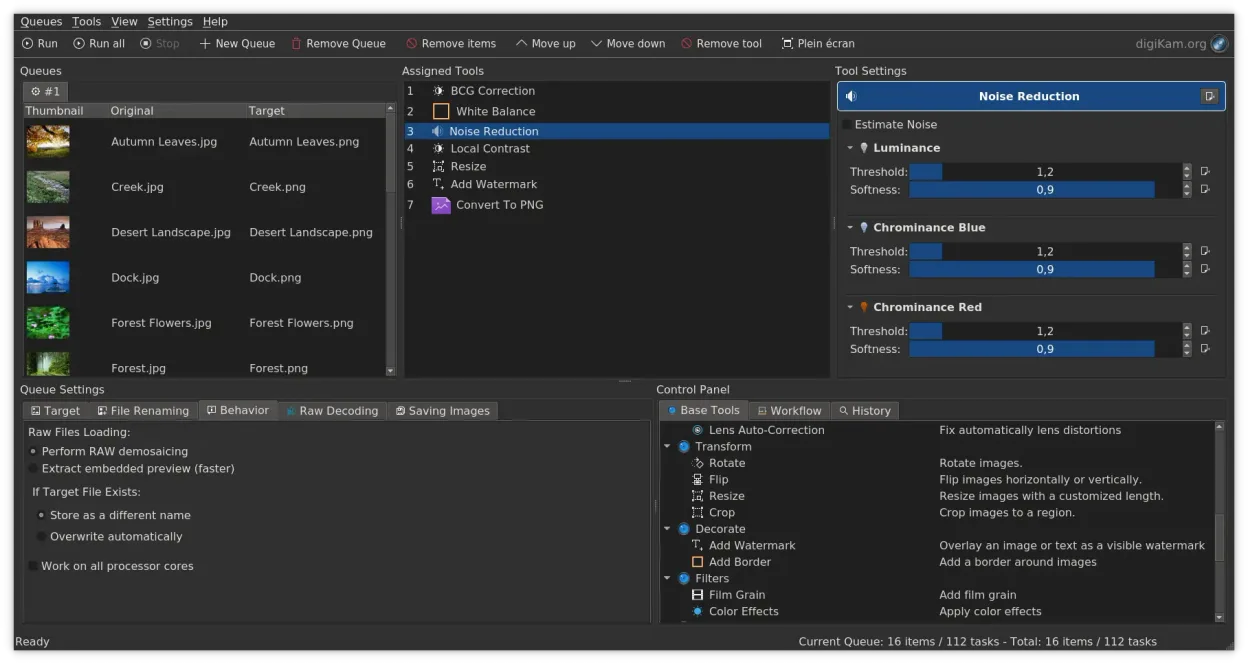
digiKam is a solid replacement for Adobe Lightroom Mobile if you are moving to a desktop Linux environment. It handles non-destructive editing, RAW decoding via LibRaw, and complex tagging effectively. However, it is a desktop application, not a mobile app, so it lacks the on-the-go convenience of Lightroom Mobile. For desktop photographers who need robust organization and batch processing without subscription fees, digiKam covers most core needs. It is less suited for users who strictly require mobile-first workflows or cloud-synced libraries across devices, as its primary strength lies in local, comprehensive library management.
- Licence
- GPL-2.0+
- Prix
- Gratuit
- Dernière version
- 9.1.0 (7 juin 2026)
- Note
- —
Ce qui fonctionne pareil
- Non-destructive editing workflow for RAW and JPEG files
- Support for RAW file formats using LibRaw
- Photo organization through albums, tags, and ratings
- Color correction and exposure adjustment tools
- Batch processing capabilities for metadata and exports
Ce qui change
- digiKam is a desktop application, whereas Lightroom Mobile is designed for smartphones and tablets
- Lightroom Mobile offers cloud synchronization across devices, which digiKam lacks natively
- Lightroom Mobile has a more streamlined, touch-optimized interface for quick edits
- digiKam provides deeper local file system integration and complex metadata searching
Ouvrir vos fichiers Adobe Lightroom Mobile
digiKam can open standard RAW files (CR2, NEF, ARW, etc.) and JPEGs directly. It does not natively open Adobe Lightroom Mobile catalog files (.lrcat) or proprietary project files. However, since Lightroom Mobile typically works with standard image files and XMP sidecars, you can import the original images into digiKam. Metadata stored in XMP sidecars or embedded in files will generally be preserved and readable by digiKam, but specific Lightroom mobile adjustments might not translate perfectly if they rely on proprietary processing pipelines.
Passer de Adobe Lightroom Mobile à digiKam, étape par étape
- Copy your photo library from your mobile device or cloud storage to your Linux machine
- Launch digiKam and create a new catalog or add existing folders to the database
- Import images into digiKam, ensuring XMP sidecar files are included if present
- Review and re-apply any non-destructive edits if they were not saved as XMP metadata
- Set up import rules for future transfers from cameras or SD cards
Fonctionnalités clés de digiKam
- Import direct depuis les appareils photo, cartes SD et clés USB avec des règles configurables
- Systèmes avancés d'étiquetage, de notation et de libellés pour une organisation complexe de la bibliothèque
- Moteur de recherche puissant prenant en charge les critères de métadonnées EXIF, IPTC et XMP
- Retouche non destructive avec ajustements de couleur, recadrage et netteté
- Prise en charge native des fichiers RAW via LibRaw pour le décodage et l'aperçu
- Catalogage vidéo et extraction de métadonnées à l'aide de backends FFmpeg
- Organisation des albums avec une interface glisser-déposer
- Disponibilité interplateformes pour Linux, Windows et macOS
Installer digiKam sous Linux
flatpak install flathub org.kde.digikamsudo apt install digikamsudo apt install digikamsudo dnf install digikamsudo pacman -S digikamsudo zypper install digikamQuestions fréquentes
Can digiKam sync photos to the cloud like Lightroom Mobile?
No, digiKam does not have built-in cloud synchronization. You would need to use separate tools like Syncthing or manual uploads to sync files between devices.
Does digiKam support the same RAW formats as Lightroom?
Yes, digiKam uses LibRaw for RAW decoding, which supports a wide range of camera formats. Support is actively maintained, though very new camera models may take time to be fully supported.
Is digiKam free to use?
Yes, digiKam is open-source software licensed under GPL-2.0+. It is free to download and use without subscription fees.
4 autres alternatives à Adobe Lightroom Mobile
 darktabledarktable est un éditeur photo gratuit et open‑source qui gère les fichiers RAW et propose un flux de travail…Open sourceGratuitFlatpakdarktable ou Adobe Lightroom Mobile
 RawTherapeeRawTherapee est un programme de développement de photos raw open‑source et multiplateforme.Open sourceGratuitFlatpakRawTherapee ou Adobe Lightroom Mobile
 GIMPGIMP est un éditeur de graphiques raster gratuit et open source, conçu pour la retouche photo, la peinture…Open sourceGratuitFlatpakGIMP ou Adobe Lightroom Mobile
 ShotwellShotwell est un gestionnaire de photos GNOME pour l'importation, l'organisation et l'édition légère d'images.Open sourceGratuitFlatpakShotwell ou Adobe Lightroom Mobile