
 Standard NotesLinux
vs
Google KeepWindows
Standard Notes, alternative Linux à Google Keep
Mis à jour le
Notre avis
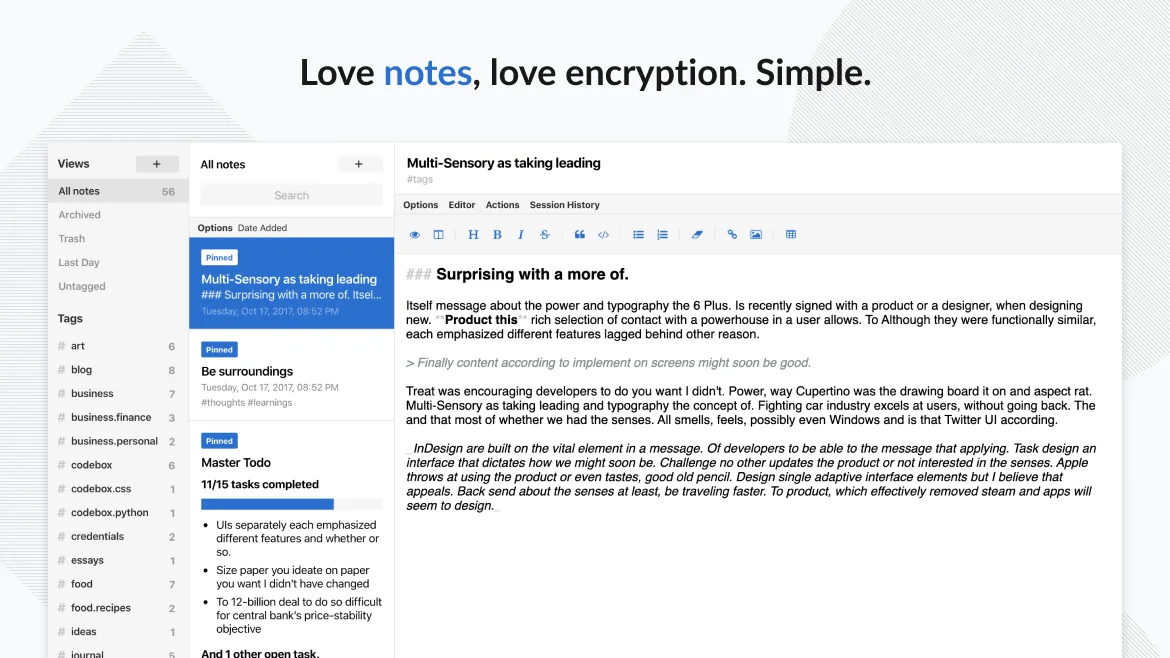
Standard Notes is a solid replacement for Google Keep if your priority is privacy and long-term note security. It handles core tasks like text notes, to-do lists, tagging, pinning, and cross-device sync well. However, it lacks built-in voice notes, real-time collaboration, and OCR for image text extraction. If you don’t rely on Google’s ecosystem or sharing with others, and value end-to-end encryption over convenience, Standard Notes is a trustworthy choice. Power users may want extensions, but the free tier covers basics reliably.
- Licence
- AGPL-3.0-only
- Prix
- Gratuit
- Dernière version
- 3.203.0 (2 novembre 2026)
- Note
- —
Ce qui fonctionne pareil
- Supports plain text notes and checklists
- Syncs across Linux, Windows, Android, iOS, and web
- Allows tagging and color-coding of notes
- Enables reminders and pinning of important notes
- Offers offline access and trash with recovery
Ce qui change
- No built-in OCR for extracting text from images
- No real-time collaboration or shared editing
- No voice notes or drawing support
- Reminders are time-based only, no location triggers
- No native desktop widget or glanceable interface
Ouvrir vos fichiers Google Keep
There's no direct import from Google Keep to Standard Notes. Google Keep allows export via Google Takeout, which includes notes as HTML or JSON files. Standard Notes supports importing from several formats, but not directly from Keep’s export. You may need to convert or manually migrate. The process is doable but not automatic, and formatting like checklists or images may require cleanup.
Passer de Google Keep à Standard Notes, étape par étape
- Export your data from Google Keep using Google Takeout
- Review the exported HTML/JSON files for completeness
- Install Standard Notes on your Linux system via Flathub or official site
- Import and reformat notes manually or with a script
- Set up tags and organize notes in Standard Notes
- Enable passcode lock and sync on all devices
Fonctionnalités clés de Standard Notes
- Synchronisation chiffrée de bout en bout sur tous les appareils
- Notes et appareils illimités
- Accès hors ligne
- Marquage et épinglage
- Verrouillage par code PIN et empreinte digitale
- Code source ouvert
- Niveau gratuit avec extensions payantes optionnelles
Installer Standard Notes sous Linux
flatpak install flathub org.standardnotes.standardnotesQuestions fréquentes
Can I share notes with others using Standard Notes?
No, sharing is not supported in the free tier. Even with paid extensions, real-time collaboration isn’t available like in Google Keep.
Does Standard Notes support image OCR?
No, it stores images but doesn’t extract text from them. You’ll need to manually transcribe or use external tools.
Is the free version of Standard Notes enough for basic use?
Yes, the free tier includes sync, encryption, tagging, and unlimited notes—enough for most users who don’t need advanced editors or sharing.
5 autres alternatives à Google Keep
 JoplinJoplin est une application open source et multiplateforme de prise de notes et de gestion de tâches qui…Open sourceGratuitFlatpakJoplin ou Google Keep
 CherryTreeCherryTree est une application de prise de notes hiérarchique offrant du texte enrichi, la coloration…Open sourceGratuitFlatpakCherryTree ou Google Keep
 ZimZim est un wiki de bureau permettant de prendre et organiser des notes dans des fichiers texte brut.Open sourceGratuitFlatpakZim ou Google Keep
 ObsidianObsidian est une application de base de connaissances basée sur le markdown qui stocke les notes sous forme…FlatpakObsidian ou Google KeepNotejotNotejot est une application de notes adhésives légère pour KDE qui fixe des notes sur votre bureau pour des…Open sourceGratuitNotejot ou Google Keep