
 FreeCADLinux
vs
Autodesk Fusion 360Windows
FreeCADLinux
vs
Autodesk Fusion 360Windows
FreeCAD as a Linux alternative to Autodesk Fusion 360
Updated
Our verdict
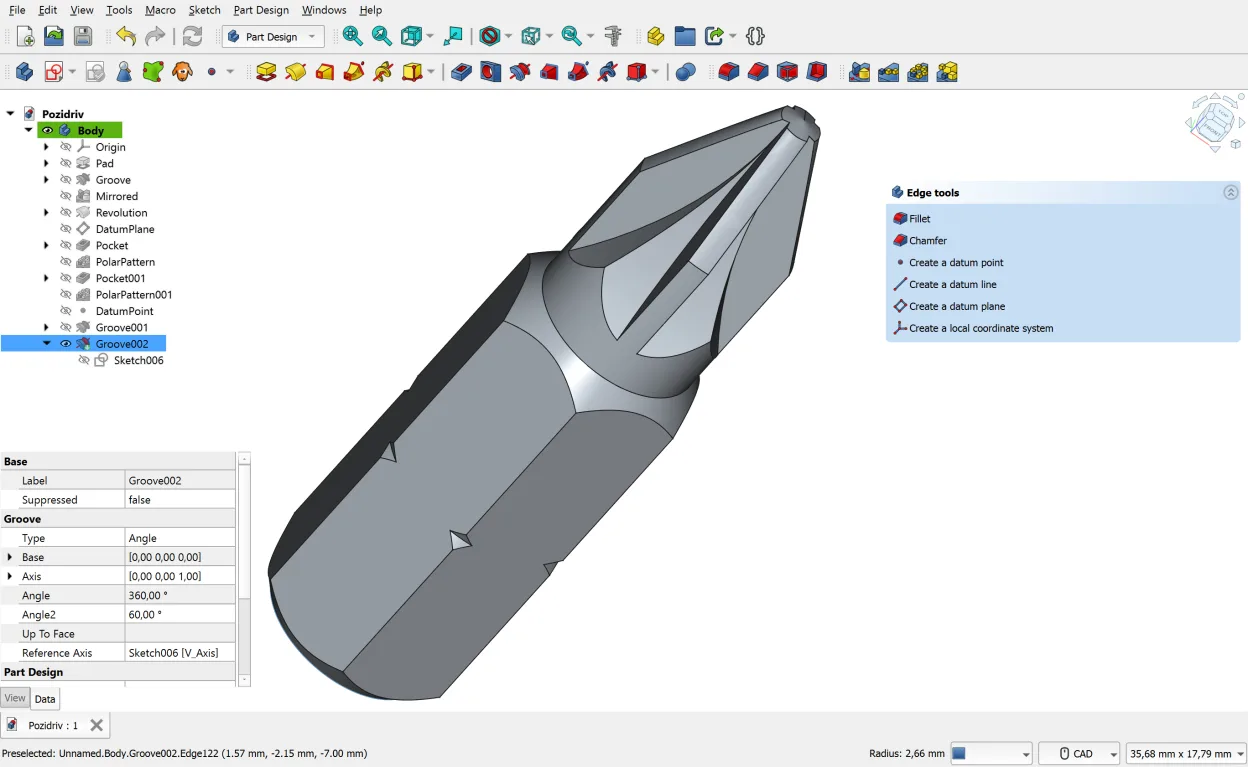
FreeCAD can serve as a replacement for Autodesk Fusion 360 for users who need solid modeling, basic simulation and CAM, and are comfortable with a modular, community‑driven workflow. It works well for hobbyists, small‑shop engineers, and educators, but power users who rely on Fusion 360's integrated cloud features, advanced CAM strategies, or tight PCB‑CAD integration will find gaps. If you can accept a less polished UI and assemble add‑ons yourself, FreeCAD is a viable Linux alternative.
- License
- LGPL-2.1
- Price
- Free
- Latest version
- 1.1.4 (September 28, 2026)
- Rating
- —
What works the same
- Parametric 3D solid modeling with a history tree
- 2D sketcher with geometric constraints
- Support for common exchange formats (STEP, IGES, STL, DXF, OBJ)
- Basic FEA workbench for stress analysis
- CAM workbench for generating simple CNC toolpaths
What is different
- Fusion 360 offers a unified, cloud‑based environment with automatic versioning; FreeCAD is fully local.
- Advanced CAM (multi‑axis, adaptive clearing) and integrated CNC simulation are missing or limited in FreeCAD.
- Fusion 360 includes built‑in PCB‑CAD integration; FreeCAD has no native PCB design workbench.
- User interface is less polished and requires manual add‑on installation for many features.
- Collaboration tools, cloud rendering and subscription‑based updates are absent in FreeCAD.
Opening your Autodesk Fusion 360 files
FreeCAD can import and export STEP, IGES, STL, OBJ, DXF and several other formats that Fusion 360 also supports, so exchanging geometry is straightforward. Fusion 360's native .f3d files are not directly readable; you would need to export the design from Fusion 360 to a neutral format (e.g., STEP) before opening it in FreeCAD. Exporting from FreeCAD back to Fusion 360 works the same way via those neutral formats.
Switching from Autodesk Fusion 360 to FreeCAD, step by step
- Export your Fusion 360 models to STEP or IGES.
- Install FreeCAD via Flatpak, your distro's package manager, or the AppImage.
- Open the exported files in FreeCAD and verify geometry.
- Recreate sketches, constraints, and any parametric links that did not survive import.
- Install needed workbenches (CAM, FEM) from the Add‑on Manager.
- Save your project in FreeCAD's native .FCStd format for future edits.
Key features of FreeCAD
- Parametric modeling with history tree
- Support for STEP, IGES, STL, DXF, OBJ, IFC, SVG
- Built‑in 2D sketcher with constraints
- Python scripting for automation
- Workbenches for FEA, BIM, CAM, robot simulation
- Add‑ons and macros from the community
- Cross‑platform installation via Flatpak, AUR, Debian, OpenSUSE
How to install FreeCAD on Linux
flatpak install flathub org.freecad.FreeCADsudo apt install freecadsudo pacman -S freecadsudo zypper install FreeCADFrequently asked questions
Can FreeCAD handle large assemblies like Fusion 360?
FreeCAD can manage assemblies using the Assembly workbench, but performance and ease‑of‑use are generally lower than Fusion 360's native assembly tools.
Is there cloud storage or collaboration built into FreeCAD?
No. FreeCAD stores files locally; you need external services (Git, Nextcloud, etc.) for version control and sharing.
Do I need to pay for any FreeCAD features?
FreeCAD is completely free and open source; all core features and most community add‑ons are available at no cost.
2 other alternatives to Autodesk Fusion 360
 OpenSCADOpenSCAD is a parametric 3D CAD modeller that generates solid models from text-based scripts rather than…Open sourceFreeFlatpakOpenSCAD vs Autodesk Fusion 360
 SolveSpaceSolveSpace is a free, GPL‑licensed parametric 2D/3D CAD program that lets you model parts, assemblies, and…Open sourceFreeFlatpakSolveSpace vs Autodesk Fusion 360