
Windows · System Tools
Best Linux alternatives to GlassWire
GlassWire is a network monitor and firewall for Windows that visualizes traffic, alerts on new connections, and blocks apps or domains.
Updated
Quick answer
The best Linux alternative to GlassWire is nethogs. Other strong options: Wireshark, Netdata, Glances.
4 Linux alternatives to GlassWire
-
Nethogs is a lightweight command‑line tool that shows per‑process network traffic in real time.
Nethogs is a partial replacement for GlassWire, suitable only for users comfortable with the terminal. It covers real-time per-process bandwidth monitoring well, which is GlassWire's core visualization feature. However, it lacks firewall capabilities, historical data storage, and alerts. If you…
Feature parity40% -
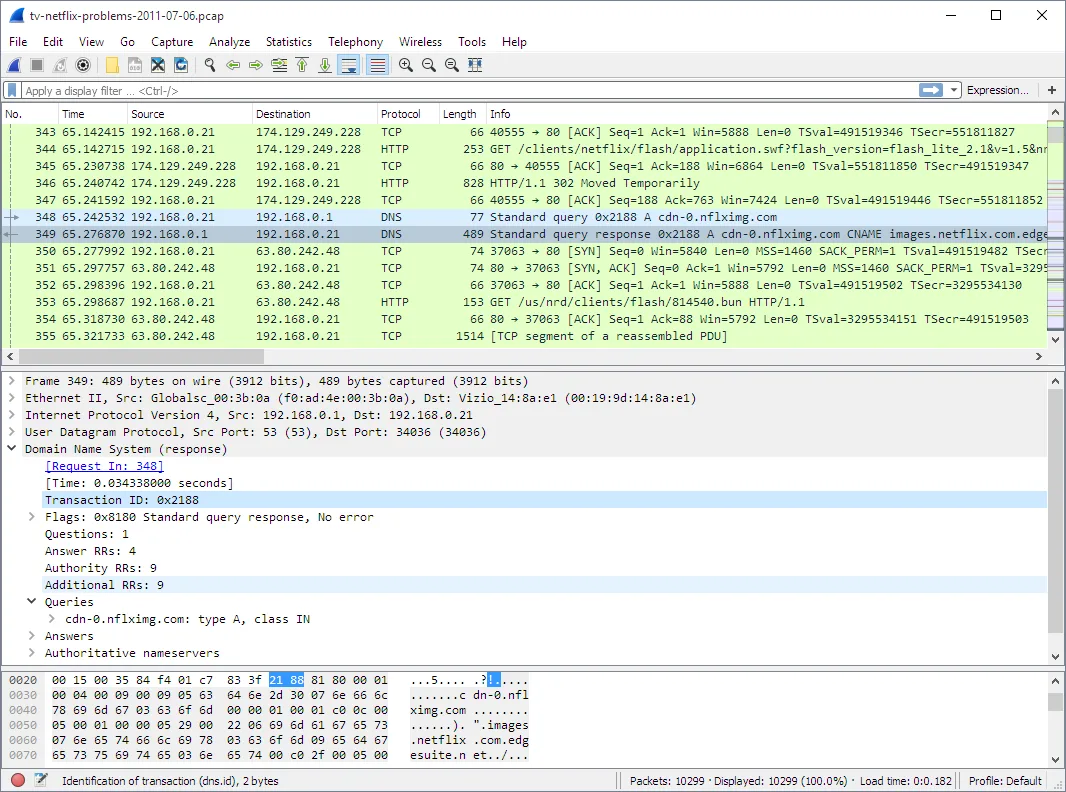
Wireshark is a free network protocol analyzer that reads capture files and lets you inspect traffic details.
Wireshark is not a direct replacement for GlassWire. GlassWire is a user-friendly network monitor and firewall that visualizes traffic and blocks connections. Wireshark is a deep packet inspector for analyzing protocol details. If you need simple graphs, alerts, and blocking, Wireshark will feel…
Feature parity20% -
Netdata is a real‑time performance monitoring tool for Linux servers and workstations.
Netdata can replace GlassWire for users who need real‑time network monitoring and per‑application bandwidth tracking on Linux. It provides detailed, per‑second charts, alerts, and a web dashboard that is easy to navigate. However, it lacks a built‑in firewall and granular app‑level blocking that…
Feature parity70% -
Glances is a cross‑platform, Python‑based system monitor that shows CPU, memory, disk, network and process stats in a terminal or web interface.
Glances can serve as a basic replacement for GlassWire for users who need real‑time network statistics and per‑application bandwidth monitoring in a lightweight terminal or web interface. It is suitable for sysadmins, developers, or power users who prefer command‑line tools and are comfortable with…
Feature parity70%

What is GlassWire?
GlassWire is a Windows‑only application that provides real‑time network monitoring, visual graphs of bandwidth usage, and a simple firewall interface. It is popular among home users, small businesses, and IT admins who want an easy way to see which apps are using the internet and to block unwanted connections.
The program is sold as a paid license with a free trial. The paid version offers advanced features such as historical data, VPN protection, and a more detailed firewall.
Because Windows is not the primary OS for many users, people look for Linux alternatives that can offer comparable network visibility and control without the cost or Windows dependency.
What a replacement for GlassWire must do
- Real‑time traffic graphs
- Per‑application bandwidth monitoring
- Alert on new connections
- Ability to block apps or domains
- Historical usage data
- User‑friendly interface
Can you run GlassWire on Linux?
There is no native Linux version of GlassWire. It can be run under Wine, but the experience is unreliable and the firewall features do not work. No official web version exists.
Linux users typically rely on native tools such as nethogs, Wireshark, Netdata, or Glances.
Which alternative should you choose?
For users who need simple per‑application bandwidth graphs, nethogs is the closest match. Wireshark is best for deep packet analysis and detailed traffic inspection. Netdata offers comprehensive real‑time monitoring with dashboards, while Glances provides a lightweight system overview with network stats.
Moving your GlassWire files and habits
GlassWire does not export its data to a standard format. Users must manually note their firewall rules and bandwidth limits. Linux alternatives use their own configuration files (e.g., /etc/nftables.conf for firewall rules, or JSON for Netdata dashboards), so a direct migration is not possible.
Side-by-side comparison
GlassWire: frequently asked questions
Does GlassWire support IPv6?
Yes, it monitors both IPv4 and IPv6 traffic.
Can I use GlassWire on a Linux machine?
Not natively; it requires Windows or a compatibility layer like Wine, which may not support all features.
Is there a free version of GlassWire?
A free trial is available, but the full feature set requires a paid license.
What is the minimum system requirement?
A modern Windows PC with at least 2 GB RAM and a 1 GHz processor; Linux equivalents typically run on most distributions with a recent kernel.
How important is GlassWire to you?
Know a better alternative? Suggest an alternative