 JabRefLinux
vs
ZoteroWindows
JabRef as a Linux alternative to Zotero
Updated
Our verdict
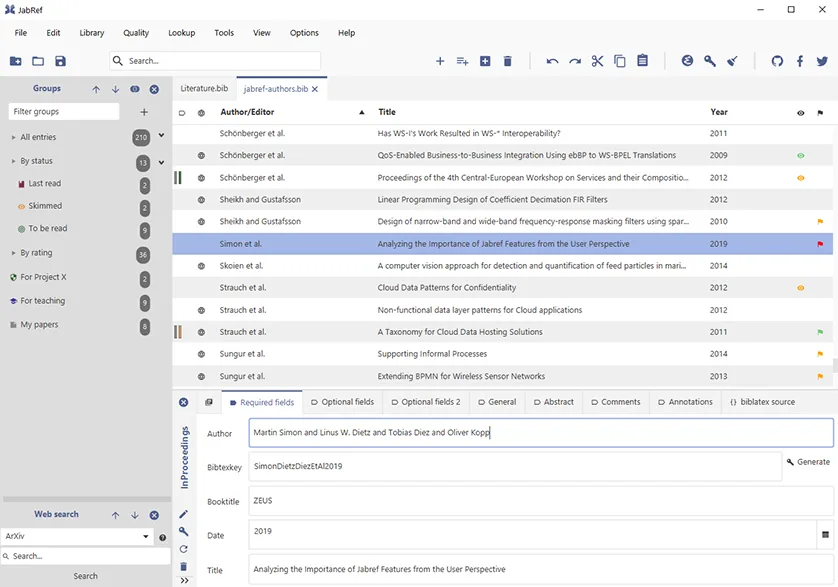
JabRef can replace Zotero for users who work mainly with BibTeX/BibLaTeX and are comfortable with a more technical workflow. It handles bibliography databases, DOI/ISBN lookup, PDF storage and annotation, and offers CSL‑based citation styles, so it covers the core reference‑management tasks. However, it lacks the tight browser capture and word‑processor plugins that make Zotero easy for casual users, so it suits researchers comfortable with LaTeX or command‑line tools rather than those who rely heavily on one‑click citation insertion in Word or LibreOffice.
- License
- MIT
- Price
- Free
- Latest version
- 5.15 (July 10, 2024)
- Rating
- —
What works the same
- Both manage bibliographic records and can store PDFs/ePUBs.
- Both retrieve metadata automatically from DOIs, ISBNs, and online databases.
- Both support citation style formatting via CSL.
- Both run on Linux and have GUI front‑ends.
What is different
- JabRef stores data primarily in BibTeX/BibLaTeX files; Zotero uses its own SQLite‑based library.
- Zotero offers browser extensions for one‑click capture; JabRef relies on manual import or DOI lookup.
- Word/LibreOffice integration is built into Zotero; JabRef requires external tools or manual citation insertion.
- Zotero includes built‑in note‑taking and web‑page snapshot features that JabRef lacks.
Opening your Zotero files
JabRef can import Zotero's exported BibTeX, RIS, or CSL‑JSON files, so you can move most citation data. Exporting from JabRef to BibTeX or CSL‑JSON works fine, but Zotero‑specific metadata (tags, notes, attachments) may be lost unless you export in a format Zotero understands, such as Zotero RDF. Direct opening of a Zotero SQLite library is not supported.
Switching from Zotero to JabRef, step by step
- Export your Zotero library as BibTeX (or CSL‑JSON) via Zotero's Export dialog.
- Open the exported file in JabRef (File → Open).
- Verify that PDFs are linked; adjust file paths if needed.
- Configure citation styles in JabRef using the CSL manager.
- If you use Word/LibreOffice, set up the appropriate LaTeX or CSL citation workflow.
- Delete the old Zotero installation if you no longer need it.
Key features of JabRef
- Supports BibTeX and biblatex database formats
- Automatic metadata retrieval from DOI, ISBN, and PubMed
- Integrated PDF viewer with annotation support
- Customizable citation styles via CSL (Citation Style Language)
- Duplicate detection and merging tools
- Cross-platform compatibility via Java runtime
- Plugin system for extending functionality
- Command-line interface for batch processing
How to install JabRef on Linux
flatpak install flathub org.jabref.jabrefsudo apt install jabrefsudo apt install jabrefFrequently asked questions
Can I still use Zotero's browser connector with JabRef?
No. The connector saves data to Zotero's library format; you would need to export from Zotero periodically and import into JabRef.
Does JabRef support annotation of PDFs like Zotero?
Yes, it includes a built‑in PDF viewer with basic annotation tools, though they are less feature‑rich than Zotero's.
Will my existing Word citations break after switching?
Existing Zotero citations in Word are stored as field codes tied to Zotero; they will not update automatically after migration. You will need to replace them with citations generated from JabRef's workflow, typically via LaTeX or a CSL‑compatible plugin.