
 JASPLinux
vs
StataWindows
JASP as a Linux alternative to Stata
Updated
Our verdict
JASP is not a full replacement for Stata. It covers basic descriptive statistics, t‑tests, ANOVA, linear regression, and Bayesian equivalents, but it lacks Stata’s extensive econometric toolbox, advanced panel data commands, and the ability to write complex do‑files for reproducibility. JASP is useful for researchers who need quick, visual results and APA‑style tables, especially those working with CSV, Excel, SPSS, or R data. For advanced econometrics, time‑series, or large‑scale batch processing, Stata remains the better choice.
- License
- AGPL-3.0+
- Price
- Free
- Latest version
- 0.98.1 (July 6, 2026)
- Rating
- —
What works the same
- Both read common data formats like CSV, Excel, SPSS, and can export tables to PDF or RTF
- Both provide graphical output that can be customized
- Both offer Bayesian analysis options (though JASP is focused on Bayesian)
- Both are cross‑platform
What is different
- JASP lacks Stata’s advanced econometric procedures (e.g., GMM, panel data models)
- JASP does not support Stata’s .dta file format directly; conversion needed
- JASP has no do‑file scripting for reproducible batch processing
- JASP’s command‑line automation is limited compared to Stata's batch mode
Opening your Stata files
JASP can import CSV, Excel, SPSS, and other common formats, but it does not natively read Stata .dta files. To work with Stata data, export the dataset from Stata to CSV or SPSS first, then load it into JASP.
Switching from Stata to JASP, step by step
- Export your Stata dataset to CSV or SPSS format.
- Open JASP and use the File → Import menu to load the exported file.
- Recreate your analyses using JASP’s GUI or the built‑in Bayesian options.
- Export results to PDF or RTF for reporting.
- If you need reproducibility, consider using R or Python scripts instead of JASP’s GUI.
Key features of JASP
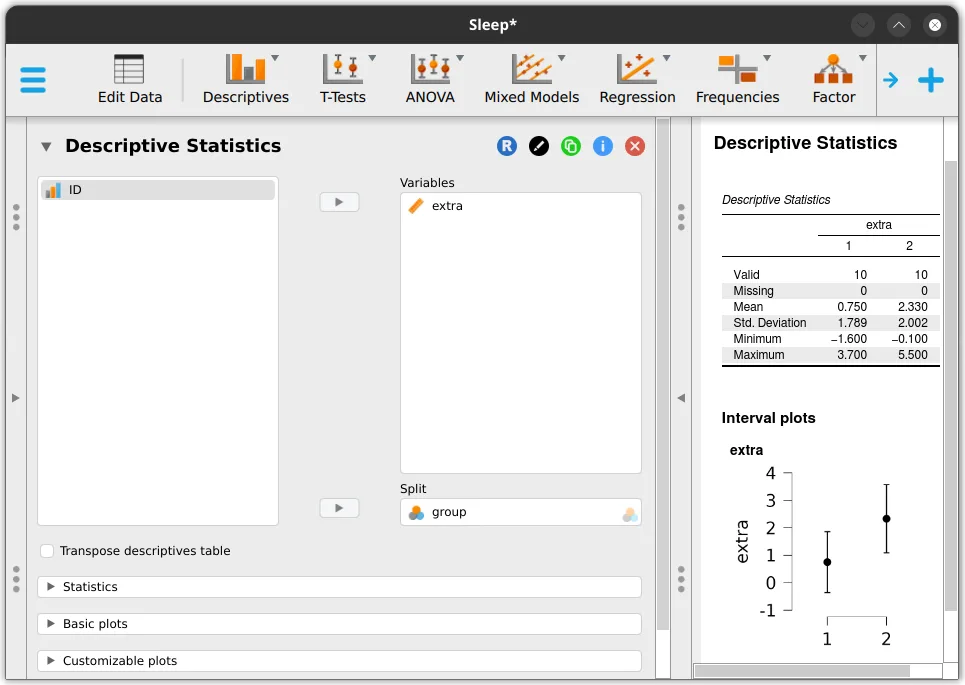
- Graphical interface with real‑time output updates
- Built‑in APA‑style tables
- Support for CSV, SPSS, Excel, and other common formats
- Frequentist and Bayesian analysis options
- Export to PDF, HTML, and RTF
- Extensible via add‑ons
- Cross‑platform (Windows, macOS, Linux)
- Open‑source code on GitHub
How to install JASP on Linux
flatpak install flathub org.jaspstats.JASPFrequently asked questions
Can JASP read Stata .dta files directly?
No, JASP does not support .dta files. Convert the data to CSV or SPSS before importing.
Does JASP support batch processing like Stata do‑files?
JASP has limited automation; it does not provide a scripting language for batch runs. For large analyses, use R or Python.
Is JASP suitable for advanced econometric analysis?
JASP covers basic regression and some Bayesian models but lacks Stata’s specialized econometric commands such as GMM, panel data, and time‑series procedures.
3 other alternatives to Stata
 jamovijamovi is a real‑time statistical spreadsheet that replaces tools like Stata on Linux.Open sourceFreeFlatpakjamovi vs Stata
 PSPPPSPP is a free, open-source statistical analysis tool designed as a replacement for SPSS, offering similar…Open sourceFreeFlatpakPSPP vs Stata