

Linux · Science & Education
jamovi
jamovi is a real‑time statistical spreadsheet that replaces tools like Stata on Linux.
- License
- AGPL-3.0-or-later
- Latest version
- 28.7 (October 3, 2026)
- Developer
- the jamovi team
- Installs
- 2,934 (Flathub, 30 days)
What is jamovi?
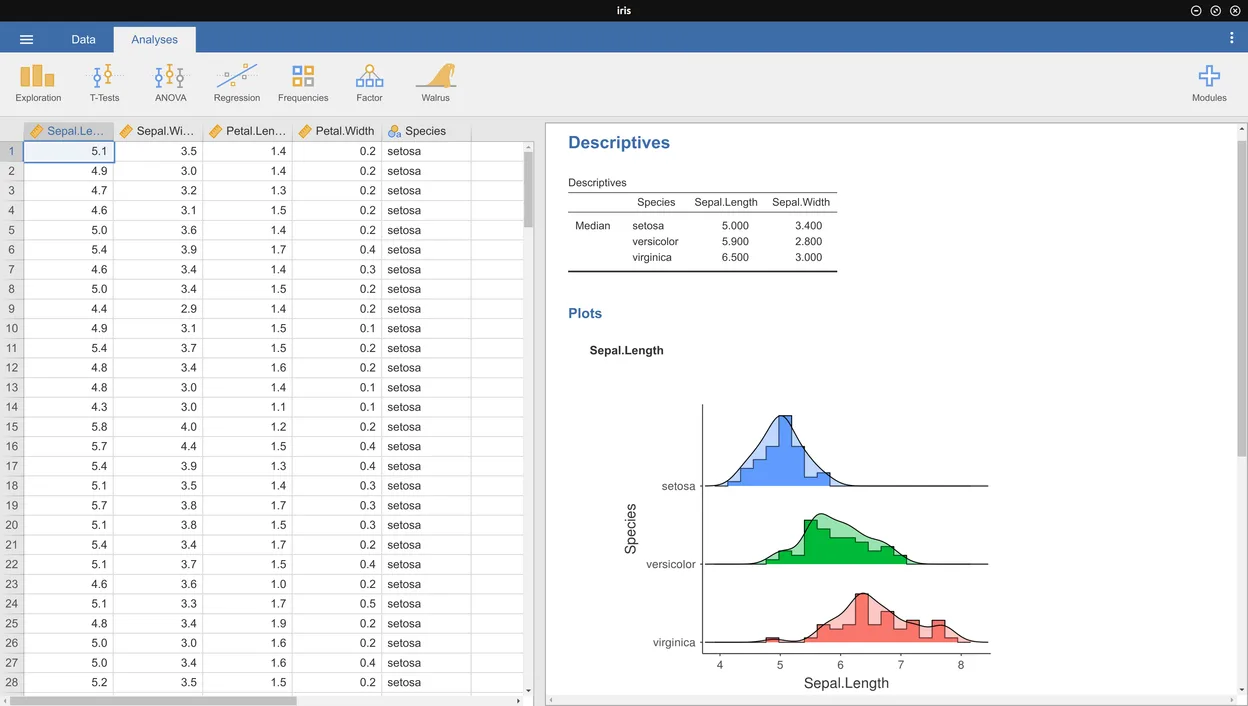
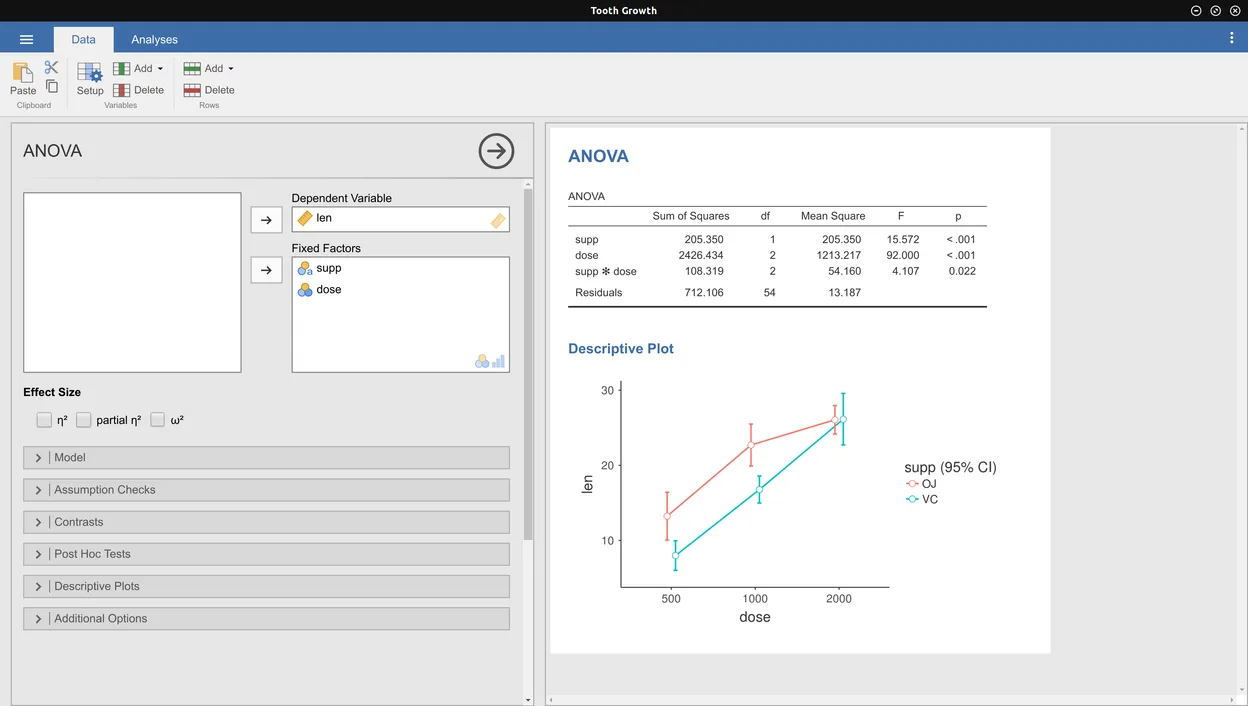
jamovi started in 2015 as a free, open‑source alternative to commercial statistical packages. It grew quickly thanks to a clean interface and a focus on reproducible analysis. The program is aimed at researchers, students, and educators who need a full set of descriptive and inferential statistics without the steep learning curve of command‑line tools. Compared with Stata, jamovi feels more like a spreadsheet: you drag and drop variables, see results instantly, and can export tables to LaTeX or Markdown. It lacks some of Stata’s advanced scripting, but offers a more visual workflow.
Best for: Researchers and students who need a quick, visual statistical workflow without learning a full programming language.
Key features of jamovi
- Real‑time output updates
- Built‑in t‑tests, ANOVAs, correlations, and factor analysis
- Extensible via jamovi library
- Export to PDF, HTML, LaTeX, Markdown
- Cross‑platform (Linux, Windows, macOS)
- Supports .csv, .sav, .dta, .xlsx
- Keyboard shortcuts for common actions
- Integrated help and tutorials
Pros
- Free and open source
- Immediate visual feedback
- Easy to learn for spreadsheet users
- Good documentation
- Active community
Cons
- No native scripting language like Stata’s do files
- Limited advanced econometric methods
- Occasional lag with very large datasets
- Library modules may lag behind core updates
Windows programs jamovi replaces
How to install jamovi on Linux
flatpak install flathub org.jamovi.jamoviTips for Windows users
If you come from Stata, you’ll find jamovi’s syntax-free interface a relief. Import your .dta or .sav files via File → Import; data will appear in a grid. Use the Analysis pane to add tests; results appear in the Results tab. Shortcuts like Ctrl‑S save the project (.omv), while Ctrl‑C/Ctrl‑V copy tables. Export results to LaTeX or Markdown for reports. Note that jamovi does not support Stata’s do files, so scripts must be recreated manually.
Recent releases
- 28.7 —
- Added support for module export actions - General bug-fixes and improvements
- 28.6 —
- Fix to language selection
- 28.5 —
- Fix to NA handling in computed vars
- 28.4 —
- Added support for .docx export - Added support for .odt export - Added module support for opening external files - General bug-fixes and improvements
jamovi: frequently asked questions
Can jamovi import Stata files?
Yes, it supports .dta and .sav formats directly through the Import menu.
Is jamovi free on Linux?
Yes, jamovi is free and open source under AGPL‑3.0‑or‑later.
Does jamovi support large datasets?
It can handle datasets up to several million rows, but performance may degrade with very large files.
Can I extend jamovi with custom modules?
Yes, the jamovi library offers many additional analyses that can be installed from within the app.
Updated