
Windows · Sound & Video
Best Linux alternatives to Kdenlive
Kdenlive is a free, open‑source, multi‑track video editor for Linux based on MLT, KDE and Qt.
Updated
Quick answer
The best Linux alternative to Kdenlive is Shotcut. Other strong options: OpenShot, PiTiVi, Flowblade.
5 Linux alternatives to Kdenlive
-

Shotcut is a free, open-source video editor for Linux with support for a wide range of formats via FFmpeg.
Shotcut can serve as a replacement for Kdenlive, especially for users who need a straightforward multi‑track editor without deep integration into KDE. It covers the essential editing workflow, supports a broad range of formats via FFmpeg, and offers real‑time GPU‑accelerated preview. However, power…
Feature parity78% -

OpenShot is a free, open-source, non-linear video editor for Linux and other platforms, built with Python and MLT.
OpenShot can replace Kdenlive for users who need a straightforward, drag‑and‑drop editor and basic effects. It covers multi‑track editing, keyframe animation, and most common formats, making it suitable for hobbyists, educators, and occasional creators. Power users who rely on Kdenlive’s deeper…
Feature parity70% -
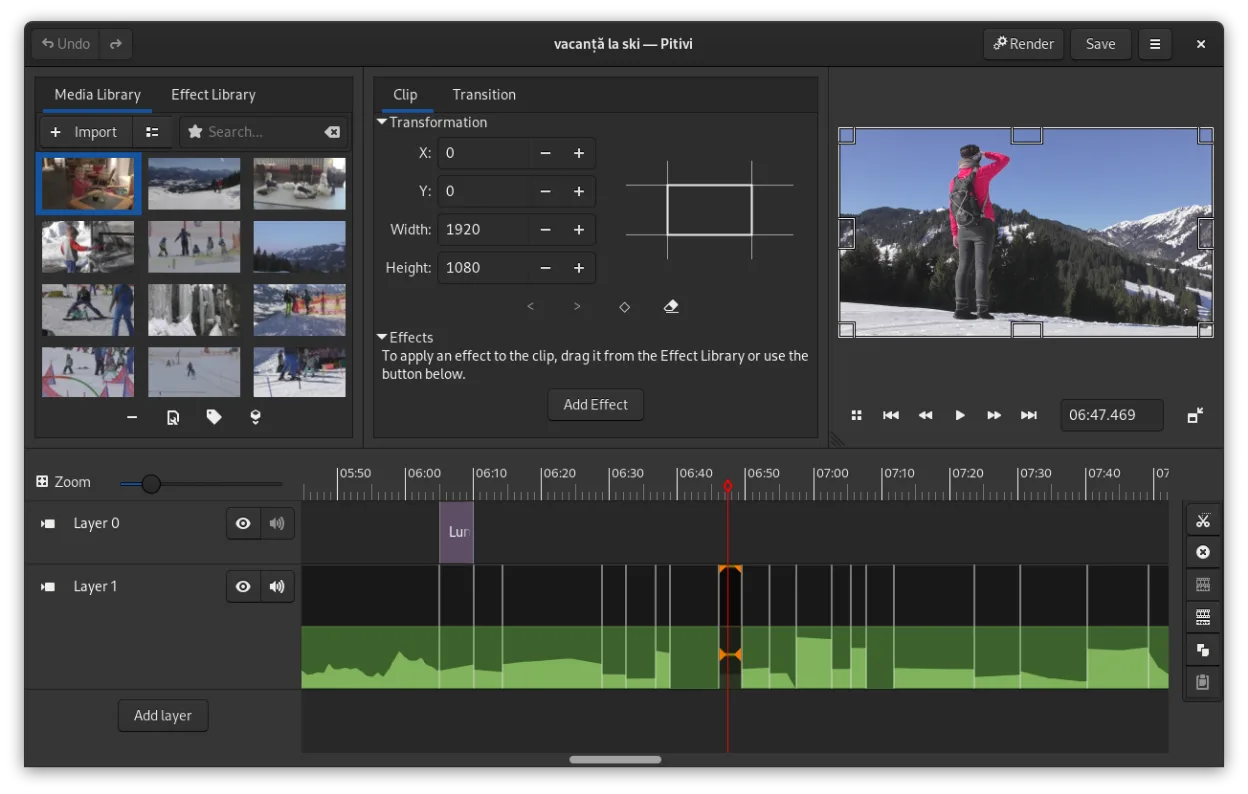
PiTiVi is a free, open-source, non-linear video editor for Linux built on GStreamer with a clean GNOME-integrated interface.
PiTiVi can serve as a replacement for Kdenlive for users who need a straightforward, GNOME‑integrated editor and are comfortable with a more modest feature set. It handles multi‑track editing, keyframes, and common formats, making it suitable for hobbyists, educators, or anyone whose workflow…
Feature parity68% -

Flowblade is a fast, stable, multitrack non-linear video editor for Linux, suitable for beginners to professionals.
Flowblade can serve as a solid replacement for Kdenlive, especially for users who value a lightweight, stable interface and straightforward workflow. It covers the essential multitrack editing, keyframe animation, and audio mixing that most hobbyists and many semi‑professional editors need…
Feature parity78% -

Olive is a free, open‑source non‑linear video editor for Linux.
Olive can serve as a replacement for Kdenlive for users who need a straightforward, multi‑track editor with basic keyframing and a decent set of effects. It works well for hobbyists, YouTubers, or anyone whose workflow doesn’t rely on the deeper MLT‑based features and extensive effect library that…
Feature parity68%




What is Kdenlive?
Kdenlive is a non‑linear video editor that lets users cut, splice and add effects to footage across multiple tracks. It is aimed at hobbyists, small‑studio producers and educators who need a full‑featured editor without the cost of commercial software. The project is released under the GPL‑3.0 license, so it is free to download, use and modify.
The software is available as a native package for most Linux distributions, and can also be built from source. It runs on KDE and other desktop environments that support Qt. Because it is open‑source, there is no subscription or license fee.
Users often look for a Linux alternative to Windows programs like Adobe Premiere or Final Cut Pro because they want a comparable workflow without the high price tag and with better integration into the Linux ecosystem.
What a replacement for Kdenlive must do
- Multi‑track editing
- Timeline with keyframes
- Wide format support (MP4, MKV, MOV, etc.)
- Built‑in effects and transitions
- Export to common codecs
- Basic color correction
- Audio mixing
Can you run Kdenlive on Linux?
Kdenlive ships as a native Linux application. It is packaged for major distributions (Ubuntu, Fedora, Arch, etc.) and can be installed from the official repositories or via flatpak. No Wine or Proton is required. The project provides a flatpak and snap package for easier installation on systems that do not have the latest native packages.
Which alternative should you choose?
Shotcut is good for users who want a simple interface and broad format support. OpenShot suits beginners who need basic trimming and effects. PiTiVi is lightweight and works well on older hardware. Flowblade offers a more traditional timeline and is ideal for users who prefer a single‑window workflow. Olive is a newer editor with a clean UI and is suitable for those looking for a modern alternative with a focus on performance.
Moving your Kdenlive files and habits
Kdenlive projects can be exported as XML, which most other editors can read. Most common video and audio formats (MP4, MOV, AVI, MP3, WAV) are supported for import and export, so moving footage between editors is straightforward. If you use a different editor, you may need to re‑apply effects or keyframes after opening the project file.
Side-by-side comparison
Kdenlive: frequently asked questions
Is Kdenlive free to use?
Yes, it is released under the GPL‑3.0 license and can be downloaded and used at no cost.
Does Kdenlive support 4K video?
Yes, it can edit and export 4K footage, provided your hardware has the necessary processing power.
Can I use Kdenlive on a laptop with limited RAM?
It works on modest hardware, but you may experience lag when working with high‑resolution footage or many layers.
Is there a mobile version of Kdenlive?
No, Kdenlive is only available for desktop Linux systems.
How important is Kdenlive to you?
Know a better alternative? Suggest an alternative