

Windows · Sound & Video
Best Linux alternatives to Windows Media Player (wmp)
Windows Media Player is Microsoft's built‑in media player and library manager for audio, video and images on Windows.
Updated
Quick answer
The best Linux alternative to Windows Media Player (wmp) is Mplayer. Other strong options: Totem, VLC media player, Stremio.
5 Linux alternatives to Windows Media Player (wmp)
-
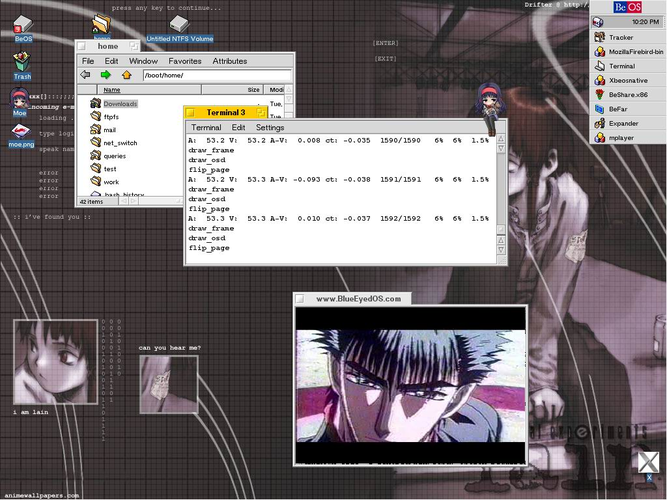
MPlayer is a free, command‑line media player that supports a wide range of formats and codecs.
MPlayer is a capable replacement for Windows Media Player if you're comfortable with command-line tools and don't need a graphical library. It plays nearly all audio and video formats out of the box, including MP3, MP4, AVI, and WMV, and handles subtitles well. However, it lacks a built-in media…
Feature parity60% -

Totem (GNOME Videos) is the default GNOME video player built on GStreamer.
Totem is a solid Linux alternative for most Windows Media Player users who need a straightforward player for music and video. It handles the common audio formats out of the box, supports popular video containers, offers basic playlist creation, and shows subtitles without extra configuration. Users…
Feature parity78% -

VLC is a free, open‑source multimedia player that runs on Linux and handles virtually any audio or video format.
VLC is a solid replacement for Windows Media Player for most users. It plays the same core audio and video formats, manages playlists, shows album art, and supports subtitles without extra plugins. The UI is slightly different but functional. Users who need advanced library features or tight…
Feature parity85% -
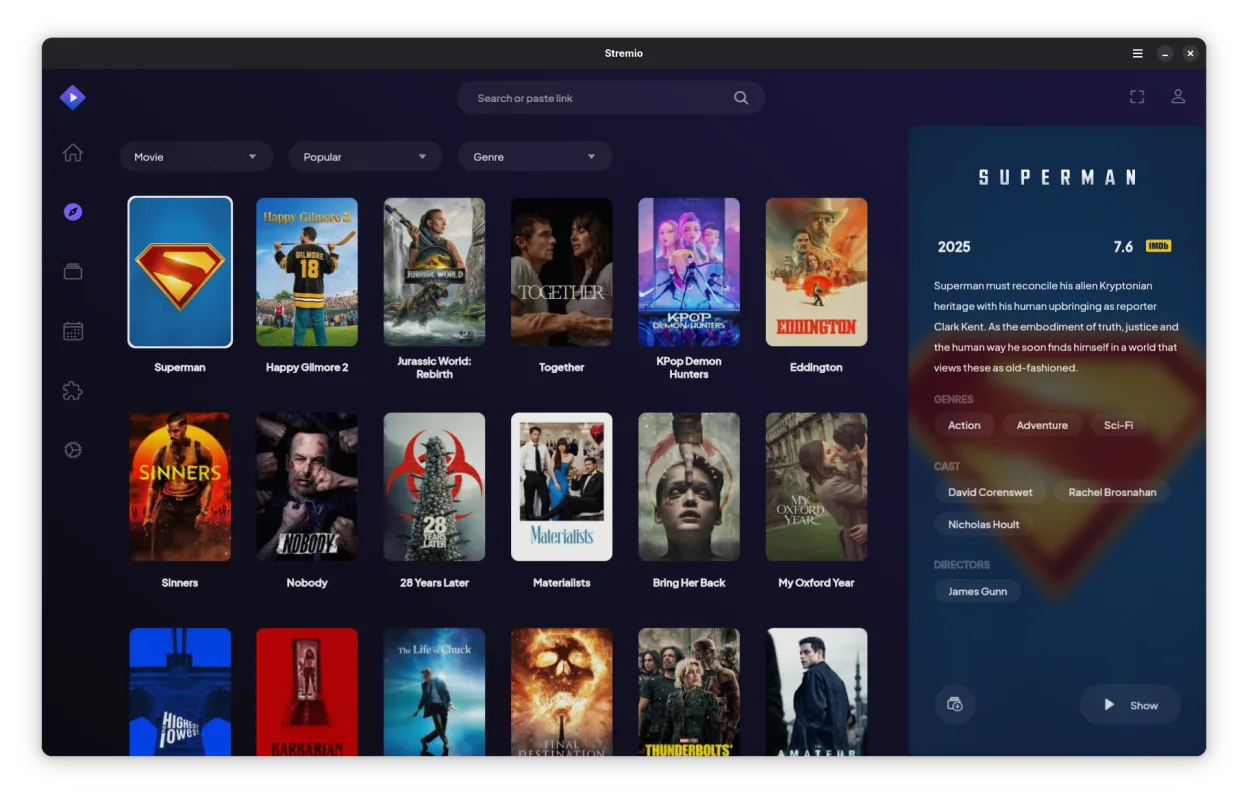
Stremio is a modern, open-source media player that aggregates content from local files and online addons for a unified streaming experience.
Stremio can replace Windows Media Player for users who mainly play local media and want a modern interface with automatic metadata. It handles MP3, AAC, WAV, MP4, WMV, AVI without extra codecs, and supports subtitles. However, it lacks some library features of WMP such as advanced playlist editing…
Feature parity75% -
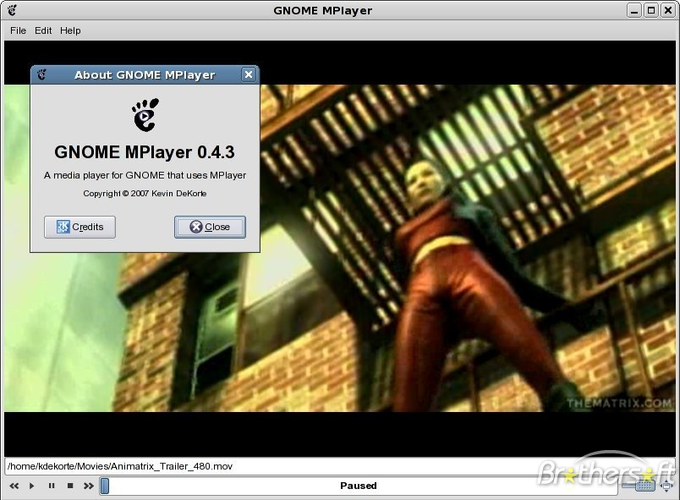
Gnome MPlayer is a lightweight GUI frontend for MPlayer, designed for GNOME desktops.
Gnome MPlayer is a functional but outdated replacement for Windows Media Player. It handles basic playback of common audio and video files well due to the MPlayer engine, but it lacks a modern library manager. Since the project is discontinued, you will not receive updates or security patches. It…
Feature parity45%


What is Windows Media Player (wmp)?
Windows Media Player (WMP) is a default media player that many Windows users rely on for everyday playback of music, movies and photo slideshows. It bundles a simple library view with basic playlist handling, and it integrates tightly with the Windows shell and Internet Explorer.
WMP is shipped free with Windows under a proprietary license, so there are no separate purchase costs, but the source code is closed and it only runs on Microsoft operating systems.
Linux users look for a replacement because they need a native player that can handle the same file types, support playlists, and provide a comparable UI without resorting to Windows emulation, which can be cumbersome and less reliable.
What a replacement for Windows Media Player (wmp) must do
- Play common audio formats (MP3, AAC, WAV)
- Play common video formats (MP4, WMV, AVI)
- Create and manage playlists
- Basic library organization (metadata, album art)
- Subtitle support for video
- Simple UI for quick playback
- Codec support without extra plugins
Can you run Windows Media Player (wmp) on Linux?
There is no native Linux build of Windows Media Player. It can be run through Wine or similar compatibility layers, but performance and codec handling are hit‑or‑miss. No official web version exists, so the practical approach is to use a native Linux player instead of trying to run WMP under emulation.
Which alternative should you choose?
VLC covers the widest range of codecs and works well for users who need robust playback and subtitle handling. Totem (Videos) offers a clean GNOME‑integrated experience for casual users. MPlayer and Gnome MPlayer provide command‑line or lightweight GUI options for power users who prefer scripting or minimal resource usage.
Moving your Windows Media Player (wmp) files and habits
WMP stores playlists as .wpl or .asx files and library metadata in a database under the user's profile. These can be exported to generic formats like .m3u, which VLC, Totem and MPlayer all understand. Media files themselves remain unchanged, so you can point the new player at the same folders and it will read the tags and album art directly.
Side-by-side comparison
| App | License | Flatpak | Latest version | Feature parity | Rating |
|---|---|---|---|---|---|
| Mplayer | GPL-2.0-or-later | — | 1.5 | 60% | 5/5 |
| Totem | GPL-2.0+ | — | 43.2 | 78% | — |
| VLC media player | GPL-2.0+ | ✓ | 3.0.23 | 85% | — |
| Stremio | GPL-3.0-only | ✓ | 1.2.2 | 75% | — |
| Gnome MPlayer | GPL | — | 1.0.9 | 45% | — |
Windows Media Player (wmp): frequently asked questions
Can VLC play WMV files?
Yes, VLC includes built‑in codecs for WMV and most other Windows formats.
Do I need to install extra codecs for MPlayer?
MPlayer bundles many codecs, but for some proprietary formats you may need the ‘ffmpeg’ package.
Is there a way to sync WMP playlists to Linux?
Export the playlists as .m3u from WMP and import them into VLC, Totem or MPlayer.
Will Wine give me full WMP functionality?
Wine can launch WMP, but library integration and DRM‑protected files often fail, so native Linux players are recommended.
How important is Windows Media Player (wmp) to you?
Know a better alternative? Suggest an alternative