
Windows · Accessories
Best Linux alternatives to KeePass
KeePass is a free, open‑source password manager that stores credentials in an encrypted database file.
Updated
Quick answer
The best Linux alternative to KeePass is KeePassXC. Other strong options: Bitwarden, KeePassXC, Proton Pass.
5 Linux alternatives to KeePass
-

KeePassXC is an open‑source, cross‑platform password manager that stores encrypted databases locally.
KeePassXC is a solid replacement for KeePass on Linux. It keeps the same database format, offers the same core features—encrypted storage, strong algorithms, auto‑type, clipboard handling, password generation, and import/export—and adds native Linux integrations like Secret Service and SSH agent…
Feature parity90% -

Bitwarden is an open‑source password manager that syncs encrypted vaults across all your devices.
Bitwarden is a good replacement for KeePass if you prioritize cross-device sync, browser integration, and ease of use over full local control. It offers strong encryption and open-source clients, making it trustworthy for most users. However, privacy-focused users who prefer completely offline…
Feature parity85% -

KeePassXC is a free, open-source password manager that stores encrypted credentials in a local file.
KeePassXC is a strong, native Linux replacement for KeePass, especially for users who want a modern GUI without relying on Java or Wine. It handles the core job of encrypted database storage perfectly and adds useful features like browser integration and SSH agent support that standard KeePass…
Feature parity95% -
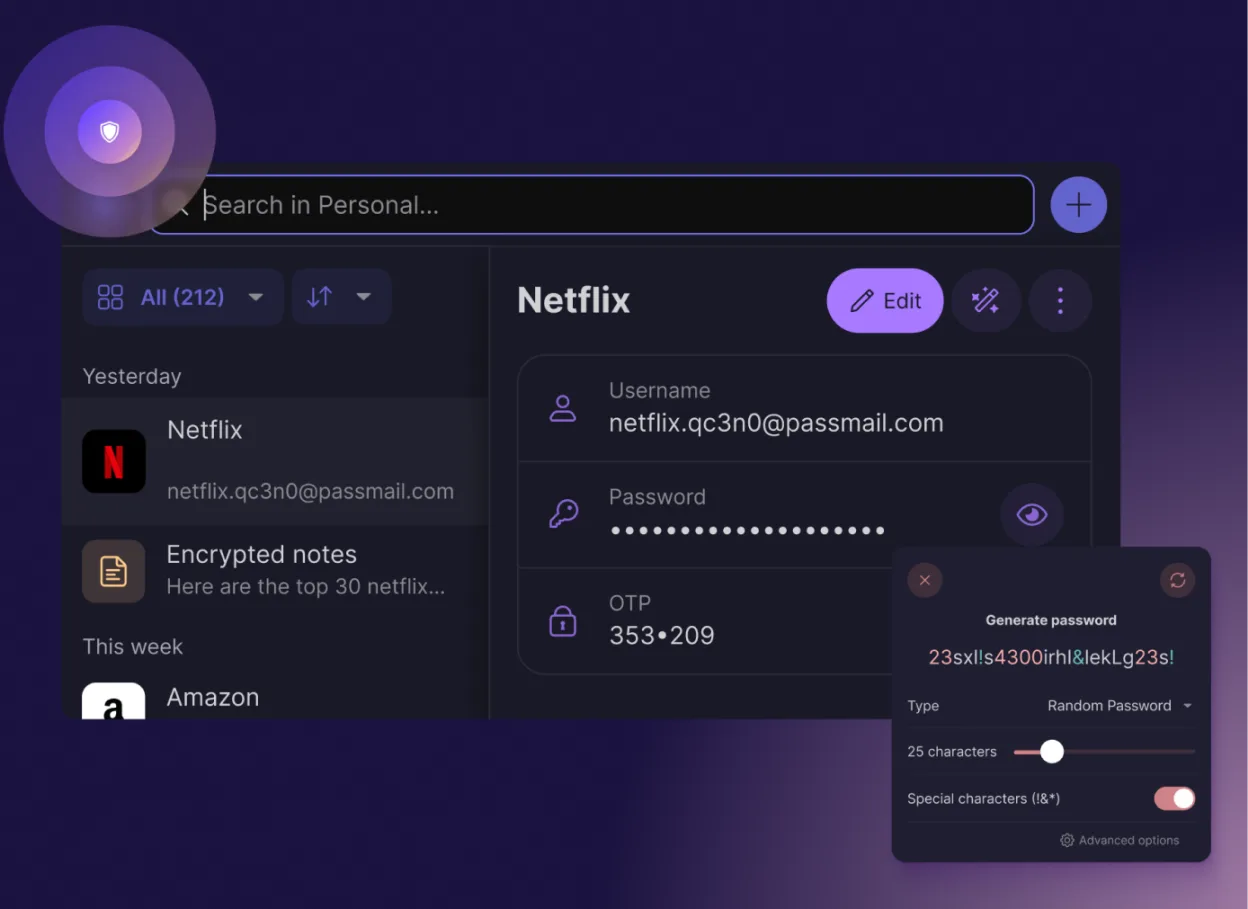
Proton Pass is a free, open‑source, end‑to‑end encrypted password manager for Linux, built by Proton AG.
Proton Pass is a strong replacement for KeePass users who prioritize cloud sync and convenience over local file control. It offers end-to-end encryption, password generation, and auto-fill features that match KeePass's core utility. However, it is not a direct drop-in replacement for power users…
Feature parity85% -
Vaultwarden is a lightweight, self‑hosted password manager compatible with KeePass databases.
Vaultwarden is a solid replacement for KeePass if you are willing to run a server. It handles encrypted storage, password generation, and auto-type via compatible clients. However, it is not a simple desktop app; you must host it yourself. If you prefer a local, file-based solution without server…
Feature parity85%




What is KeePass?
KeePass is used to keep passwords, notes, and other sensitive data safe in a single, encrypted file. It is popular with IT professionals, system administrators, and privacy‑conscious users who want a local, offline solution.
The software is free and released under the GPL‑2.0 license, so there is no cost to download, use, or modify it.
Many Windows users look for a Linux alternative because they want the same level of security and simplicity, but with native support for Linux desktop environments and tools.
What a replacement for KeePass must do
- Encrypted database storage
- Strong encryption algorithms
- Cross‑platform compatibility
- Easy import/export
- Password generation
- Auto‑type and clipboard management
Can you run KeePass on Linux?
KeePass itself is a Windows application, but the community has created a native Linux fork called KeePassXC that runs natively on Linux. There is no official web version. Running the original Windows binary under Wine works, but the native fork is preferable for stability and integration.
Which alternative should you choose?
KeePassXC is ideal for users who want a feature‑rich, native Linux app with a familiar interface. Bitwarden works well for those who prefer a cloud‑based sync across devices. Proton Pass is suitable if you already use Proton services. Vaultwarden is a lightweight server‑side option for self‑hosted sync.
Moving your KeePass files and habits
Export your database from KeePass in the .kdbx format. KeePassXC and Bitwarden both import .kdbx files directly, so migration is straightforward. Proton Pass and Vaultwarden also support .kdbx imports via their import tools.
Side-by-side comparison
| App | License | Flatpak | Latest version | Feature parity | Rating |
|---|---|---|---|---|---|
| KeePassXC | GPL-3.0-or-later | ✓ | 2.7.12 | 90% | — |
| Bitwarden | LicenseRef-proprietary=https… | ✓ | 2026.9.1 | 85% | — |
| KeePassXC | GPL-3.0-or-later | ✓ | 2.7.12 | 95% | — |
| Proton Pass | GPL-3.0 | ✓ | 1.42.0 | 85% | — |
| Vaultwarden | MIT | — | 1.37.4 | 85% | — |
KeePass: frequently asked questions
Is KeePassXC free?
Yes, KeePassXC is free and open‑source.
Can I sync my database across devices?
KeePassXC can sync via cloud services like Dropbox or OneDrive; Bitwarden and Proton Pass offer built‑in sync.
Does KeePassXC support two‑factor authentication?
Yes, it can store TOTP secrets and generate codes.
Is there a mobile app?
KeePassXC has a companion mobile app, but the primary desktop app is only for Linux, Windows, and macOS.
How important is KeePass to you?
Know a better alternative? Suggest an alternative