

Linux · Accessories
KeePassXC
KeePassXC is an open‑source, cross‑platform password manager that stores encrypted databases locally.
- License
- GPL-3.0-or-later
- Latest version
- 2.7.12 (March 10, 2026)
- Developer
- KeePassXC Team
- Installs
- 24,422 (Flathub, 30 days)


What is KeePassXC?
KeePassXC grew out of the original KeePass project and has been maintained for many years, with the latest release 2.7.12 in early 2026. It stores usernames, passwords, URLs, notes and attachments in a single encrypted file that never leaves your computer unless you sync it yourself. The program is mature, well‑tested and packaged for all major Linux distributions.
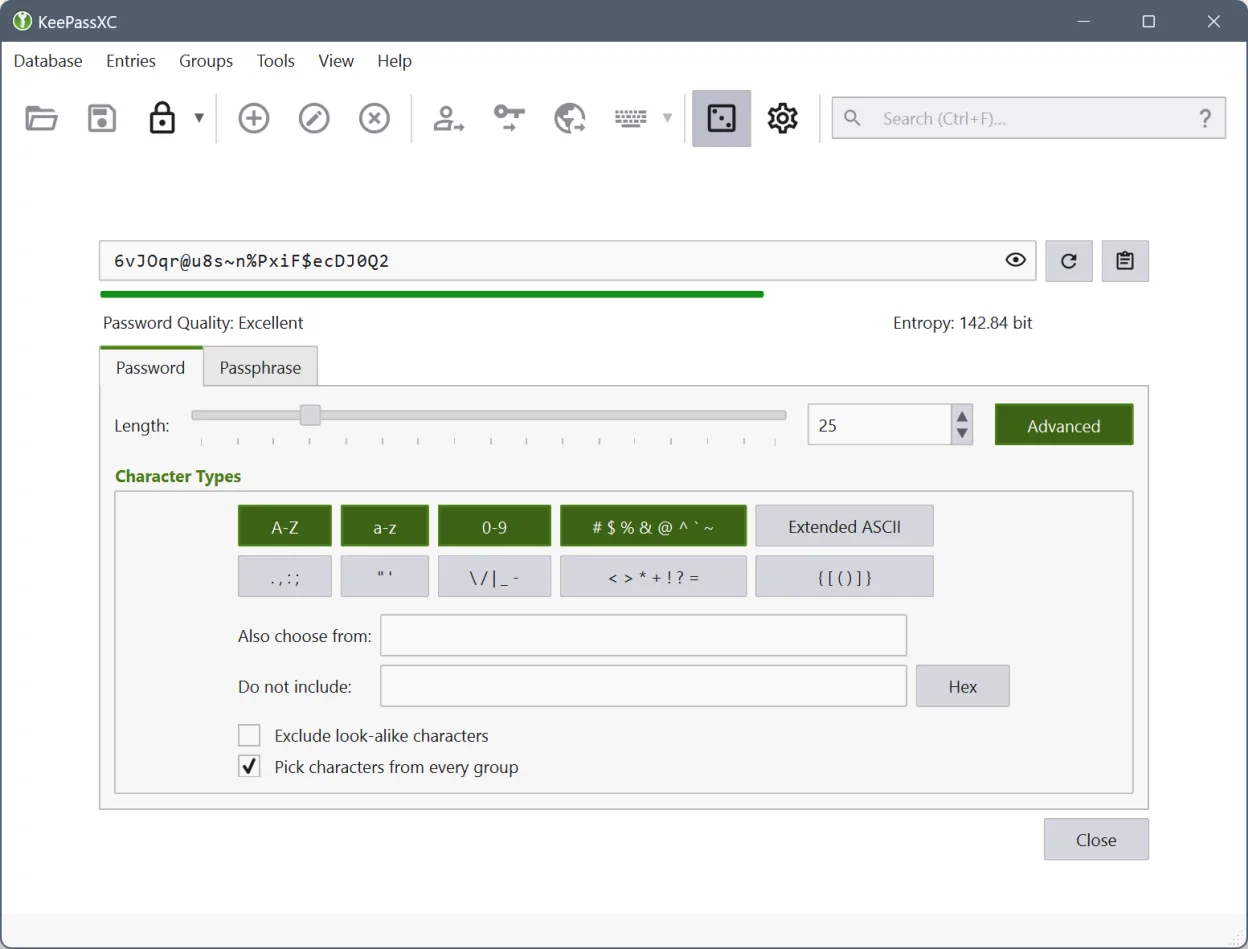
The tool is aimed at users who need strong local security without relying on cloud services. It suits developers, sysadmins, and anyone who prefers to keep credentials under their own control. Its UI feels familiar to Windows users of KeePass, offering a clean list view, search bar and a built‑in password generator.
Compared with the Windows KeePass, KeePassXC adds native Linux integration such as GNOME/KDE secret‑service support, auto‑type across X11/Wayland, and browser extensions. The workflow is essentially the same—open a .kdbx file, unlock it, and copy or auto‑type credentials—so the learning curve is low for former KeePass users.
Best for: Users who want a powerful, locally stored password vault compatible with Windows KeePass.
Key features of KeePassXC
- Auto‑type into any window
- Browser extensions for Chrome/Firefox
- Password generator with custom policies
- Advanced search and filtering
- FDO Secret Service integration
- SSH agent key management
- Attachment handling
- Comprehensive reporting
Pros
- Fully offline, no cloud lock‑in
- Strong encryption (AES‑256) and open source
- Cross‑platform .kdbx compatibility
- Good desktop integration (secret service, auto‑type)
- Active development and packaging
Cons
- No built‑in cloud sync; you must use external services
- Limited mobile support compared to some cloud‑based managers
- Configuration can be a bit technical for beginners
Windows programs KeePassXC replaces
How to install KeePassXC on Linux
flatpak install flathub org.keepassxc.KeePassXCsudo apt install keepassxcsudo apt install keepassxcsudo dnf install keepassxcsudo pacman -S keepassxcsudo zypper install keepassxcTips for Windows users
Copy your existing .kdbx file from Windows KeePass to your Linux home directory and open it directly in KeePassXC; the file format is identical. Keyboard shortcuts like Ctrl+G for the generator and Ctrl+Shift+V for auto‑type work the same. If you used Windows shortcuts for browser integration, install the KeePassXC browser extension on Linux and re‑authorize the connection.
Recent releases
- 2.7.12 —
- Passkeys: Set BE and BS flags to true (NOTE: MAY BREAK EXISTING PASSKEYS) [#13042] - Support TIMEOTP autotype and entry placeholder [#13117] - Browser: Show URLs in browser access dialog [#12906] - Bitwarden Import: Add support for nested folders [#13081] -…
- 2.7.11 —
- Add image, HTML, Markdown preview, and text editing support to inline attachment viewer [#12085, #12244, #12654] - Add database merge confirmation dialog [#10173] - Add option to auto-generate a password for new entries [#12593] - Add support for group sync…
- 2.7.10 —
- Allow adjusting application font size [#11567] - Add Proton Pass importer [#11197] - Support KeePass2 TOTP settings [#11229] - Add New/Preview Entry Attachments dialog and functionality [#11637, #11699, #11650] - Add database name, color, and icon options…
- 2.7.9 —
- Passkeys: Ability to easily remove a passkey from an entry [#10777] - Snap: Use new desktop portal for native messaging integration [#10906] - Improve entry placeholder/reference feature [#10846] - Improve CSV importing when title field isn't specified…
KeePassXC: frequently asked questions
Can I import my KeePass database into KeePassXC?
Yes, KeePassXC opens the standard .kdbx files used by KeePass without conversion.
Does KeePassXC support two‑factor authentication?
It can store TOTP secrets and generate codes, but the 2FA verification is done by the service you log into.
How do I enable GNOME keyring integration?
Install the secret‑service package for your desktop and enable the option in KeePassXC’s settings under ‘Secret Service Integration’.
Is there a way to sync my database across multiple Linux machines?
Use a cloud sync service like Syncthing or a private Git repository; KeePassXC itself does not provide syncing.
Updated