

Linux · Programming
gedit
gedit is GNOME's lightweight, general-purpose text editor, suitable for notes, documents, and basic code editing with plugin support.
- License
- GPL-2.0+
- Latest version
- 51.0 (October 15, 2026)
- Developer
- The gedit team
- Installs
- 2,593 (Flathub, 30 days)
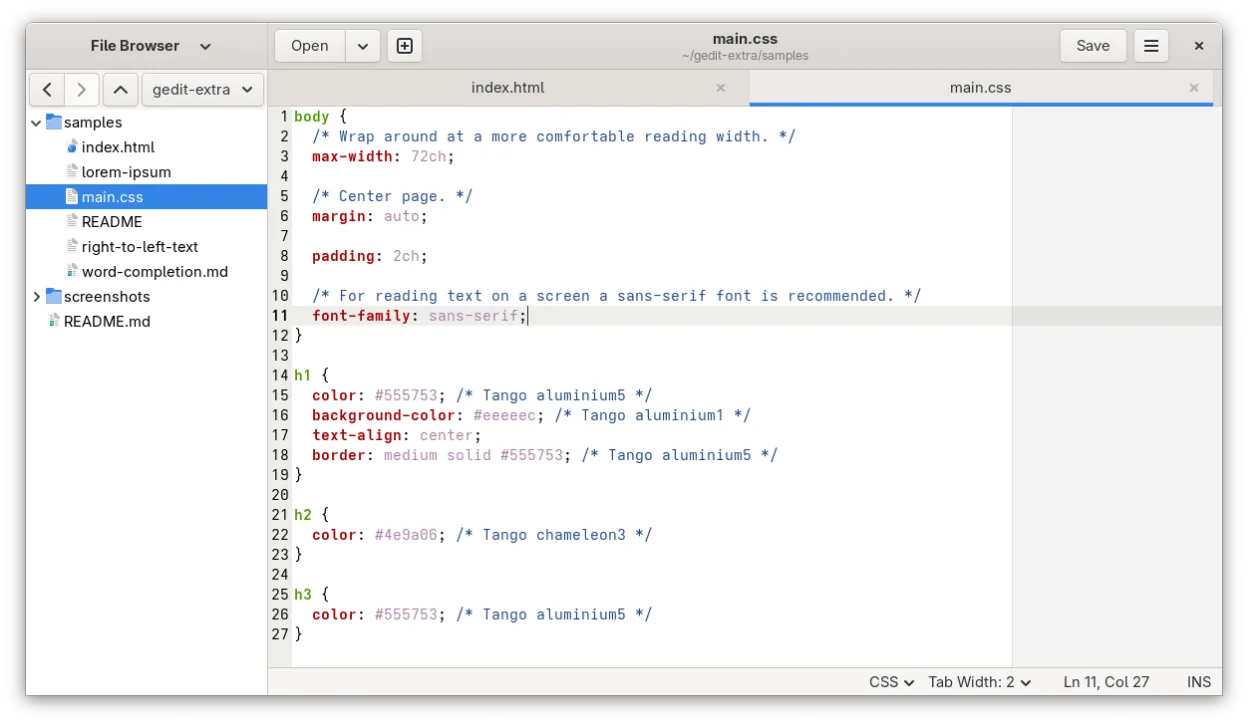
What is gedit?
gedit has been part of the GNOME desktop since 1998, originally serving as its default text editor. It was succeeded by GNOME Text Editor in GNOME 42 (2022) as the default, but gedit remains actively developed and widely available. Its long history means it's stable, well-documented, and deeply integrated into GNOME-based systems.
It's best for users who want a no-frills text editor with optional coding features. If you're writing config files, taking quick notes, or doing light scripting, gedit works out of the box. Developers can extend it with plugins for syntax highlighting, line numbers, and bracket matching, but it’s not built for large projects.
Compared to Notepad++ or WordPad, gedit feels simpler and more minimal. It lacks tabbed multi-file projects and advanced search/replace features. However, it starts fast, uses few resources, and integrates cleanly with Linux desktops—especially GNOME. It won’t replace a full IDE, but it’s reliable for everyday text tasks.
Best for: Users needing a dependable, simple text editor for everyday tasks and light coding on Linux.
Key features of gedit
- Syntax highlighting for many programming languages
- Plugin system for extending functionality
- Search and replace with regex support
- Configurable font, tab width, and line wrapping
- Line numbers, bracket matching, and auto-indent
- UTF-8 text encoding support
- Drag-and-drop text editing
- Multiple document interface with tabs
Pros
- Lightweight and fast to launch
- Stable and well-tested over decades
- Simple, clean interface with low distraction
- Good default for basic coding and config editing
- Available in most Linux distributions by default
Cons
- No project management or file tree sidebar
- Plugin ecosystem is limited compared to Notepad++
- Fewer advanced editing tools like macros or split views
- GNOME integration means less polish on non-GNOME desktops
Windows programs gedit replaces
 Notepad++
 WordPad
How to install gedit on Linux
flatpak install flathub org.gnome.geditsudo apt install geditsudo apt install geditsudo dnf install geditsudo pacman -S geditsudo zypper install geditTips for Windows users
gedit opens plain text files (.txt) and code files (like .py, .sh, .conf) without issue, just like Notepad++. Keyboard shortcuts are similar—Ctrl+S to save, Ctrl+F for find—but it doesn’t support custom shortcuts or macros. You’ll miss multi-file search and split editing. Workflows relying on plugins or tabs across many files will need adjustment. Stick with it for single-file edits; use a dedicated IDE or editor like VS Code or Geany for heavier coding.
Recent releases
- 51.0 —
- 51~alpha1 —
- 50.0 —
- 49.0 —
gedit: frequently asked questions
Is gedit still maintained?
Yes, gedit is actively maintained. The latest release is 51.0 from October 2026, with updates available through major distributions and Flathub.
How do I enable line numbers in gedit?
Go to Preferences > Editor and check 'Display line numbers'. You can also enable auto-indent and highlight current line there.
Can gedit open large files like Notepad++?
gedit can handle moderately large files, but performance degrades with very large logs or data files. For files over 100MB, consider using less or a dedicated tool like Vim.
What replaced gedit in GNOME 42?
GNOME Text Editor replaced gedit as the default text editor in GNOME 42, but gedit is still available and maintained for users who prefer its interface and features.
Updated